Skip to content

GoHighLevel Conversation AI helps teams automate customer conversations, qualify leads, and improve appointment booking across messaging channels. This guide explains setup, testing, workflows, human handover, and measurable optimization.
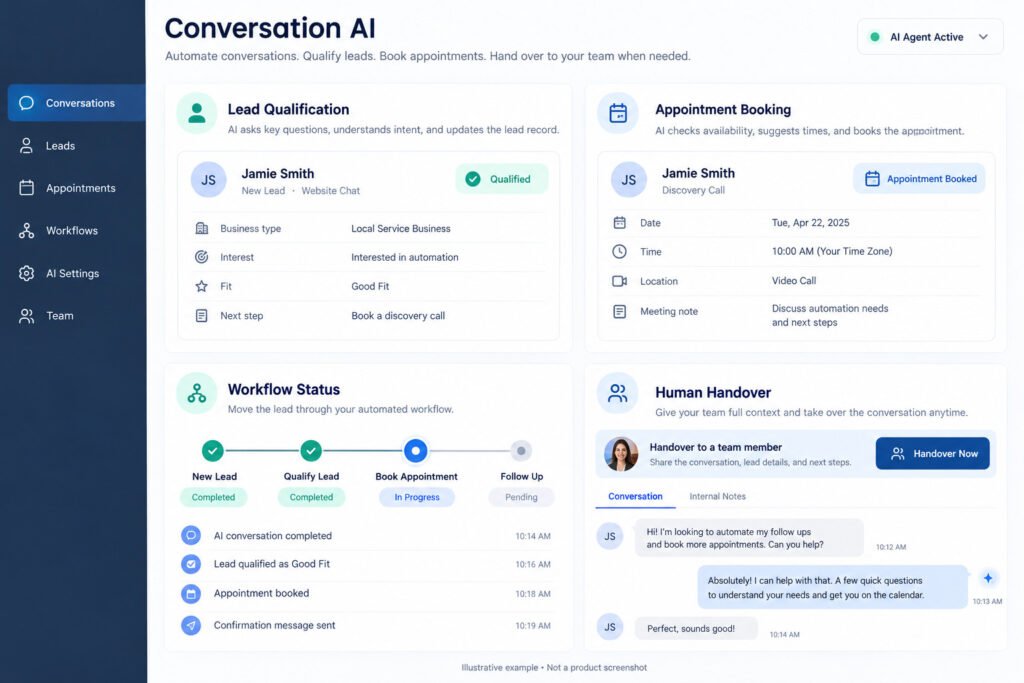
Why GoHighLevel Conversation AI Is Changing How Teams Book Appointments
The reason is simple: an AI chatbot can respond to inbound messages within seconds, ask qualification questions, check availability, and create appointments without forcing prospects to wait for office hours. GoHighLevel connects conversations with the HighLevel CRM, calendar integration, and workflow automation, so every interaction can update a contact record and sales pipeline. Teams can define brand voice, escalation rules, and communication channels while preserving a consistent customer experience. In practical deployments, faster lead response often improves booking rates because prospects receive useful answers while intent is highest. GHL administrators should begin with one sub-account, one audience, and one appointment objective before expanding. Measure response time, qualified conversations, booked calls, show rates, and human handover volume weekly.

What to Expect in Your First 90 Days
What teams usually see in the first 90 days centers on faster lead response, fewer repetitive replies, and better visibility into conversation outcomes. Results vary by offer, traffic quality, calendar capacity, and prompt quality, so compare a documented baseline rather than relying on anecdotal wins. A useful review tracks total inbound conversations, qualified leads, booked appointments, cancellations, response latency, and conversations transferred to staff. Agencies commonly discover that the first month exposes missing FAQs and unclear qualification criteria, while the second and third months produce more stable outcomes after transcripts are reviewed. HighLevel users should separate bot-generated bookings from agent-assisted bookings and record the channel that created each opportunity. This creates a defensible performance picture and prevents inflated claims. Conversation AI performs best when businesses give it accurate service details, explicit boundaries, and a clear next action for every common intent.
Booking lift across service businesses and agencies
Booking lift across service businesses and agencies depends on reducing friction between interest and calendar selection. A local clinic can ask service type, preferred timing, and insurance questions before offering appointments; an agency can qualify company size, budget, and decision timeline. Conversation AI should not promise unavailable times or invent pricing. Connect the bot to an accurate calendar, define working hours, and test time-zone handling before launch. Compare a four-week pre-launch period with a four-week post-launch period using the same traffic source where possible. Review booking rate, qualified-to-booked conversion, no-show rate, and revenue per appointment. Agencies should also compare results by sub-account because different offers require different prompts. A practical target is not a universal percentage increase; it is a statistically credible improvement accompanied by fewer abandoned conversations and cleaner CRM records.
Time saved per week on repetitive chat replies
Time saved per week on repetitive chat replies comes from removing manual answers to predictable questions about services, pricing ranges, locations, availability, and preparation. Export a typical week of conversations, count repeated intents, and estimate the minutes agents spend answering each one. Then configure Conversation AI with approved answers and escalation triggers. If a team handles 300 routine messages weekly and each response takes three minutes, even partial automation can return substantial staff capacity. Validate savings against transcript audits because agents may still need to correct inaccurate replies or complete bookings. GHL teams should measure both minutes saved and quality indicators such as qualified lead rate, customer satisfaction, and unresolved-contact volume. The goal is not to eliminate people; it is to reserve human attention for complex sales, sensitive concerns, and conversations where judgment materially improves the outcome.
Where Conversation AI Still Needs a Human in the Loop
Where Conversation AI sales still needs a human in the loop is wherever context, empathy, authority, or negotiation exceeds defined rules. The AI engine can manage natural-language exchanges and routine lead qualification, but it should not make unsupported commitments, interpret legal or medical risk, or negotiate exceptions without approval. Set a human handover trigger for angry language, refund requests, unusual pricing, repeated misunderstanding, or explicit requests for a person. Include the complete transcript, contact details, qualification answers, and requested action in the transfer notification. This lets a representative continue naturally instead of asking the customer to repeat information. HighLevel teams should test escalation during business and after-hours periods, then define an acknowledgement message for each case. A reliable handoff protects trust while allowing Conversation AI to handle high-volume first responses.

Complex negotiations that stall automated flows
Complex negotiations that stall automated flows usually involve custom scope, competing decision-makers, discounts, timing dependencies, or contractual conditions. A bot can gather facts and schedule a qualified discussion, but it should not improvise concessions. Use explicit rules such as “collect the requested package and budget, then route to sales.” In Flow Builder, branch on budget range, service complexity, and urgency before assigning an owner. Add a short confirmation explaining that a specialist will review the request, and include a realistic response window. Review stalled transcripts for missing questions rather than repeatedly adding long instructions to the prompt. A clear boundary improves customer confidence and reduces inconsistent offers. AI sales bot performance should be judged by useful qualification and appropriate routing, not by forcing every negotiation through automation.
Sensitive objections best routed to a rep
Sensitive objections best routed to a rep include complaints, discrimination concerns, data-privacy questions, health-related disclosures, payment disputes, and threats to cancel. Conversation AI can acknowledge the concern, avoid argumentative language, and collect only necessary information before human handoff. Configure keywords and intent rules, but also test indirect wording because customers do not always use obvious trigger phrases. The representative should receive the transcript, contact history, channel, and requested resolution. Do not ask the customer to repeat sensitive details in multiple systems. GHL administrators should restrict access to transcripts according to role and document retention practices. Helpful automation is measured by safe escalation and reduced frustration, not by the number of objections answered without staff involvement.
Prerequisites Before You Touch Conversation AI Settings
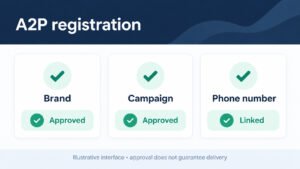
Prerequisites before you touch Conversation AI settings include a verified sub-account, accurate business information, connected phone numbers, approved FAQs, a functioning calendar, and a clear escalation owner. Confirm that Twilio or another supported provider is correctly connected for SMS, that messaging permissions are appropriate, and that contacts are mapped to the HighLevel CRM. Decide which communication channels are in scope and document each channel’s hours, tone, and compliance requirements. Prepare a qualification sequence with required fields, acceptable answers, and disqualifying conditions. Gather real customer questions instead of writing generic copy from memory. Also define success metrics, baseline booking data, and a rollback process. A short readiness checklist prevents expensive debugging after launch and gives the team a shared operating standard. If you text US numbers, finish your A2P 10DLC registration before turning on SMS AI.

Choosing Between Guided Form Setup and a Prompt Based Bot
Choosing between Guided Form Setup and a Prompt Based Bot depends on complexity, team experience, and how quickly requirements may change. A guided form wizard gives structured fields for goals, audience, questions, tone, and handoff rules, making it easier for a new administrator to produce a safe first version. A prompt-based setup offers faster iteration when the team understands the conversation deeply and needs nuanced instructions. Both approaches require transcript testing, accurate knowledge, and explicit boundaries. Start with the smallest useful journey: identify intent, capture essential information, offer a relevant next step, and escalate when necessary. Compare completion rates and error patterns after launch rather than assuming one method is universally better. Document the selected method so another operator can maintain it.
When the guided form wizard is the safer first build
When the guided form wizard is the safer first build, use it for a new sub-account, a simple appointment objective, or a team that has limited AI configuration experience. The guided form encourages consistent collection of business details, Bot Goals, qualification questions, and handoff preferences. Before publishing, inspect every generated answer against approved service information and remove claims the business cannot guarantee. Test common questions, misspellings, short replies, and requests outside scope. The wizard is especially useful when multiple client accounts need a repeatable starting point. It does not replace review: a human must verify calendar behavior, consent language, fallback responses, and routing. Treat the first guided form as a controlled baseline that can later be refined with targeted instructions.
When a prompt based bot gives faster iteration
When a prompt based bot gives faster iteration, use it for established teams with clear transcripts, known edge cases, and a defined brand voice. Write instructions in operational sections: role, objectives, allowed facts, qualification sequence, appointment rules, prohibited claims, and escalation conditions. Give examples of concise good replies and specify when the AI bot must ask one question rather than several. Test each change against a saved evaluation set so faster editing does not introduce regressions. A prompt-based bot can support complex branching, but avoid conflicting instructions and vague phrases such as “be helpful.” Record version notes in the live account or sandbox, then promote only a reviewed build. Prompt flexibility is valuable when paired with disciplined testing.
Naming Conventions and Tags That Keep Your Chatbot Organized
Naming conventions and tags that keep your chatbot organized prevent confusion when teams manage multiple bots, channels, and client sub-accounts. Use a stable pattern containing client, purpose, channel, environment, and version, such as “ACME-Booking-SMS-Prod-v03.” Apply tags for intent, qualification status, handoff reason, and experiment cohort rather than creating synonyms for the same condition. Keep names short enough for workflow screens and specific enough for audits. Document ownership, trigger conditions, and expected destination in a shared register. HighLevel teams should also distinguish templates from deployed configurations so a change to a reusable asset does not unexpectedly affect production. Consistent labels make troubleshooting faster and improve reporting accuracy.
Labeling flows so teammates know which bot owns a channel
Labeling flows so teammates know which bot owns a channel requires naming the channel, trigger, environment, and responsible team in every workflow. For example, use “SMS-NewLead-Booking-Prod” rather than “Booking Flow.” Add a description stating whether the workflow sends automated replies, launches an AI Action, creates an opportunity, or alerts a representative. Check for overlapping triggers before activation, especially when Chat Initiated and inbound SMS events can reach similar contacts. A channel ownership table should identify the primary bot, backup owner, escalation destination, and operating hours. This simple discipline prevents duplicate replies and helps agents understand why a contact entered a particular path. Review ownership whenever a new campaign or phone number is added.
Using tags to separate test bots from live ones
Using tags to separate trial bots from live production ones protects customers from unfinished experiments. Apply environment tags such as TEST, STAGING, and PROD to bots, workflows, contacts, and reporting views. Restrict test triggers to internal phone numbers or a controlled audience, and never rely on a visual label alone when permissions can provide stronger protection. Before promotion, confirm that test calendars, webhook destinations, and notification recipients are replaced with production values. Preserve the original version and record the approval date, reviewer, and expected change. If a trial bot receives real conversations accidentally, pause it immediately, inspect responses, and notify affected staff. Environment separation makes experimentation safer and rollback more predictable.
Test Both Setup Methods Before You Publish
Guided Form Setup and a prompt based bot solve the same operational problem through different levels of control. Guided Form Setup prioritizes consistency and accessible configuration; prompt-based creation prioritizes precision and rapid refinement. In both cases, begin with one primary outcome, define the customer journey, connect the calendar, and create a fallback to a human. Build a test set containing common questions, ambiguous requests, objections, and unsupported topics. Check response accuracy, question order, field capture, appointment creation, and handoff behavior. Do not publish simply because the bot produces fluent text. Conversation AI must also perform the correct action in the correct system.
A Technical Blueprint for Your First Conversation AI Setup
A technical blueprint for your first Conversation AI setup should connect entry points, interpretation, data capture, business actions, and escalation. Start with messaging channels such as SMS, web chat, or voice features, then define the trigger that activates the AI bot. Add an AI engine instruction layer containing brand voice, service facts, qualification questions, and prohibited behavior. Store captured fields in the CRM, route qualified contacts into the sales pipeline, and use calendar integration for appointment booking. Add workflow automation for notifications, reminders, and ownership assignment. Finally, create a human handoff path with transcript context and a clear status. Test each component independently before running an end-to-end tutorial scenario. This modular design makes defects easier to locate and fixes less risky.
Mapping the conversation flow from first message to booked call
Mapping the conversation flow from first message to booked call means defining every major state: new inquiry, intent identified, information captured, qualification completed, availability offered, appointment booked, and human handover. Write the minimum question required at each state and specify what happens when the customer refuses, changes topic, or stops responding. Use Flow Builder or Workflow Builder to connect CRM updates, reminders, and ownership actions. Confirm that appointment booking records the correct contact, calendar, time zone, and source channel. Include a confirmation message with date, time, location, and rescheduling instructions. Mapping the path visually exposes missing exits and prevents the bot from asking questions that have already been answered.
Setting fallback paths when the bot cannot answer
Setting fallback paths when the bot cannot answer protects accuracy and customer trust. Create separate responses for uncertainty, unsupported requests, technical errors, and explicit requests for staff. A safe fallback should acknowledge the limitation, capture contact details if appropriate, explain the next step, and route the case to a named queue. Do not repeat the same generic sentence indefinitely; after one failed clarification, escalate or offer a relevant alternative. Log the fallback reason with a tag so the team can identify missing knowledge or weak instructions. Test empty messages, attachments, slang, and questions outside the service scope. A fallback is successful when the customer understands what happens next and staff can resolve the issue without reconstructing the conversation.
Refining Your Bot After Launch
Your second pass after launch should use real transcripts rather than assumptions. Review conversations in batches, categorize failures, and change one variable at a time. Common improvements include replacing vague questions, adding missing service facts, shortening long replies, and moving appointment offers earlier when intent is clear. Preserve the first version so results remain comparable, and record the reason for every revision. Watch for changes in qualified-lead rate, completion rate, fallback volume, and handoff quality. A second pass should also verify that tags, calendar actions, and notifications still work after edits. This disciplined cycle turns early production feedback into controlled Conversation AI improvement.

Reading transcripts to spot dead ends
Reading transcripts to spot dead ends means identifying points where customers stop replying, repeat themselves, or receive no useful next action. Group dead ends by cause: excessive questions, unclear pricing, unavailable calendar times, unsupported intent, or confusing handoff language. Pay attention to whether the bot acknowledges the customer’s answer before asking the next question. A transcript with fluent wording can still fail if it does not update the CRM or offer a path forward. Mark each failure with a consistent tag and prioritize issues affecting many conversations or high-value leads. Then reproduce the scenario in a test environment before changing the bot. Transcript review is one of the fastest ways to improve completion without adding unnecessary complexity.
Tightening question order for higher completion
Tightening question order for higher completion starts with customer intent and urgency, followed by only the information required for the next action. Ask one clear question at a time, use recognizable answer choices where useful, and postpone low-value details until after the customer sees progress. For appointment booking, offer suitable times as soon as qualification criteria are met. Avoid asking for information already present in the contact record. Test alternate orders with comparable traffic and monitor completion, booking, and handoff rates. If a question causes abandonment, simplify its wording or explain why the answer matters. Better sequencing makes the conversation feel purposeful and reduces the cognitive load placed on prospects.
Inside the Platform: Flow Builder, AI Actions and the Knowledge Base
Inside the platform architecture, Flow Builder coordinates events and branches, AI Actions perform defined tasks, and a RAG knowledge base supplies approved information for responses. Retrieval can use indexed content and vector embeddings, while conversation state may rely on deterministic memory for known fields and recent context. Large Language Models generate language, but surrounding rules determine what actions are permitted. Keep source documents current, concise, and organized by service so retrieval returns relevant facts. Separate factual knowledge from behavioral instructions, and never assume a retrieved passage authorizes a discount or external action. Test both answer quality and execution: a polished reply is insufficient if the workflow fails to save lead capture data.

Bot Settings and Operating Modes to Configure on Day One
The settings to configure on day one include tone, response limits, business hours, supported channels, qualification fields, appointment rules, and escalation behavior. Choose whether the bot operates automatically, requires supervised approval, or uses different rules by channel. Define what information can be collected and where each field is stored. Configure notifications for high-value leads, failed actions, and handoffs. Review phone numbers, sender identity, consent language, and after-hours responses before activation. Settings should be documented in plain language so operators can diagnose behavior without reading hidden assumptions. A controlled launch begins with narrow scope and expands only after transcripts and metrics show stable performance.
Auto-Pilot mode versus supervised replies
Auto-Pilot Mode versus supervised replies is a risk decision based on conversation complexity and business tolerance. Auto-Pilot suits predictable FAQs, simple qualification, and calendar actions with reliable data. Supervised replies are safer when pricing, compliance, reputation, or custom recommendations are involved. Begin with supervision for new prompts, observe recurring outcomes, and graduate only proven intents to automation. Define a maximum response delay so approval queues do not create the same problem automation was intended to solve. Track edited replies, rejected suggestions, and escalations as learning signals. The best operating model may combine modes: automated responses for routine questions and staff approval for sensitive or high-value opportunities.
Choosing which channels run in each operating mode
Choosing which channels run in each operating mode requires considering message urgency, customer expectations, record quality, and available staff. SMS may suit rapid qualification, while web chat may require context from page behavior and voice may need stricter escalation. Start each channel with conservative settings and a dedicated test number or inbox. Verify that replies remain within channel limits and that opt-out requests are honored. Use separate prompts when channel constraints materially change the conversation, but preserve shared facts and tone. Review channel-level booking rates, fallback rates, and handoffs rather than averaging all traffic together. This approach reveals where Conversation AI is useful and where supervised handling remains more effective.
The AI Splitter, Capture Information and Human Handover Chain
This chain should divide conversations by intent, collect required fields, and transfer context when automation reaches its boundary. The splitter can distinguish appointment requests, support questions, sales inquiries, and existing-customer issues. Capture Information should write normalized values to the CRM rather than leaving important answers buried in text. The handover chain should assign ownership, notify the right team, preserve the transcript, and send the customer a clear expectation. Use status tags to prevent duplicate outreach and define what happens if nobody accepts the transfer. Test interruption, reassignment, and after-hours cases. A chain is complete only when the customer, CRM, workflow, and human owner all reflect the same state.

Splitting traffic between bots and live agents
Splitting traffic between bots and live agents works best when routing rules reflect intent, value, urgency, and confidence. Send routine FAQs and straightforward booking requests to Conversation AI, while routing existing complaints, complex opportunities, and sensitive topics to people. Use confidence thresholds cautiously because a fluent answer can still be wrong. Add rules for repeated clarification, negative sentiment, explicit human requests, and failed actions. Assign each route to a queue with a named owner and service-level expectation. Review false positives and false negatives weekly: automation should not capture conversations that require expertise, and staff should not receive preventable routine work. Clear routing creates a balanced operating model rather than treating automation as an all-or-nothing decision.
Designing a clean human handover with full chat context
Designing a clean human handover with full chat context requires transferring the transcript, contact record, captured answers, intent, requested outcome, and escalation reason. The customer-facing message should say that a specialist is joining or will respond, without falsely claiming that a person is already available. Notify the assigned representative through the team’s established channel and prevent the bot from continuing to send competing replies. Add a handoff status and timestamp so managers can monitor response time. After resolution, record the outcome and whether the knowledge base or prompt needs improvement. A thoughtful human handoff makes automation feel coordinated instead of abrupt and reduces repeated questions.
Channel Playbook: SMS AI and Call AI That Answer and Qualify
Your SMS and call AI setup should address the distinct constraints of text and voice. SMS requires concise replies, consent handling, opt-out support, and careful pacing; call AI requires interruption handling, pronunciation testing, silence recovery, and explicit transfer behavior. Configure phone numbers, business hours, caller identification, and fallback destinations before inviting traffic. For both channels, define the same qualification logic and appointment rules so customers receive consistent outcomes. Test noisy environments, accents, invalid inputs, and unavailable calendars. Compare answer rate, qualified leads, bookings, transfer rate, and abandoned interactions by channel. A shared operating policy with channel-specific wording produces reliable omnichannel messaging without forcing identical scripts everywhere. Pair it with missed call text back so callers you miss still get an instant reply.

Keeping One Voice Across SMS, Chat and Calls
Keeping one voice across SMS, chat and calls requires shared facts, consistent qualification logic, and channel-appropriate expression. Store approved service details centrally, define brand voice in plain language, and specify prohibited promises. SMS may use short turns, web chat may include richer context, and calls may require spoken confirmations, but all channels should represent the same availability and pricing rules. Use a common contact record so a customer who switches channels is not treated as new. Test cross-channel continuity, especially after a human handover. Report performance by channel while checking for contradictory answers.
Shared tone rules across every channel
Shared tone rules across every channel should define warmth, directness, sentence length, terminology, disclosure, and boundaries. Write examples for greetings, uncertainty, objections, appointment confirmations, and handoffs. Avoid slang that sounds natural in text but awkward in voice. Require the bot to acknowledge the customer’s goal before requesting information, and prohibit exaggerated urgency or unsupported guarantees. Store the rules with approved facts and test them across SMS, chat, and calls. Ask reviewers to score consistency separately from accuracy because a friendly response can still contain a factual error. A documented tone framework lets agencies scale a recognizable experience without forcing every channel to use identical wording.
Avoiding conflicting answers between bots
Avoiding conflicting answers between bots starts with one authoritative knowledge source and clear ownership of overlapping triggers. Remove duplicate prompts that describe different prices, hours, or qualification requirements. Check whether SMS, web chat, and call bots retrieve the same current information, and test a shared set of questions in each channel. Use version tags and release notes to identify which configuration is active. When a conflict appears, pause the least reliable path, correct the source, and retest before resuming traffic. Agents should know which answer is approved and how to report discrepancies. Consistency is a governance problem as much as a prompt-writing problem.
Pricing and Comparisons: Look at Total Operating Cost
Pricing comparisons should look at total operating value rather than a headline subscription amount. Include usage, phone numbers, message volume, voice minutes, calendar capacity, implementation, monitoring, and human review. Compare alternatives using the same scenario: inbound leads, qualification fields, appointment booking, CRM updates, and handoff requirements. A technically inexpensive tool can become costly if it needs extensive manual correction or lacks reliable workflow automation. Document assumptions and test representative traffic before making a commitment. Scaling should preserve data quality, permissions, and rollback capability as volume increases.
Scaling for Agencies Running Many Sub-Accounts
Scaling across many sub-accounts begins with standardized assets, isolated client data, and controlled deployment. Create reusable templates for prompts, tags, workflows, calendars, and handoff notifications, then customize facts and compliance settings per client. Use sub-accounts with clear permissions, unique phone numbers, and separate reporting. Establish a release process covering sandbox testing, client approval, production promotion, monitoring, and rollback. Centralize documentation without mixing customer data. Measure template adoption, defect rate, booking performance, and support hours across accounts. HighLevel agencies should avoid copying unreviewed configurations because a small trigger mistake can produce duplicate messages across many clients. Standardization should reduce risk, not conceal differences.
Templating flows and settings across clients
Templating flows and settings across clients works when reusable structure is separated from client-specific content. Keep triggers, status conventions, and escalation patterns standardized, but replace service facts, calendars, operating hours, consent language, and brand voice for each account. Use placeholders only during deployment and validate that none remain in production. Test one representative client before distributing the template broadly. Record which assets are inherited and which are locally edited so future updates do not overwrite intentional differences. A template should include documentation and test cases, not merely a copied workflow. Review permissions before allowing client teams to alter shared components.
Version history and rollback for bot changes
Version history and rollback for bot changes should capture the editor, date, reason, affected channels, expected result, and test evidence. Save a known-good configuration before changing prompts, knowledge sources, triggers, or AI Actions. After release, watch errors and booking metrics for a defined observation period. If a defect appears, restore the previous version instead of making multiple emergency edits that obscure the cause. Notify agents when behavior changes so they can identify unusual transcripts. Rollback should include related workflows, tags, and calendar settings when those components were released together. A version process turns failures into recoverable events rather than prolonged customer disruption.
Snapshots and Version History for Team-Wide Rollouts
Snapshots and version history create a repeatable path from tested configuration to controlled deployment. Capture prompts, workflows, tags, knowledge sources, permissions, and channel settings together where the platform supports it, then document anything that must be configured manually. Compare the snapshot with each client’s requirements before applying it. Require review for changes affecting customer-facing claims, data capture, or human handover. Keep a release identifier visible in the account so support teams can connect transcripts to a specific build. If you package a tested bot for other agencies, see our guide on how to sell GoHighLevel snapshots.

Promoting a tested bot from sandbox to live
Promoting a tested bot from sandbox to live should follow a checklist: verify source content, replace test phone numbers, confirm calendar settings, validate permissions, run end-to-end scenarios, and obtain approval. Test both success and failure paths, including human handoff and after-hours behavior. Promote during a period when an operator can monitor the first conversations. Keep the previous live configuration available for immediate rollback and communicate the release scope to agents. After activation, inspect early transcripts and workflow logs rather than assuming sandbox results predict production traffic. A staged promotion reduces the chance that a harmless test assumption becomes a customer-facing error.
Auditing changes with version history entries
Auditing changes with version history entries means recording what changed, why it changed, who approved it, and which metric should move. Include prompt edits, knowledge updates, trigger changes, tags, calendar actions, and routing rules. Link the entry to test cases or transcript examples where possible. During review, compare performance before and after the release and note confounding changes such as traffic source or staffing. Audits help teams identify which improvements are repeatable and which were coincidental. They also provide accountability when a bot sends an inaccurate reply or routes a valuable lead incorrectly.
Measuring Results and Improving Over Time
Measuring results requires a baseline, consistent definitions, and a regular review cadence. Track conversations received, response time, qualified leads, booked appointments, attendance, fallback events, human handovers, and revenue where attribution is reliable. Segment by channel, campaign, bot version, and sub-account. Review both efficiency and customer outcomes: fewer staff minutes are not a success if qualified leads decline. Use transcript sampling to explain metric changes and maintain a log of interventions. A monthly summary can show direction, while weekly checks catch broken calendars or trigger failures quickly.

Briefing new agents before they supervise the bot
Give new agents a short operational briefing before they supervise Conversation AI. Explain the bot’s purpose, supported channels, qualification fields, escalation triggers, appointment rules, and known limitations. Include three successful transcripts and three failure examples, with the correct human response for each. Agents should know how to pause automation, correct CRM data, and report a recurring knowledge gap. Keep the briefing current by linking it to the active version and reviewing it after major releases. A concise briefing reduces inconsistent intervention and helps staff understand when human judgment is required.
Comparing expected and actual conversation steps
To keep bots consistent, compare the expected conversation steps with the actual transcript order. For each test case, list the customer message, intended bot action, required CRM update, and acceptable response. Run the same sequence against each bot version and mark deviations. This catches regressions such as asking for a phone number twice, offering a calendar before qualification, or failing to route an objection. Keep prompts focused on behavior and use test sequences to validate execution. Repeated reviews like this produce more reliable changes than judging isolated replies for fluency.
Sequence Info, Version History and Tags for Ongoing Tuning
Sequence info, version history and tags provide the evidence needed to improve conversations without guesswork. Record the path a contact took, the bot version, channel, trigger, captured fields, fallback reason, and final outcome. Use tags consistently so teams can compare experiments and identify recurring failures. Protect personally sensitive data while retaining enough context for operational analysis. A tuning review should select one high-impact issue, change one relevant instruction or workflow, and compare results against the prior version.

Reading sequence info to spot stalled automation
Reading sequence info to spot stalled automation means finding where contacts stop progressing between trigger, qualification, action, and handoff. Check whether the bot received the message, generated a response, executed the intended AI Action, updated the CRM, and sent the next prompt. A stall may come from a missing field, invalid calendar response, conflicting workflow, permission issue, or unclear instruction. Filter by channel and bot version to avoid mixing unrelated causes. Reproduce the highest-volume stall in a test account, then verify the fix through logs and a real controlled conversation. Sequence data turns vague complaints into diagnosable failures.
Tagging experiments for later comparison
Tagging experiments for later comparison requires a naming scheme that identifies the hypothesis, audience, channel, and release period. For example, a tag can indicate a shorter qualification sequence tested on SMS traffic during a specific month. Keep control and variant groups distinct, avoid changing multiple major variables simultaneously, and define the primary metric before launch. Record sample size, exclusions, and operational incidents so results are interpretable. Remove experiment tags only after reporting is complete, and preserve the configuration that produced each outcome. Thoughtful tagging helps teams reuse successful improvements without mistaking random fluctuation for progress.
Common Pitfalls and How to Avoid Them
Common pitfalls and how to avoid them include launching with incomplete business information, allowing contradictory prompts, ignoring calendar errors, collecting unnecessary data, and failing to define human handover. Another frequent mistake is measuring message volume instead of qualified outcomes. Prevent these problems with a limited launch, representative test cases, transcript review, and explicit ownership. Check that workflows do not duplicate replies and that opt-out or privacy requests receive appropriate handling. Review every automated claim against an approved source. For more setup errors to watch for, read our list of common GoHighLevel mistakes.

When to Rebuild Instead of Tweak
Rebuild instead of tweaking when repeated patches create contradictory behavior. Rebuild if the bot lacks a coherent objective, asks questions in an unnatural order, routes most conversations incorrectly, or depends on undocumented exceptions. First preserve transcripts, metrics, tags, and the last stable version. Then design a simpler flow with clear states, approved facts, and explicit exits. Do not rebuild merely because a few wording changes are needed; targeted refinement is faster for isolated defects. Compare the rebuilt version with the old one using the same test set and staged traffic.
Signs a flow is beyond patching
Signs a flow is beyond patching include multiple instructions that conflict, duplicate triggers that fire unpredictably, missing ownership, low-quality CRM data, and a handoff path agents cannot understand. If changing one answer breaks another intent, the design likely lacks clear separation. A high fallback rate combined with repeated customer clarification is another warning sign. Review architecture, not only wording, when appointments fail despite correct calendar availability. Document the evidence, preserve the stable version, and obtain stakeholder approval before replacement. A clean rebuild can reduce long-term support cost when incremental fixes have created more complexity than value.
Planning a staged rebuild without downtime
Planning a staged rebuild without downtime means creating the new flow beside the stable one, restricting it to internal testers or a controlled percentage of traffic, and monitoring both versions. Reuse only verified facts and calendars; rewrite unclear objectives and routing rules. Prepare rollback instructions, owner notifications, and customer-facing fallback messages before launch. Compare booking, qualification, error, and handoff metrics during an agreed observation period. Move traffic gradually after the new flow passes transcript review. Retire the old version only after outstanding conversations are resolved and reports are archived.
Getting Outside Help With Conversation AI
Outside help can include implementation, prompt review, workflow design, transcript analysis, reporting, and staff training. Choose support based on a documented gap rather than purchasing a broad package without defined outcomes. Ask providers to explain how they test Conversation AI, protect client data, manage version history, and measure appointment booking. Require a clear scope for channels, sub-accounts, integrations, and human handover. A useful partner leaves the agency with maintainable documentation and internal capability, not permanent dependence.
When to bring in a certified partner
When to bring in a certified partner is when internal teams lack the time or expertise to connect channels, workflows, CRM fields, calendars, and escalation safely. A partner may be useful for multi-account migrations, complex routing, call AI, compliance-sensitive programs, or performance recovery after a failed launch. Before engagement, provide current architecture, transcripts, metrics, and known constraints. Ask for a phased plan with testing, approval, training, and handover. Confirm who owns prompts, knowledge sources, phone numbers, and support after delivery. Certification alone is not proof of fit; relevant implementation evidence and transparent methods matter more. Our GoHighLevel agency team sets up Conversation AI, workflows and human handover for clients who want it done for them.
Evaluating solutions before you buy
Evaluating solutions before you buy should involve a representative demonstration using your qualification sequence and appointment objective. Ask how the solution handles unavailable calendars, ambiguous answers, opt-outs, sensitive objections, duplicate contacts, and human handoff. Request sample reporting that separates bot-assisted bookings from agent bookings. Check data access, export options, permissions, version history, support response times, and usage charges. Avoid providers that promise universal conversion gains without discussing traffic quality and operational limits. A short paid pilot with measurable acceptance criteria is often safer than a broad commitment based on a polished sales presentation.
Your Next Steps to a Working Conversation AI Setup
Your next steps are to choose one sub-account, define one customer journey, prepare approved information, connect one channel, and set a measurable booking goal. Select Guided Form Setup or a prompt-based bot, build qualification and fallback paths, connect calendar actions, and test representative conversations. Launch with supervision, review transcripts daily at first, and fix the highest-impact defect before adding scope. Record each release and train the human handover owner.
Where to Find More Help
Good places to find help include official HighLevel documentation, product announcements, community discussions, implementation specialists, and experienced agency peers. Verify that guidance matches the current interface and account configuration before applying it to production. Save useful procedures in an internal knowledge base with screenshots, version dates, and tested examples. When asking for help, provide the trigger, expected action, actual result, transcript excerpt, account context, and recent changes while protecting customer information. Specific evidence produces faster assistance than a general report that the bot is not working.
Official resources and community guides
Official resources and community guides are most useful when consulted for current feature behavior, supported integrations, permissions, channel limits, and troubleshooting steps. Start with authoritative documentation, then compare community solutions against your account version and test environment. Do not copy prompts or workflows blindly because business facts, calendars, phone providers, and compliance obligations differ. Bookmark the source and record the date reviewed. Build an internal tutorial that translates platform instructions into your team’s naming conventions, approval process, and human handover procedure. This makes external knowledge reusable without losing local context.
Partner directories for hands-on help
Partner directories for hands-on help can shorten the search for specialists in GoHighLevel implementation, Conversation AI, Twilio configuration, workflow automation, and agency scaling. Evaluate listings alongside references, scope clarity, communication practices, and evidence of comparable projects. Ask candidates to explain testing, access control, documentation, rollback, and post-launch monitoring. Avoid granting broad account access before contracts, permissions, and objectives are defined. A strong partner should be willing to begin with a contained audit or pilot and explain how your team will operate the system independently after delivery.
Final Thoughts on Building a Conversation AI System That Lasts
A Conversation AI system that lasts requires treating automation as an operating system, not a one-time prompt. Conversation AI remains dependable when facts stay current, workflows have owners, channels are tested, metrics are reviewed, and human handover remains available. Start narrowly, document every release, and expand only after results support the next use case. The durable advantage comes from disciplined learning: every transcript, fallback, booking, and escalation can improve the next version.

Iterating with saved digests and version history
Iterating with saved digests and version history means summarizing recurring questions, failures, successful bookings, and customer objections at a regular cadence. Convert only verified findings into knowledge updates or prompt changes, then test them against the saved evaluation set. Keep a digest for each release so future operators understand why behavior changed. Compare metrics after deployment and note whether improvements came from the bot, traffic, staffing, or calendar availability. This controlled loop avoids reactive editing and preserves institutional knowledge as team members change.
Keeping the human handover path strong as you scale
Keeping the human handover path strong as you scale requires staffing ownership, response-time expectations, complete context, and regular quality review. Increase coverage as automated volume grows, especially during campaigns or seasonal demand. Monitor transfer queues, unanswered handoffs, repeat explanations, and customer sentiment. Let agents flag unsafe or inaccurate responses directly for prompt and knowledge review. Preserve a reliable human handoff even when Auto-Pilot expands to more channels. Automation earns trust when customers can reach capable people at the moments that require judgment.