Skip to content

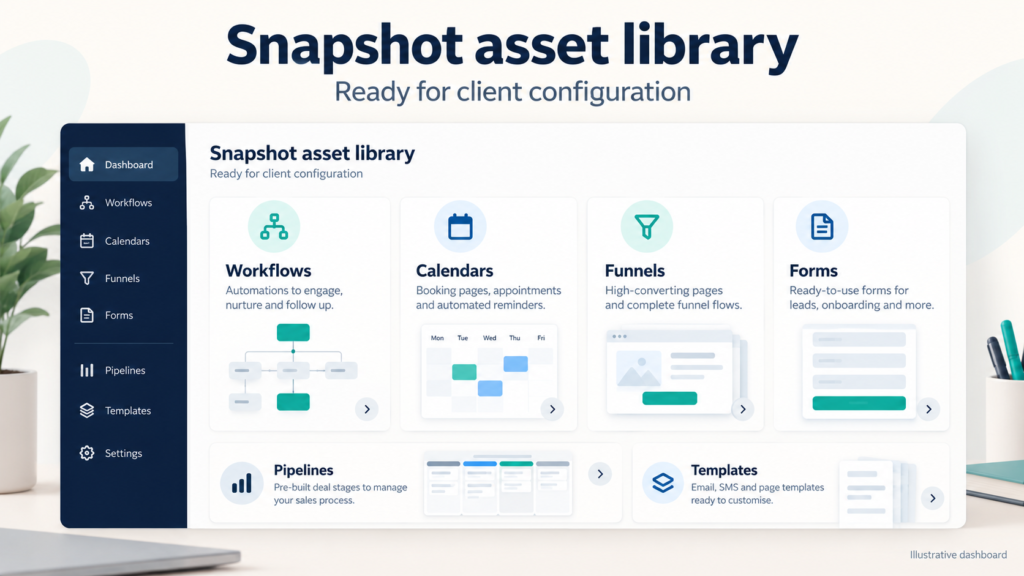
Sell Snapshots by packaging proven GoHighLevel assets into a repeatable product for agencies. Build a sub-account template with workflows, calendars, funnels, forms, pipelines, and automation, then test configuration carefully before distribution. A polished Snapshot can reduce setup from days to hours, standardize delivery, and help you monetize specialized expertise. Document required custom fields, integrations, email templates, SMS sequences, and reputation management settings so buyers understand exactly what deployment changes.
Why GoHighLevel Snapshots Transform Agency Onboarding
Why GoHighLevel Snapshots transform agency onboarding becomes clear when every repeatable asset is installed from one controlled package. Agencies can launch a client CRM with tested pipelines, campaigns, calendars, and forms instead of rebuilding each component manually. A well-designed Snapshot also creates operational consistency: naming conventions, permissions, follow-up timing, and reporting structures remain predictable across accounts. Record which values buyers must replace, including phone numbers, domains, sender identities, and Company custom fields. This preparation reduces errors while preserving room for local customization.

Core Benefits of Reusable GoHighLevel Snapshots
Core Benefits of Reusable GoHighLevel Snapshots include faster implementation, consistent quality, easier training, and scalable fulfillment. A reusable template lets an agency test one system once and deploy improvements repeatedly. For example, a lead-response workflow can assign ownership, send an acknowledgement, create a task, and move a contact through pipelines without separate rebuilding. Buyers gain a practical operating foundation, while sellers gain a product that supports recurring services. Keep documentation beside each asset, identify dependencies, and exclude client-specific data. This makes the Snapshot useful across a defined niche without creating confusing cleanup work.
Account Snapshots That Eliminate Repeated Setup Work
Account Snapshots that Eliminate Repeated Setup Work should contain only intentional, reusable assets. Include workflows, calendars, funnels, forms, custom fields, email templates, SMS sequences, pipelines, and selected integrations, but remove test contacts and private credentials. Use consistent naming such as “Niche | Lead Response | v1” so users can locate components quickly. Explain whether deployment overwrites existing items or adds new ones, and recommend a backup before installation. A concise setup checklist can save an agency several hours per client and prevent accidental activation of unfinished automation.
How Much Launch Time Can a Snapshot Save?
How much launch time a snapshot saves depends on preparation, not on a guaranteed platform result. A documented sub-account package can replace repetitive clicking, mapping, and testing, allowing an agency to focus on branding, data import, and client approvals. Measure the improvement honestly: compare a manual launch with a Snapshot launch across asset creation, connection checks, and quality assurance. One agency might reduce a ten-hour build to two hours after standardizing 25 assets. Include a post-deployment checklist for domains, calendars, notifications, permissions, and compliance. This makes the time-saving claim credible and repeatable.
What a GoHighLevel Snapshot Is: The Architecture
A GoHighLevel snapshot is essentially a blueprint of a sub-account, capturing all configurations, assets, and automations. For new agencies, understanding snapshot architecture is crucial because it enables rapid deployment of client accounts. Instead of building each sub-account from scratch, you can apply a snapshot to instantly populate it with workflows, calendars, funnels, forms, pipelines, and custom fields. This architecture is built on a hierarchy: the snapshot contains all assets and their associations, which are then cloned into the target sub-account. Key components include workflows that automate tasks, calendars for scheduling, funnels for lead capture, and custom fields for data organization. Snapshots also preserve settings like business info, integrations, and user permissions. For agencies, this means you can standardize your service delivery, reduce setup errors, and onboard clients faster. By mastering snapshot architecture, you can create a library of reusable templates, each tailored to specific industries or use cases. This not only saves time but also allows you to monetize your expertise by selling snapshots to other agencies. Ultimately, snapshots empower you to scale efficiently without sacrificing quality.
What Every GoHighLevel Snapshot Includes
Every GoHighLevel snapshot is a comprehensive package that includes a wide array of assets designed to jumpstart a sub-account. Workflows are the backbone, automating actions like lead nurturing, appointment reminders, and follow-ups. Calendars are integrated to manage bookings, sync with team availability, and trigger confirmations. Funnels and websites provide the front-end capture pages, complete with forms and opt-ins. Email templates and SMS sequences enable multi-channel communication, while pipelines track deals through stages. Custom fields and Smart Lists help segment contacts for targeted campaigns. Reputation management tools monitor reviews, and CRM features store all client interactions. Additionally, snapshots include triggers, campaigns, and integrations with third-party apps like WordPress or AI tools. The Refresh option allows you to update existing sub-accounts with changes from the snapshot. Company custom fields ensure consistency across all sub-accounts. When you create a snapshot, you’re essentially bottling a fully functional business system. This makes it easy for agencies to replicate success, whether for their own clients or to sell on the App Marketplace. Understanding what goes into a snapshot ensures you capture every vital element needed for a turnkey solution.
Key Benefits for Agencies Scaling Client Portfolios
For HighLevel users managing a growing client portfolio, snapshots offer transformative benefits. First and foremost, they drastically reduce onboarding time; work that once took hours can often be done far faster. This scalability is crucial as you add more sub-accounts under your agency. Snapshots ensure consistency across all clients, maintaining quality control and brand standards. They also minimize human error, as configurations are pre-tested and reliable. For agencies, snapshots open new revenue streams: you can sell your snapshots on the App Marketplace, monetizing your expertise. The IP Protection feature safeguards your work, while Get Marketplace Share Link facilitates easy distribution. With white-label listing, you can offer snapshots under your own brand. Additionally, snapshots support SaaS mode, enabling you to create recurring revenue through subscription-based services. By leveraging snapshots, you can focus on high-value activities like strategy and client relationships, rather than repetitive setup tasks. This efficiency allows you to scale faster and serve more clients without proportionally increasing overhead. Ultimately, snapshots are a strategic asset that drives growth and profitability for HighLevel agencies.
Building Your System: Workflows, Calendars, and Funnels That Sell
To create a snapshot that sells, you need to build a robust system within a sub-account that showcases the power of GoHighLevel. Start by designing workflows that automate critical business processes, such as lead capture, appointment scheduling, and follow-up sequences. These workflows should be triggered by specific actions, like form submissions or calendar bookings, and include conditional logic for personalization. Calendars must be fully configured with availability, team members, and booking rules. Create multiple calendars for different purposes, such as sales calls or onboarding sessions. Funnels should be optimized for conversion, with compelling copy, clear calls to action, and seamless integration with forms and payments. Websites and landing pages should be mobile-responsive and branded. Incorporate email templates and SMS sequences that nurture leads. Use custom fields and Smart Lists to segment contacts for targeted campaigns. Ensure pipelines reflect your sales process, and integrate reputation management for review generation. Don’t forget to include campaigns for multi-step marketing. When your system is complete, you’ll have a valuable asset that other agencies will want. This comprehensive approach ensures your snapshot is not just a collection of parts but a cohesive, sellable solution.
How to Create a Snapshot That Captures Every Vital Asset
Creating a snapshot that captures every vital asset requires careful planning and execution. Begin by building all necessary components in a test sub-account, ensuring they are properly configured and interconnected. Go to the Agency view in your HighLevel dashboard, navigate to Account Snapshots, and click ‘Create Snapshot.’ You’ll be prompted to select which assets to include: workflows, calendars, funnels, forms, pipelines, custom fields, email templates, SMS sequences, and more. It’s crucial to include all dependencies; for example, if a workflow sends an email, the email template must be included. Use the Refresh option to update the snapshot if you make changes later. Company custom fields should be set up at the agency level to ensure consistency across sub-accounts. Pay attention to asset mapping: ensure that calendars and forms are linked correctly to workflows and funnels. The snapshot creation process also allows you to add a name, description, and category for easier identification. Once created, you can share the snapshot via a link or list it on the App Marketplace. By meticulously including every asset, you ensure that anyone who applies your snapshot gets a fully operational system, ready to generate results.
Build Workflow Automations and Calendar Integrations
Workflow automations and calendar integrations are the engine of any effective snapshot. In your sub-account, design workflows that automate lead nurturing, appointment reminders, and follow-ups. Use triggers such as ‘Form Submitted’ or ‘Appointment Booked’ to initiate actions like sending emails, SMS, or internal notifications. Ensure workflows are connected to calendars so that when a lead books a slot, they receive confirmation and reminders automatically. Calendar integrations should sync with team members’ availability and allow for round-robin distribution if needed. For sub-accounts, it’s essential that these automations are self-contained and do not rely on external configurations. When creating a snapshot, all workflows and their associated assets, such as email templates, SMS templates, and custom fields, must be included. Test each workflow to ensure it fires correctly and that calendar events trigger the expected actions. Use the Refresh option to update workflows in existing sub-accounts if you refine them later. By perfecting these automations, you create a snapshot that delivers immediate value, as new users can rely on the system to handle routine tasks, allowing them to focus on growth. This level of automation is a key selling point for snapshots.
Funnel Templates and Asset Mapping Before You Create the Snapshot
Before you create your snapshot, it’s critical to finalize your funnel templates and map all assets correctly. Funnels are the primary conversion tools, so ensure they are designed with high-converting layouts, compelling copy, and seamless checkout processes if applicable. Each funnel should include forms, surveys, and calendar integrations as needed. Asset mapping involves linking every element to its dependencies. For example, a funnel step that offers a downloadable guide must have the corresponding email template and workflow to deliver it. Calendars used in funnels must be included in the snapshot. Similarly, any custom fields referenced in forms or workflows must be mapped. Pipelines should be set up with stages that align with your sales process. Email and SMS templates must be complete and tested. Reputation management widgets should be embedded where relevant. Once all assets are mapped, you can create the snapshot with confidence. This pre-creation checklist ensures that when the snapshot is applied to a new sub-account, everything works harmoniously. Neglecting asset mapping can lead to broken automations and a poor user experience, undermining the value of your snapshot. Therefore, take the time to map thoroughly.
Test Deployment Strategies Before You List on the App Marketplace
Before listing your snapshot on the App Marketplace, you must test its deployment thoroughly to ensure it works flawlessly. Start by creating a fresh sub-account and applying the snapshot. Verify that all assets, workflows, calendars, funnels, forms, pipelines, custom fields, are present and properly configured. Test each automation to confirm triggers fire and actions execute as intended. Check that calendars display correct availability and that bookings trigger confirmations. Ensure funnels load correctly, forms submit data, and integrations with third-party tools function. Simulate a client onboarding process to see the end-to-end experience. Also, test the Refresh option to update the sub-account with any changes to the snapshot. Validate that sub-account permissions are correctly set, so users have appropriate access. Consider edge cases, such as missing data or conflicting settings. Document any issues and fix them in the source sub-account, then recreate the snapshot. Only after comprehensive testing should you proceed to list on the App Marketplace. This due diligence protects your reputation and ensures customer satisfaction. A well-tested snapshot leads to positive reviews and more sales.
Simulating Client Onboarding with a GoHighLevel Snapshot Trial
Simulating client onboarding with a GoHighLevel snapshot trial is an essential step to validate your snapshot’s effectiveness. Create a trial sub-account and apply the snapshot as if you were a new client. Walk through the onboarding process: sign up, book a call, receive automated emails and SMS, and access resources. This simulation reveals any gaps or errors in the snapshot. For instance, check if the welcome email triggers immediately, if the calendar booking link works, and if the follow-up sequences are timed correctly. Test the client portal and any member areas. Ensure that all custom fields are populated and that Smart Lists segment contacts appropriately. Use the opportunity to assess the user experience: is the interface intuitive? Are there any broken links or missing assets? Gather feedback from team members who role-play as clients. If issues arise, update the source sub-account and refresh the snapshot. This trial run is invaluable for catching problems before real clients encounter them. It also helps you refine your onboarding documentation. By thoroughly simulating onboarding, you ensure that your snapshot delivers a seamless start for new users, increasing satisfaction and reducing support requests. This step is a hallmark of a quality snapshot.
Validate Snapshot Assets and Sub-Account Permissions
Validating account snapshots and sub-account permissions is a critical final check before distribution. Ensure that the snapshot includes all necessary assets without including sensitive or agency-specific data. Check that user permissions are correctly configured: for example, sub-account admins should have appropriate access, while restricted users have limited views. Test that the snapshot can be applied by other agencies without conflicts. Verify that Company custom fields are set at the agency level and propagate correctly. Confirm that the IP Protection settings are enabled if you plan to sell the snapshot. Use the Get Marketplace Share Link feature to generate a shareable link and test its functionality. Ensure that the snapshot is compatible with different HighLevel plans and that it doesn’t rely on features unavailable to buyers. Validate that all integrations, such as WordPress or AI tools, are properly connected and will function for the end user. Also, check that the Refresh option works as expected, allowing updates without overwriting client data. By rigorously validating these aspects, you prevent post-sale issues and ensure a smooth experience for buyers. This step safeguards your reputation and maximizes the success of your snapshot on the App Marketplace.
Monetizing Snapshots: Price, Sell, and Protect Your Work
Monetizing your GoHighLevel Snapshot begins with understanding its value. A well-built Snapshot that includes pre-configured workflows, calendars, funnels, pipelines, email templates, SMS sequences, forms, and custom fields can save agencies dozens of hours. When pricing, consider the complexity and niche. For example, a Snapshot tailored to real estate agents might command a higher price than a generic one. You can sell directly to other HighLevel users or list on the App Marketplace. To protect your work, embed your branding and include a licensing agreement. GoHighLevel offers IP Protection, but you should also watermark assets where possible. Remember that once a Snapshot is imported, users can modify it, so clear terms are essential. Offer tiered pricing: a basic version for free to attract leads, and a premium version with advanced automations and integrations for a fee. This strategy not only generates revenue but also builds your reputation as an expert. Ultimately, monetizing Snapshots is about delivering tangible value and safeguarding your intellectual property.
Where to Sell GoHighLevel Snapshots Beyond the Official Marketplace
While the HighLevel App Marketplace is the primary venue for selling Snapshots, numerous alternative channels can expand your reach. Consider niche Facebook groups, Slack communities, and forums dedicated to GoHighLevel users. These platforms often have thousands of agency owners seeking ready-made solutions. You can also sell directly through your own website or SaaS platform, using white-label listings to maintain brand control. Another option is partnering with agencies that serve specific industries, such as healthcare or home services, and offering exclusive Snapshots. Additionally, you might create a subscription model where users get access to a library of Snapshots. When selling outside the official marketplace, ensure you comply with GoHighLevel’s terms of service and provide clear support. Each channel has its own audience and pricing dynamics, so tailor your approach accordingly. By diversifying where you sell, you reduce dependency on a single platform and increase your chances of monetizing your expertise.
Free vs Paid Snapshots: Strategic Pricing for Agencies
Deciding whether to offer your Snapshots for free or for a fee is a strategic choice that impacts adoption and revenue. Free Snapshots can act as lead magnets, attracting agencies to your brand and upselling them on premium services or custom work. They are also effective for building a community and gathering feedback. However, free Snapshots may attract users who are not serious and can dilute perceived value. Paid Snapshots, on the other hand, signal quality and commitment. They generate direct income and allow you to invest in ongoing updates. A hybrid approach works well: offer a basic free version with essential workflows and calendars, and a paid pro version with advanced funnels, integrations, and AI features. Pricing should reflect the time saved and the ROI for the buyer. For example, a Snapshot that automates a entire sales process could be priced at $97 to $297. Consider offering tiered pricing or a subscription for access to multiple Snapshots. Ultimately, the choice depends on your goals: if you aim to monetize quickly, paid is better; if you want to build a large user base, free can be a powerful tool.
Sell Directly to Businesses and Niche Communities
Selling Snapshots directly to businesses or through niche communities can yield higher returns than broad marketplaces. Identify industries that rely heavily on CRM and automation, such as real estate, coaching, or fitness. Approach these businesses with a tailored Snapshot that addresses their specific pain points, like lead follow-up or appointment scheduling. You can also join niche communities on platforms like Facebook, Discord, or LinkedIn where agency owners and business owners congregate. Establish yourself as an expert by sharing tips and case studies, then offer your Snapshots as a solution. Another effective method is to partner with influencers or consultants in those niches who can promote your Snapshots to their audience. When selling directly, you can charge premium prices and provide personalized support, which increases customer satisfaction and reduces refunds. Additionally, consider creating white-label versions that businesses can rebrand as their own. This approach not only generates revenue but also builds long-term relationships. Remember to gather testimonials and case studies to use in your marketing, as social proof is crucial in niche communities.
Protect Your Intellectual Property
Protecting your intellectual property (IP) when selling GoHighLevel Snapshots is crucial to prevent unauthorized use and distribution. Start by clearly defining what constitutes your IP: the specific configuration of workflows, calendars, funnels, custom fields, and any proprietary code or content. Include a licensing agreement that outlines the terms of use, such as prohibiting resale or redistribution without permission. Turn on GoHighLevel’s IP Protection setting, which helps stop buyers from re-sharing your Snapshot. However, be aware that once a user imports a Snapshot, they can modify it, so legal safeguards are essential. Consider adding watermarks or branding to your funnels and emails to deter theft. If you suspect infringement, send cease-and-desist letters and, if necessary, pursue legal action. If your snapshot includes original copy, designs or code, ask a lawyer whether registering that work makes sense for you. Educate your buyers about ethical use and provide clear support channels. By taking these steps, you can monetize your work with confidence, knowing that your IP is safeguarded. Remember, prevention is always better than cure, so embed protection from the start.
Write Clear Licensing Terms
Crafting robust licensing terms is essential to guard your Account Snapshots and assets. Your license should specify the scope of use: whether the buyer can use the Snapshot for their own agency, for client sub-accounts, or for resale. Clearly state that the license is non-exclusive and non-transferable unless explicitly agreed. Include restrictions on reverse engineering, decompiling, or extracting components of the Snapshot. For example, you might prohibit the extraction of email templates or automation workflows for use outside the Snapshot. Also, define the number of sub-accounts or installations allowed; some sellers limit to one sub-account per license, while others offer unlimited within a single agency. Address updates and support: will buyers receive future versions? For how long? Include a disclaimer of warranties and limitation of liability to protect yourself from claims. If you offer a free version, specify that it is for evaluation only and not for commercial use. Finally, require users to agree to the terms before download. By using clear and enforceable licensing terms, you reduce the risk of misuse and ensure that your Snapshots remain a valuable asset.
Prevent Unauthorized Sharing
Preventing unauthorized sharing of your Snapshots requires a combination of technical and social tactics. Technically, you can turn on GoHighLevel’s built-in IP Protection so your Snapshot is harder to copy and re-share. You can also embed unique identifiers or license keys that validate each installation. For instance, require users to enter a key that is tied to their account. Socially, build a community around your brand where users feel a sense of loyalty and are less likely to share. Offer incentives for purchasing, such as bonuses, updates, or access to a private group. Monitor online forums and marketplaces for pirated versions and take swift action. Another tactic is to provide ongoing value, like monthly updates or new features, so users prefer to stay legitimate. Consider offering a subscription model where access is revoked if payment stops. Additionally, educate your buyers about the importance of supporting creators. If you suspect sharing, send a friendly reminder with a link to purchase. Finally, use legal tools like DMCA takedown notices if necessary. By combining these tactics, you can significantly reduce unauthorized sharing and protect your revenue.
Publishing on the HighLevel App Marketplace: From Developer Portal to Review
Publishing your Snapshot on the HighLevel App Marketplace involves a structured process from the Developer Portal to final review. Begin by creating a developer account and navigating to the Developer Portal within your HighLevel dashboard. There, you’ll create an app listing, which serves as the container for your Snapshot. You’ll need to provide detailed information: app name, description, category, and screenshots. Ensure your description highlights the benefits and includes relevant keywords like workflows, calendars, and funnels. Next, upload your Snapshot file and configure any required settings, such as custom fields or Company custom fields. You’ll also set pricing models, whether one-time, subscription, or free. Once submitted, the HighLevel team reviews your app for quality, security, and compliance. This review can take several days. During this time, you may be asked to provide additional information or make changes. After approval, your app goes live on the App Marketplace. You can then use the Get Marketplace Share Link to promote it. Remember to monitor reviews and provide support. This process ensures that your Snapshot reaches a wide audience of agencies and businesses seeking solutions.
Create Your App Listing in the Developer Portal
Creating an app listing inside the HighLevel Developer Portal is the first step to selling your Snapshot on the App Marketplace. Log in to your HighLevel dashboard and navigate to the Developer Portal. Click on ‘Create App’ and fill in the required details: app name, a compelling description, and select the appropriate category. Your description should clearly explain what your Snapshot includes, such as pre-built workflows, calendars, funnels, and automations. Use high-quality screenshots or a demo video to showcase the value. You’ll also need to specify whether your app is a Snapshot, and upload the Snapshot file. Configure any necessary custom fields or Company custom fields that your Snapshot requires. Set up the pricing model, which can be one-time, recurring, or free. Additionally, define the support information and any prerequisites. Once you’ve completed the listing, submit it for review. The Developer Portal guides you through each step, ensuring you don’t miss critical details. After approval, your app listing becomes visible to thousands of HighLevel users, providing a streamlined way to monetize your expertise. Keep your listing updated with new features and respond to user feedback to maintain high ratings.
Choose the Right Pricing Model for Your Listing
Configuring the right pricing model for your GoHighLevel App Marketplace listing is key to maximizing revenue and adoption. The marketplace supports several models: one-time purchase, subscription (monthly or yearly), and free. For Snapshots, a one-time fee is common, as buyers get a complete asset. However, if you plan to provide ongoing updates and support, a subscription model can generate recurring revenue. Consider offering a free version with limited features to attract users, then upsell to a paid tier. You can also use tiered pricing: basic, pro, and enterprise, with each tier adding more workflows, funnels, or integrations. When setting prices, research competitors and value-based pricing. For example, a Snapshot that saves 20 hours of setup might be worth $197. HighLevel allows you to set prices in USD and offers tools to manage coupons and discounts. You can also experiment with limited-time offers to drive initial sales. Remember that the App Marketplace takes a percentage fee, so factor that into your pricing. After launch, monitor sales and adjust as needed. Clear pricing builds trust and helps buyers understand the value they receive.
Submit Your Snapshot for Review
Submitting for review starts once your listing is complete inside the Developer Portal. HighLevel requires a fully configured app entry: a clear name and description, accurate screenshots, support contact details, and at least one associated Snapshot with all dependencies documented. You must confirm ownership of the assets, ensure the Snapshot imports cleanly into a fresh sub-account, and remove any hardcoded links, personal API keys, or client-specific data. Timelines typically run several business days to two weeks depending on queue volume and the complexity of your submission. Incomplete metadata or a Snapshot that fails a test import will reset the clock after you fix it, so verify every workflow, calendar, and funnel before you click submit. Reviewers also check that your pricing models, if any, are clearly stated and that your app submission does not conflict with HighLevel branding rules. Treat the review window as a planning buffer: notify your audience, prepare launch content, and gather testimonials so you can release the moment approval lands.
Passing Review and Launching Your Snapshot to Sell to Businesses
Passing review means your app submission has cleared HighLevel’s checks for functionality, security, and branding, and your Snapshot is ready to sell to businesses. A successful launch requires more than approval. First, confirm the listing displays correctly, with an accurate title, description, use cases, and a Get Marketplace Share Link you can distribute to prospects and partners. Next, decide how you will price: one-time purchase, tiered bundles, or subscription access to a library of Snapshots. Then stage your launch. Announce on your email list, share inside relevant communities, and publish a short demo video showing a sub-account importing the Snapshot with workflows, funnels, and calendars intact. Encourage early buyers to leave reviews, since social proof drives discovery. Also track which assets new sub-accounts actually use, because that data teaches you what to build next. Finally, keep your developer listing updated with new versions, fix bugs quickly, and respond to questions so your reputation on the platform stays strong.
Common Reasons Snapshots Get Rejected
Most rejections trace back to predictable mistakes. The leading cause is a broken or incomplete Snapshot: assets that reference missing pipelines, unlinked forms, or calendars that fail to import. Test every build in a clean sub-account before you submit. Second, branding violations: using HighLevel marks improperly, misrepresenting your app as official, or failing to respect White Label restrictions. Third, unclear listing content, vague descriptions, missing support links, or screenshots that do not match what the buyer receives. Fourth, security and data concerns, including hardcoded credentials, exposed client data, or integrations that do not follow platform guidelines. Fifth, unsupported pricing claims or unclear refund terms. To avoid delays, maintain a pre-submission checklist: confirm custom fields, Company custom fields, and form mappings, verify that email templates and SMS sequences have no client-specific tokens, and document the configuration each buyer must complete. Fix issues thoroughly, resubmit with a short note explaining what changed, and never argue in the review thread. A clean, honest submission clears faster and protects your seller reputation.
Post-Launch Support for GoHighLevel Snapshots
Once your Snapshot is live, support becomes the product. Buyers expect help when imports behave differently in their sub-accounts, when custom fields conflict, or when a workflow fires unexpectedly. Respond quickly through the support channel you listed in the Developer Portal, and set realistic expectations for time zones and weekends. Maintain documentation covering setup steps, required integrations, and any manual configuration such as A2P 10DLC registration or calendar connections. Version your Snapshots carefully: when you improve a build, note what changed and whether existing buyers must reimport. Consider offering a lightweight onboarding call or recorded walkthrough as a paid add-on, which raises satisfaction and reduces refunds. Monitor reviews and address criticism publicly where appropriate. If a buyer reports a genuine defect, fix it, ship an update, and notify everyone who purchased. Reliable post-launch support turns one-time sales into referrals and repeat purchases, and it keeps your listing ranking well inside the HighLevel dashboard.
Advanced Strategies: Niche Snapshots and Expert Monetization
Advanced sellers stop building generic setups and start owning a niche. Instead of a broad Snapshot that tries to serve every agency, build for a specific vertical, such as dental practices, med spas, real estate teams, or home services, and go deep. Bundle the assets that vertical actually needs: pipelines tuned to their sales cycle, calendars with the right appointment types, email templates and SMS sequences written in their language, forms mapped to their intake, and Smart Lists that segment their contacts meaningfully. Niche Snapshots command higher prices because they reduce setup time and deliver immediate relevance. From there, expand monetization intelligently. Offer a free starter Snapshot to build an audience, then upsell premium versions, refreshes, or white-label licensing. Add services around the product, such as configuration, reputation management setup, or AI employee tuning. Track which builds convert and which generate support tickets, and prune accordingly. Treat each Snapshot as a product line with versions, release notes, and positioning, not as a one-off file.
A2P 10DLC Snapshot and AI Employee Snapshot Use Cases
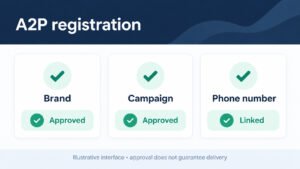
Two categories consistently outperform in the marketplace: compliance-ready A2P 10DLC Snapshots and AI Employee Snapshots. An A2P 10DLC Snapshot gives agencies a fast path through carrier registration, bundling the forms, opt-in language, consent tracking, and SMS sequences that keep messaging compliant. Buyers in regulated industries value this because it removes a painful, error-prone setup. AI Employee Snapshots apply conversational AI and automation to specific roles: a booking assistant, a reactivation agent, a review-request follow-up bot, or an inbound qualifier. Because these builds combine workflows, calendars, and CRM logic, they demonstrate real business outcomes rather than cosmetic setup. When you sell either type, show the outcome clearly. Document what the buyer must configure, such as phone numbers, business profiles, or knowledge base content, and provide test scenarios that prove the build works. Pair the two: an A2P-ready messaging foundation plus an AI Employee layered on top creates a compelling bundle that agencies can deploy for clients quickly and confidently.
Compliance Rules for Selling to U.S. Clients
Selling to U.S. clients brings compliance obligations you cannot ignore. If your Snapshot includes SMS sequences, buyers must register for A2P 10DLC, follow carrier opt-in requirements, and maintain consent records. Build in the supporting pieces: consent checkboxes on forms, clear disclosure language, and workflows that honor STOP requests immediately. For calls, respect TCPA rules on prerecorded messages and calling hours. For email, include compliant footers and unsubscribe handling. Data privacy matters too, especially for health, financial, and legal verticals, where HIPAA, GLBA, or state privacy laws may apply. Do not ship a Snapshot that collects sensitive data without the safeguards buyers need. Instead, document the compliance steps in your listing and onboarding guide, and consider offering a checklist or consultation. If you resell or white-label, clarify that the buyer is the data controller and that your Snapshot provides configuration, not legal advice. Clear expectations reduce disputes and protect both your reputation and your buyers from enforcement action.
AI Employee Snapshot: Automating Lead Nurture for Sub-Accounts
An AI Employee Snapshot turns lead nurture into a repeatable, sub-account-ready system. The build combines conversational AI with the workflows, calendars, and CRM structure a business needs to engage prospects automatically. Start with capture: forms and funnels feed new leads into a pipeline with the right custom fields and tags. Then layer in the AI employee to qualify, answer common questions, and book appointments on the connected calendar. Add follow-up cadences across SMS and email, with branching logic for replies, no-shows, and cold leads. Include reactivation campaigns for older contacts and review requests after completed appointments. Because agencies deploy this across many sub-accounts, keep everything parameterized: no hardcoded names, numbers, or offers, and use Company custom fields or sub-account-level variables instead. Document required configuration, such as business hours, services, and knowledge base content, and provide test scripts so buyers can verify behavior. The result is a Snapshot that saves hours per client and demonstrates genuine automation value rather than surface-level setup.
Becoming a GoHighLevel Expert: Positioning and Community Proof
Positioning yourself as a GoHighLevel expert requires visible proof, not just claims. Publish the assets you build: Snapshots, templates, automations, and walkthroughs that show how you solve real problems for agencies. Contribute inside official and independent communities, answering questions about workflows, funnels, calendars, pipelines, and integrations with specifics rather than generic advice. Speak at meetups, host webinars, or record short tutorials. Collect and display evidence: marketplace reviews, client results, download counts, and testimonials from agencies who launched faster using your work. Earn platform credentials where available and reference them accurately. Your App Marketplace listing itself becomes a portfolio piece, so keep descriptions clear, screenshots current, and support responsive. Consistency matters more than volume; a steady cadence of useful contributions builds recognition over months. When you teach what you know, buyers begin to associate your name with reliable GoHighLevel Snapshot solutions, which lowers acquisition cost and raises the prices you can command for premium builds.
Highlighting Your Best Builds and Published Guides to Earn Trust
Trust is earned by showing, not telling. Curate a portfolio of your strongest builds and make them easy to inspect: a booking Snapshot that reduced no-shows, a funnel that improved conversion, an AI Employee Snapshot that qualified leads around the clock. For each, publish a concise guide explaining the problem, the configuration, the assets included, and the measurable result. Screenshots and short videos outperform long text, so demonstrate the sub-account after import with workflows, calendars, and funnels visible. Link related tutorials to your marketplace listings so prospects move smoothly from learning to buying. Cite real metrics where you have permission, and be honest about limitations and required setup. Cross-reference published guides in your onboarding materials so buyers see the depth behind the product. Maintain a changelog and update older guides as the platform evolves, which signals active maintenance. Combined with responsive support and community contributions, this body of work differentiates you from sellers who list once and disappear, and it turns curiosity into confident purchases.
Examples: How Agencies Scale with GoHighLevel Snapshots
Here is how agencies typically turn GoHighLevel Snapshots into a repeatable growth engine. For example, a boutique agency could build a Snapshot for med spas that bundled booking calendars, SMS sequences, email templates, and reputation management flows, then sell it as a white-label listing on the App Marketplace as a new revenue stream. An agency serving home services might package pipelines, forms, and AI-powered conversations into a single template that shortens onboarding, letting it take on more sub-accounts without hiring. A third might use Company custom fields and a Refresh option strategy to maintain dozens of client accounts from one master build. The common thread is treating your configuration as a product, not as one-off setup work. Packaging workflows, funnels and automations into a GoHighLevel snapshot helps you scale faster, standardize delivery and turn niche expertise into a marketable asset. Monetization is less about novelty and more about solving a specific, painful problem better than anyone else.
Auditing and Updating Snapshots for Long-Term Revenue
An audit is what separates a Snapshot that sells once from a Snapshot that keeps earning. Start by opening a test sub-account loaded from your Snapshot and walking through every asset the buyer will touch: workflows, calendars, funnels, forms, pipelines, email templates, SMS sequences, and AI automations. Verify that each trigger fires, each custom field is mapped correctly, and no hardcoded placeholder text or personal links remain. Check that Company custom fields and Smart Lists behave as intended once the Snapshot is loaded into a fresh account. Document what is version-specific and what depends on integrations the buyer must configure themselves. Then schedule a recurring cadence for updates so your listing does not quietly decay as HighLevel ships new features. Keep a changelog so buyers understand what improved, and use the Refresh option carefully when pushing updates to existing customers. Treat your Snapshot catalog like a product with real maintenance obligations, because that ongoing care is exactly what justifies premium pricing and repeat purchases over time.
Quarterly Reviews of HighLevel Features and Snapshot Compatibility
Set a recurring quarterly review so your catalog never falls behind the platform. GoHighLevel ships features, deprecates older behavior, and changes how certain assets load, so a Snapshot that worked perfectly six months ago may break subtly after an update. During each review, compare your listed items against release notes and test the Snapshot end to end in a sandbox sub-account. Confirm that workflows still trigger, calendars still sync, and funnels, websites, and forms still render correctly. Check integrations, AI steps, reputation management settings, and any automation that depends on external connectors. If a feature change alters configuration, update the master Snapshot and re-test before republishing. Record compatibility notes so support conversations stay fast when a buyer reports an issue. A disciplined quarterly ritual protects your reputation, prevents one-star reviews caused by silent breakage, and keeps your App Marketplace presence credible. It also surfaces new capabilities you can fold into existing listings or spin into entirely new ones, turning maintenance into an opportunity to expand.
Versioning Account Snapshots Without Breaking Client Sub-Accounts
Versioning is the discipline that keeps you from wrecking live client sub-accounts when you push improvements. Never edit a published Snapshot in place once customers depend on it. Instead, treat each release as an immutable version: keep a master build, clone it, apply changes, test thoroughly, then publish as a new version while leaving the old one available. Clearly document what changed between versions so buyers can decide whether upgrading is worth the disruption to their customized setup. Remember that clients often modify assets after loading your Snapshot, so a blind Refresh can overwrite their edits to workflows, funnels, custom fields, or calendars. Give explicit upgrade guidance, recommend backing up sub-account configuration, and offer a migration checklist. Where possible, design Snapshots so improvements are additive rather than destructive. By separating stable releases from experimental ones and communicating upgrade paths honestly, you protect existing revenue, avoid support fires, and build the kind of trust that makes agencies buy from you again and recommend your templates to others.
Retiring Outdated Assets and Migrating Clients Safely
Every catalog eventually needs pruning, and retiring an outdated Snapshot well matters as much as launching a new one. When a listing no longer fits current HighLevel features, overlaps heavily with a better product, or generates constant support requests, plan a graceful sunset instead of abandoning buyers. Announce the change early with a clear timeline, explain why the asset is being retired, and point customers to the recommended replacement. Provide a migration path that maps old workflows, funnels, calendars, custom fields, and pipelines to their counterparts in the successor Snapshot. Offer a documented cutover process, ideally with a staging sub-account where clients can test before switching their live CRM. Keep the legacy listing available long enough that nobody is stranded mid-project. Preserve IP Protection and licensing terms so retired assets are not resold or redistributed improperly. Handling retirement with transparency reinforces your credibility as a publisher, reduces refunds and negative reviews, and frees your catalog to focus on products that actually generate revenue and serve buyers well.
Scaling Your Catalog: From One Snapshot to a Full App Marketplace Presence
One strong Snapshot validates demand; a coherent catalog captures it. To scale from a single listing to a full App Marketplace presence, start by identifying the niches and use cases adjacent to your bestseller. A Snapshot built for dentists can spawn variants for chiropractors, med spas, and physical therapists with modest rework. Group related assets into families so buyers instantly understand what fits their business, and keep naming and positioning consistent across listings. Build a shared master sub-account containing your reusable core, then derive niche versions from it to reduce maintenance overhead. Invest in quality screenshots, clear descriptions, and honest compatibility notes, because discovery depends on buyers trusting what they see. Define pricing models deliberately, from single-purchase templates to bundles and subscriptions, and use Get Marketplace Share Link to distribute strategically. Track which listings convert and double down on those patterns. Over time your catalog becomes an ecosystem of workflows, funnels, calendars, and automations that reinforces itself and turns your expertise into durable, scalable income.
Bundling Multiple GoHighLevel Snapshots for Higher-Ticket Offers
Bundling turns several modest listings into one premium offer that buyers find easier to justify. Identify Snapshots that naturally belong together, such as a lead-generation template paired with a nurture workflow set, a booking calendar package, and a reputation management configuration. Package them as a single solution aimed at a specific business type so the value proposition is obvious rather than a random collection of files. Price the bundle above the sum of its parts but below the cost of buying separately, and make the savings explicit. Include documentation, setup guidance, and a migration or Refresh process so buyers can deploy the whole stack confidently. Consider licensing terms carefully, and use IP Protection settings that let customers use the assets without reselling them. Add Company custom fields compatibility notes if the bundle depends on shared configuration. High-ticket bundles attract serious agencies, reduce churn because customers adopt more of your system, and position you as a specialist rather than a one-off template seller on the App Marketplace.
Use Demand Data to Decide What to Build Next
Demand data is already flowing through your listings if you know where to look. Track which Snapshots receive views, purchases, and refund requests, then compare that against the questions buyers ask in support and community channels. Recurring requests such as a specific industry Snapshot, an integration with a particular tool, or a bundle of workflows for a niche are direct signals for your next build. Monitor the App Marketplace for gaps, watch which categories stay thin, and note when competitors launch something similar so you can differentiate rather than duplicate. Ask existing buyers what they wish their sub-account did better, and log those answers as structured demand data. Look at trends in HighLevel features too, because a new capability often creates immediate appetite for a Snapshot that exploits it. Review this feedback monthly, prioritize ideas by frequency and willingness to pay, and validate with a small listing before investing heavily. This turns your catalog into a responsive system that follows real demand instead of guesswork.