Skip to content

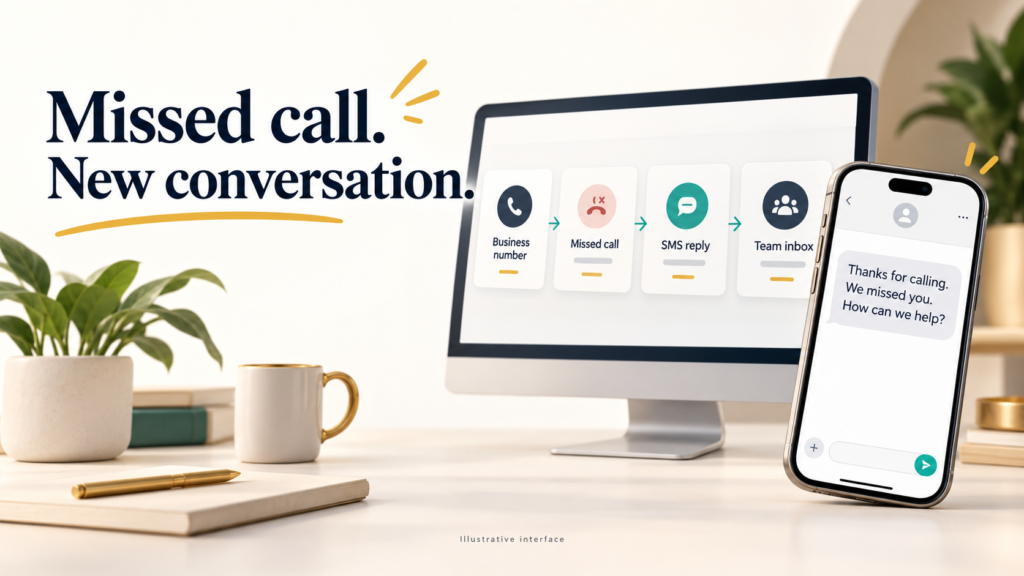
GoHighLevel Missed Call Text Back helps service businesses respond when staff cannot answer. Configure the feature, select a compliant sending number, define voicemail settings, and connect a workflow that sends a useful message quickly. A clear script can acknowledge the caller, provide a Booking Link, and route urgent requests without pretending that an agent is available. Test the complete path with real inbound calls, confirm the SMS notification appears in the GHL Conversations inbox, and review consent, DND settings, and carrier conditions before launch.
1. Why Missed Call Text Back Wins More Conversations
Missed Call Text Back protects opportunities created by unanswered calls, especially when a customer contacts several providers within minutes. A timely text can confirm that the business received the call, set an expectation for a callback, and offer a simple next action. For service businesses, this reduces lost leads without forcing employees to monitor every ring. Track reply rate, qualified conversations, and Booked appointments rather than relying only on message volume. A practical test is to compare callers who receive an automatic SMS with a similar period using manual callbacks. Keep the message concise, identify the company, and avoid sending promotional content unless the recipient has appropriate permission.

How GoHighLevel Turns Unanswered Calls into New Conversations
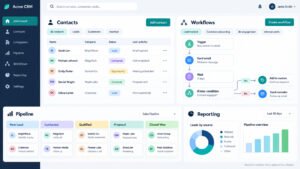
GoHighLevel turns unanswered calls into timely Lead Re-engagement by recording the call event, identifying the contact, and starting a controlled follow-up path. A workflow can send an initial text, apply a tag, notify an employee, and stop when the contact replies or books. Use workflow filters to exclude internal numbers, existing active conversations, and contacts with DND settings enabled. The first message should state the business name and invite a reply, while later actions can route the conversation to the appropriate team. Review call recordings and timestamps weekly to detect false triggers, duplicate contacts, or numbers that cannot receive texts.
The Best Timing for Your Missed Call Text
Proven Missed Call Text-Back timing usually begins within one to five minutes after the call ends, while the interaction is still familiar. For After-hours calls, send an acknowledgment immediately but promise a callback during published operating hours. A Wait step can delay a second message until the next business morning, preventing an intrusive sequence late at night. Stop reminders when the customer replies, declines help, or reaches an employee. Measure median time to first reply and compare results by hour, source, and staff availability. Timing should support customer intent, not create pressure.
Safeguards for Consent, Tone and Customer Trust
HighLevel safeguards should combine clear identification, permission-aware messaging, and respectful frequency limits. Tell the caller why the text was sent, provide a practical response option, and honor STOP requests immediately. Never imply that a human has already reviewed the call unless that is true. Keep transactional follow-up separate from later marketing campaigns, document consent sources, and audit suppression lists before activation. A useful quality check sends test calls from opted-in, opted-out, landline, and blocked contacts. Review message tone with the customer-service team so automated replies sound helpful rather than defensive or overly familiar.
The Settings Behind Reliable SMS Automation
The essential Feature Configuration behind reliable SMS Automation includes the correct business phone, message template, trigger behavior, staff notification, and stop conditions. In sub-account settings, verify the Phone System, default timezone, business hours, and contact permissions before enabling the feature. Confirm that Missed call text messaging uses the intended conversation channel and that replies reach the assigned team. A useful launch record lists each setting, its owner, its test result, and the date reviewed. This prevents a successful demonstration from hiding a production issue such as an unassigned inbox or an invalid sending number.

Keep Your Launch Checklist Focused on Essential Call Settings
Keep the Launch Checklist focused on Essential Call Settings: call forwarding, ring duration, voicemail behavior, eligible numbers, timezone, business hours, and contact assignment. Place a test call that is answered, another that is rejected, and a third that rings out. Confirm which events create records and which events should not send a text. Verify that the customer sees one message, the employee receives the correct alert, and the conversation remains attached to the right contact. Record expected results before testing so troubleshooting is based on evidence rather than assumptions.
Keep Your SMS Templates Clean and Compliant
Compliant customer messaging starts with the basics. For SMS, inspect consent, opt-out handling, sender identity, content, and frequency. Keep production templates limited to relevant operational data, such as caller name, service type, location, and callback availability. This separation reduces confusing content and protects message quality.
2. How to Configure Missed Call Text Back in GoHighLevel
How to Complete Feature Configuration in the GoHighLevel System begins with a controlled inventory of numbers, users, locations, and communication policies. Open the relevant sub-account, confirm the Phone System settings, select the correct business number, and inspect the missed-call option before saving. Define whether the response applies to every unanswered call or only selected campaigns. Then test the call event, contact creation, outgoing text, reply routing, and staff alert in sequence. Keep one documented baseline configuration so later changes can be compared against actual delivery and response data.

Build the Missed Call Trigger with GHL Workflows
Build the Missed Call Text Back trigger with GHL Workflows by using the call event as the entry condition and adding safeguards before the SMS action. A Workflow Trigger based on call status can distinguish missed, answered, busy, and failed events. Add filters for direction, contact type, business location, and existing conversation status. Send one acknowledgment, notify the assigned user, and stop the path when a reply arrives. Use tags or custom fields to preserve the reason for entry, but avoid repeatedly enrolling the same contact during a short period. Test every branch with a controlled contact.
Set Accurate Event Rules for Inbound Calls
GoHighLevel event rules for inbound call tracking should specify whether the call was inbound, unanswered, and connected to a known contact. Confirm that the Call Details trigger captures the final status rather than firing when the phone first rings. Exclude outbound callbacks and internal transfers, because those events can create misleading follow-ups. Compare the call log with the workflow history after each test. If a carrier or forwarding provider changes the final status, adjust the rule only after observing several real examples. Accurate event classification is more important than adding more automation.
Line Up Calls, Texts and Appointments in One Sequence
Lining up calls, texts and appointments ensures that automation supports the customer journey instead of competing with it. Send the acknowledgment first, allow time for a reply, then offer appointment scheduling or an employee callback. Stop the sequence after Appointment Booking, a confirmed appointment, or a human response. A second reminder may be appropriate for a high-intent request, but its timing should reflect business hours and service urgency. Use separate paths for emergency work, routine estimates, and existing customers so the language and routing remain accurate.
Choose Your Voicemail Settings Before Going Live
Choose Voicemail Settings before activating workflow automation because a caller who leaves a message may require a different response from someone who hangs up. Decide whether voicemail transcription, callback alerts, and text acknowledgment are enabled together. A message can confirm receipt without asking the caller to repeat information already captured in the voicemail. Define a service-level target for reviewing recordings and assign ownership by location or department. Test silent voicemails, long recordings, and unclear caller identification. These cases reveal whether the workflow can safely personalize a reply or should send a neutral acknowledgment instead.
What to Send When a Caller Leaves a Voicemail
HighLevel fallback behavior when callers leave a voicemail should prevent duplicate outreach while preserving speed. If a voicemail is successfully recorded, send a brief confirmation and create a task for review rather than sending several generic texts. If transcription fails, use a neutral message that asks for the caller’s preferred callback time. Route urgent keywords to an on-call user only when the business has defined those terms and coverage. Store the voicemail status in the contact record, and stop automated reminders once staff logs a callback or the customer replies.
Prevent Duplicate Automations
Prevent Duplicate Automations When Building Missed Call Follow-Up by checking whether another workflow already owns the contact. Use an enrollment tag, a short suppression window, and a reply-based exit condition. Do not combine native automation, a separate campaign, and a manual bulk action unless their responsibilities are documented. Review workflow history for repeated enrollments caused by transfers, retries, or multiple numbers. A simple duplicate test should call twice within ten minutes, leave one voicemail, reply once, and confirm that the contact receives only the intended messages.
3. Which Sending Number Works Best?
Which Sending Number Selection Works Best for Every Campaign? Choose the number that matches the business identity, location, registration status, and expected reply path. A local number can support recognition, but consistency and deliverability matter more than superficial area-code matching. Confirm that the number is text-enabled, assigned to the correct sub-account, and monitored in the GHL Conversations inbox. For a multi-location operation, map each number to a location and escalation owner. Document the choice in the campaign record, then test both delivery and replies before advertising the number publicly.
Compare Sending Number Options in the Conversations Inbox
Compare Sending Number Choice options inside Omni by reviewing ownership, messaging capability, location, registration, and reply handling. A shared number may simplify supervision, while location-specific numbers can make caller recognition easier. Confirm that users can see incoming replies and that automated messages do not come from an unrelated department. Check formatting, signature conventions, and fallback routing for every option. The best choice is the number that can reliably send, receive, and support a human conversation under the campaign’s actual operating conditions.
Check Number Ownership and Local Presence
GoHighLevel number ownership and local presence checks should verify who controls the number, where it is registered, and which business name customers will recognize. Confirm that the number is not simultaneously used by another platform or campaign. Review registration status, forwarding behavior, texting capability, and contact assignment. A local presence strategy should never be used to mislead customers about the business location. Keep a written inventory of numbers, purposes, users, and compliance status so changes can be audited quickly.
Set Up Numbers for Multi-Location Teams
Done-For-You GHL provisioning for multi-location teams can reduce setup errors when every location needs separate routing and templates. Establish naming conventions, assign number owners, document escalation paths, and create a repeatable testing script. Each location should have the correct business hours, service area, booking destination, and staff alert. Central oversight can review delivery metrics without changing local language unnecessarily. Before rollout, test a call to each number and confirm that the contact, conversation, task, and notification all reach the intended team.
Use Call Tracking to Refine Your Timing
Use call tracking to refine Missed Call Follow-Up timing by examining when calls arrive, how long they ring, whether callers leave voicemail, and how quickly staff respond. Compare first-reply rates for immediate texts, morning-after texts, and employee callbacks. Segment by service type because an emergency request may require faster routing than a routine estimate. Review missed calls that received no response, then identify whether the cause was invalid contact data, a failed message, poor assignment, or unsuitable wording. This evidence supports practical changes rather than assumptions about customer behavior.

Match Your Sending Number to Peak Response Windows
Sending Number Selection rules for peak response windows should account for staffing, local time, and expected message volume. Use a number with active coverage during the hours when replies are most likely, and route overflow to a documented backup. Avoid sending a customer to a number that cannot receive responses after an automated message. For evenings and weekends, set an honest expectation and provide the next available callback window. Monitor delivery failures and reply latency separately because a delivered text does not guarantee that anyone can answer it.
Audit Routing and Deliverability Before Launch
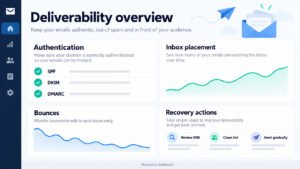
Audits that reveal routing and deliverability gaps can be useful when they inspect real workflow history rather than only screenshots. Check number registration, sender configuration, contact ownership, failed messages, duplicate enrollments, business hours, and suppression rules. Ask for test evidence covering answered calls, missed calls, voicemails, replies, opt-outs, and after-hours behavior. An audit should produce prioritized findings with an owner and deadline. Avoid recommendations that add complexity without improving delivery, response time, or customer clarity.
4. Missed Call Text Back Scripts That Get Replies
Good missed call text back scripts use short, specific messages that acknowledge the call and make the next step easy. A strong template includes the business name, a caller-aware greeting, a reason for texting, and one clear question. Add a Booking Link only when scheduling is genuinely available, and provide a human route for customers who prefer to talk. Use Personalization Tokens carefully; an incorrect name or location damages trust more than a neutral greeting. Maintain separate scripts for urgent requests, estimates, existing appointments, and after-hours calls.

Personalize Your First Reply the Right Way
Proven Text Message Customization for warmer first replies starts with accurate context rather than excessive personalization. Use the caller’s name only when the contact record is reliable, identify the company, and reference the requested service when known. Keep one call to action, such as replying with a preferred time or selecting a booking option. Message personalization should never expose sensitive details or guess why the caller contacted the business. Review scripts on a phone, remove jargon, and test how the message appears when tokens are blank.
A Script Template for Any Service and Location
Missed Call Text-Back scripts for [service] and [location] should use replaceable fields that remain understandable when data is missing. For example: “Hi [First Name], this is [Business]. We missed your call about [Service] in [Location]. Would you like a callback today, or would you prefer to choose a time here: [Booking Link]?” An after-hours version should state the next response window. An urgent version should direct the caller to the approved emergency channel rather than promising immediate service.
Ready to Use Missed Call Text Back Scripts
Copy these templates into your GoHighLevel workflow and replace the fields in brackets. Keep the first message short, name your business and include an opt-out line.
- General missed call: “Hi, this is [Business]. Sorry we missed your call! How can we help? Reply here or book a time: [Booking Link]. Reply STOP to opt out.”
- After hours: “Hi, this is [Business]. We are closed right now but got your call. We will call you back after [Opening Time] tomorrow. Reply with a few details and we will be ready. Reply STOP to opt out.”
- Urgent request: “Hi, this is [Business]. We missed your call. If this is urgent, please call our priority line at [Emergency Number]. Otherwise reply here and we will get back to you shortly.”
- Existing customer: “Hi [First Name], this is [Business]. We saw your call. Is this about your appointment on [Date]? Reply 1 to confirm, 2 to reschedule, or tell us how we can help.”
- Estimate request: “Hi, this is [Business]. Thanks for calling about [Service]. Want a quick estimate? Reply with your address and a good time for a call, or book here: [Booking Link].”
- No reply follow up (next business day): “Hi, it is [Business] again. Just checking if you still need help with [Service]. Reply YES and we will call you today.”
Send only one follow up if there is no reply, and stop the workflow as soon as the caller replies, books or opts out.
Keep Message Styling Plain and Simple
Keep message styling practical: use plain text, short sentences, recognizable sender identification, and one clear action. If a campaign needs internal labels, place them in tags or workflow notes rather than the customer-facing message. Review every template as a recipient would, especially when custom values are empty or unexpectedly formatted.
How the AI Conversation Bot Hands Off to Your Team
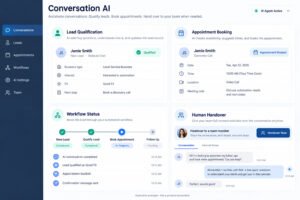
How AI Conversation Bot and Omni support human handoffs depends on clear boundaries between automated answers and staff decisions. An AI Conversation Bot can ask basic qualifying questions, identify service area, offer availability, and collect a preferred callback time. It should transfer pricing disputes, safety concerns, complaints, and ambiguous requests to a person. Omni should preserve the transcript, source call, tags, and assigned user so the customer does not repeat the entire story. Test handoffs during busy and after-hours periods, and define the exact event that stops automation.

Prompts for Urgent and Routine Leads
Missed Call Follow-Up prompts for urgent and routine leads should reflect urgency without making unsupported promises. An urgent prompt can ask whether the issue is active and direct the customer to the approved emergency process. A routine prompt can ask for service type, location, and preferred appointment window. Keep the first question easy to answer by text. Route qualifying details to the right employee, but stop the bot when a customer requests a person, expresses frustration, or gives a complex explanation.
Replies That Keep the Conversation in Context
GoHighLevel System replies that preserve conversational context should reference the last confirmed detail and avoid restarting the interaction. Store answers in contact fields or notes only when the data is useful and appropriate. If a customer replies with a partial answer, ask one focused clarification rather than sending a generic menu. When a human takes over, include the call time, original message, and collected details in the notification. This continuity improves Conversation conversions because customers receive relevant help instead of repeated automation.
5. Compliance, Testing and Real Results for 2026
Compliance, testing and real results in 2026 require more than a successful internal demo. Confirm permission, sender registration, opt-out behavior, message content, frequency, and local operating rules before launch. Test delivery on supported devices, record results, and review failed messages with the carrier or provider. Establish baseline metrics for missed calls, delivered texts, replies, qualified leads, booked appointments, and human response time. A campaign can produce many delivered texts yet poor outcomes if the message is unclear or the team cannot respond.

Complete A2P 10DLC Registration Before Going Live
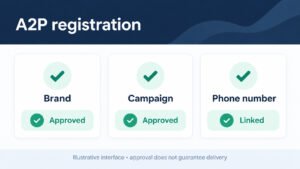
Complete A2P 10DLC Registration before SMS Automation goes live when a local business uses application-to-person messaging on a United States long-code number. Gather accurate business identity, campaign purpose, consent description, sample messages, website information, and opt-out language. Ensure the registered use case matches the actual Missed Calls program; do not describe promotional messaging as purely transactional. Approval does not replace consent or responsible frequency. Recheck registration after changing the sender, business identity, campaign purpose, or message content.
Check Opt-Outs and Message Frequency
Checks for opt-outs and message frequency should verify that STOP requests suppress future texts and that automated paths cannot re-enroll the contact immediately. Inspect duplicate workflows, recurring campaigns, retry behavior, and employee-triggered sends. Set a practical maximum for missed-call reminders and stop after a reply or successful callback. Keep records of opt-out events and test them from several channels. Compliance is an operational control that must be validated whenever templates, numbers, or workflow logic change.
Review A2P 10DLC Readiness Before You Submit
A review of A2P 10DLC readiness should examine the relationship between registration details and live campaign behavior. Compare the declared use case with actual templates, consent collection, sender numbers, sample messages, and opt-out handling. Identify missing evidence before submission, then assign a person to correct each issue. Do not treat registration as a guarantee of delivery; monitor carrier filtering after approval and revise unclear content. A readiness review is most useful when it includes a real test call and a complete conversation trace.
Case Study: How a Roofing Company Handles Missed Calls
This case study shows how a roofing company improves response handling without flooding customers. The team separated emergency leaks, inspection requests, existing appointments, and general estimates into distinct paths. A missed call created an immediate acknowledgment, an assigned task, and a booking option; replies stopped later reminders. Helpful follow-up content was matched to each customer’s stated need, without replacing direct service. After four weeks, the team compared reply rate, qualified conversations, scheduled inspections, and response time against its prior manual process.
Voicemail and Number Choices in the Roofing Campaign
Voicemail Settings and Sending Number Choice in a roofing campaign should reflect weather-driven urgency and geographic coverage. The company used a location-specific number, enabled voicemail transcription, and sent a confirmation after a recording was captured. Emergency language directed customers to the approved on-call route, while routine estimate requests offered the next available inspection window. Staff alerts included the caller’s number, location, voicemail status, and message transcript. Testing across regions confirmed that local hours and assignments were correct before the campaign was expanded.
Measure Replies, Bookings and Re-engagement After Launch
Measure Replies, Bookings, and Lead Re-engagement After Launch by comparing the full funnel, not just SMS delivery. Track missed calls, delivered messages, replies, qualified opportunities, booked appointments, callbacks completed, opt-outs, and revenue where attribution is reliable. Review results by source, location, service, hour, and message version. If replies increase but bookings do not, inspect the booking experience and staff handoff. If delivery is strong but replies are weak, test clarity, timing, and the first question. Weekly review makes improvement measurable.
6. Five Improvements After Your First Missed Call Text Back
Five High-Impact Improvements After Your First Missed Call Text Back are usually found through response evidence: refine timing, simplify the first message, improve routing, strengthen suppression, and connect qualified replies to scheduling. Begin with a baseline period and change one variable at a time. Review transcripts for unanswered questions, confusing promises, and unnecessary steps. Confirm that staff can see and act on replies before increasing volume. The goal is not maximum automation; it is faster, clearer service that creates more legitimate conversations while respecting customer choice.
Refine Your Settings Using Real Customer Responses
Refresh Feature Configuration with customer response evidence by reviewing which settings correlate with successful outcomes. Check business hours, ring duration, sending number, contact assignment, voicemail behavior, and workflow exits. If customers reply overnight, improve the expectation-setting message rather than pretending staff are available. If employees miss alerts, change ownership or notification channels. Preserve a version history so the team knows what changed and when. Configuration should evolve from observed conversations, delivery reports, and appointment outcomes.
Dashboard Signals That Show What to Improve
GoHighLevel dashboard signals for call tracking improvements include missed-call volume, answer rate, callback delay, text delivery, reply rate, appointment conversion, and duplicate enrollment count. Segment each signal by location, user, hour, and campaign. A rising missed-call rate may indicate staffing or routing problems rather than a messaging problem. A falling reply rate may indicate poor timing or carrier filtering. Use a weekly threshold review to identify meaningful changes and assign a specific corrective action.
Keep Automation and Sales Alerts on One Timeline
Keeping GHL Workflows and sales alerts in sync ensures that automation and human follow-up share one timeline. Send the customer acknowledgment, create the staff alert, and set a task deadline in a predictable order. If the employee calls back, stop the remaining text sequence. If the customer books, remove the lead from sales alerts that no longer apply. Audit alert ownership, escalation timing, and duplicate notifications so urgent opportunities receive attention without creating noise.
Scale Missed Call Text Back Across Your Business
Scale Service Businesses with smarter workflow automation by standardizing the parts that should be consistent and allowing local teams to control relevant details. Create reusable templates for missed calls, voicemail confirmations, appointment requests, and human handoffs. Keep location, service, hours, and escalation data in controlled fields rather than hard-coding it into every action. Review performance separately for new leads and existing customers. Scaling should preserve accurate routing and a recognizable customer experience; adding more branches without ownership, testing, and suppression rules only multiplies errors.
Route Qualified Leads with the AI Conversation Bot
AI Conversation Bot routing for qualified opportunities should use explicit criteria such as service area, request type, urgency, and appointment intent. The bot can collect basic information and offer available times, but a qualified or sensitive conversation should reach a trained employee. Define confidence limits, fallback language, and escalation tags before launch. Review transcripts for incorrect assumptions and update prompts carefully. The strongest routing design makes the transfer visible, preserves context, and gives the employee enough information to continue without repeating the initial questions.
Get Support for Long-Term Growth
HighLevel and Done-For-You GHL support for sustainable growth should combine technical setup with operational ownership. A support partner can document numbers, configure workflows, test call paths, review registration, and train staff, while the business remains responsible for consent, service promises, and customer policies. Establish reporting cadence, change approval, incident handling, and quality reviews. Sustainable growth comes from reliable follow-up, measurable response improvements, and respectful conversations, not from sending more automated texts. Review the system monthly as staffing, locations, services, and carrier requirements change.