Skip to content

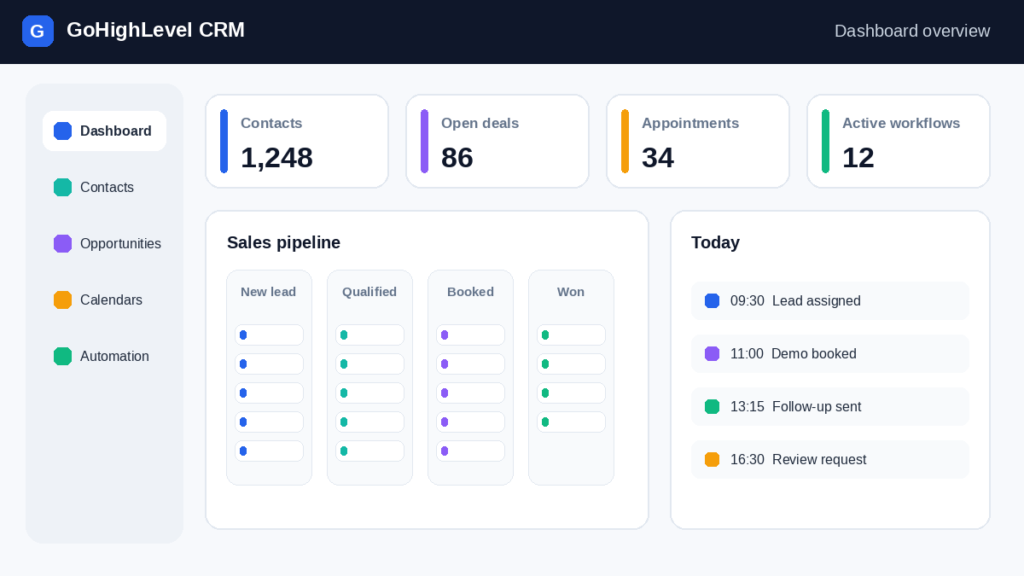
How to Set Up GoHighLevel CRM: Step-by-Step Guide for Beginners starts with a clear account structure, verified business information, and a measurable customer journey. This practical guide explains how GoHighLevel supports CRM records, funnels, automation, calendars, campaigns, and client workspaces.
1. Start Your GoHighLevel Free Trial with One Clear Goal
Start your GoHighLevel free trial by defining one business objective, such as capturing consultation requests or converting inbound leads. During the free trial, create a simple funnel, add test contacts, connect a calendar, and measure response times before purchasing a plan. GoHighLevel works best when configuration follows the customer journey rather than a random feature tour.

Build a Strong Account Setup and Business Profile
How Beginners Build a Strong Account Setup and Business Profile by entering the legal business name, time zone, address, website, phone number, and reply-to email before building campaigns. Accurate profile data improves appointment reminders, invoices, email footers, and local trust. In GoHighLevel, use consistent branding across landing pages, forms, pipelines, and conversations. Test every visible field with a sample contact, then confirm that notifications reach the intended owner. A documented profile also makes later sub-account creation faster for an agency account. Keep administrator credentials private and invite collaborators using role-based access instead of sharing passwords.
Choose the right account structure for your first workspace
Choose the right account structure for your first workspace by deciding whether the account represents your agency or a single client. An agency account can manage several client environments, while each sub-account should contain only that client’s contacts, funnels, calendars, workflows, and reporting. Begin with one carefully configured workspace rather than importing every template immediately. Name locations consistently, record ownership, and identify which user receives new-lead alerts. This approach prevents duplicate records and makes troubleshooting easier when GoHighLevel automation changes a pipeline stage. Before inviting staff, document who can edit settings, publish pages, export contacts, or approve messages.
Prepare a Polished Client Experience
Use GHL Services to prepare a polished client experience by standardizing the visible elements clients encounter after submitting a form. Configure branded domains, confirmation pages, appointment reminders, sender identities, and response templates before launching traffic. GHL Services can also include reusable snapshots, onboarding checklists, reporting views, and support procedures. Review every message on mobile devices and replace generic placeholders with the client’s name, business hours, and contact method. A polished experience depends on accurate routing: a form should create or update a contact, assign an owner, create a pipeline opportunity, and trigger the correct follow-up without producing duplicate notifications.
Set Up the CRM and Activate Your Account in the Right Order
Set Up CRM Setup and Account Activation Without Confusion by completing foundational settings in a deliberate order: business profile, users, domains, phone and email services, calendars, pipelines, forms, and workflows. GoHighLevel becomes easier to manage when each dependency is tested before the next one is enabled. Create a test contact and verify that the record appears correctly, the opportunity enters the intended sales pipeline, and the assigned user receives a notification. Keep a launch checklist with screenshots, credentials owners, opt-in language, and rollback instructions. This reduces errors during Account Activation and helps a beginner distinguish configuration problems from campaign-performance problems.

Connect HighLevel Tools Through a Practical Workflow
Connect HighLevel tools through a practical workflow that begins with a lead source and ends with a measurable outcome. Link a form or landing page to the CRM, map each field, assign a pipeline stage, and trigger a confirmation email or SMS only after consent is recorded. Connect the calendar to the correct user, define availability, and test time-zone behavior. If an external system is required, use an API Integration with documented field mappings and error handling. GoHighLevel should remain the source of truth for ownership and status, while connected tools pass only necessary data. Test both successful submissions and missing-field scenarios.
Review Message Sequences Before Going Live
Review your message sequence before enabling live communication by checking message order, delays, sender identity, links, merge fields, opt-out language, and stop conditions. In GoHighLevel, this means the exact order in which a contact receives your messages. Send test messages to internal addresses, confirm formatting on mobile, and verify that replies pause or redirect the workflow as intended. Never activate a campaign until consent, business hours, and unsubscribe behavior are documented. A short test with three records can reveal timing or routing errors that would otherwise affect hundreds of contacts.
Why Your Marketing Platform Needs a Clear Customer Journey
Why a Marketing Platform Needs a Clear Customer Journey becomes obvious when a lead moves through several touchpoints before purchasing. GoHighLevel can connect lead generation, landing pages, appointment scheduling, conversations, reviews, and sales reporting, but those tools need shared definitions. Write the journey as stages: visitor, inquiry, qualified opportunity, booked appointment, proposal, customer, and advocate. Assign one entry condition and one exit condition to each stage. Then use automation to record movement rather than relying on memory. This structure helps teams identify where leads stall, whether follow-up is timely, and which funnel produces profitable customers.

Map Your Sales Process Step by Step
Map the sales process with a Proven Beginner Guide by listing the actual actions a prospect takes and the staff response required at each point. For example, a form submission can create an opportunity, assign a salesperson, send a confirmation, and start a task due within fifteen minutes. A booked appointment can move the opportunity to scheduled, while a no-show can trigger a rescheduling message. Use GoHighLevel pipeline stages that describe observable progress instead of vague labels such as “working.” Review conversion rates weekly and remove stages that do not change decisions. A clear map makes CRM reporting useful for both beginners and experienced teams.
Match Every Message to the Customer’s Current Need
Plan every customer touchpoint by matching the message, channel, owner, and timing to the customer’s current need. A new inquiry might receive an immediate confirmation, a useful resource after one day, and a personal call task after two days. An existing customer may need onboarding instructions rather than promotional content. In GoHighLevel, use tags, custom fields, pipeline stages, and workflow conditions to keep communications relevant. Record the intended outcome of each touchpoint, such as booking, reply, qualification, or review. This prevents automation from continuing after a person has already converted or requested no contact.
Learn from How Marketing Agencies Handle Leads
Use Marketing Agencies examples to shape a stronger journey by examining how an agency might handle a local service lead from first inquiry to completed job. The funnel could capture a request, qualify location and service type, offer a calendar, notify a salesperson, and request a review after delivery. GoHighLevel lets the agency reuse the framework while changing branding, fields, users, and calendars for each client. Measure response time, booked appointments, show rate, close rate, and review completion. These metrics reveal whether the problem is traffic, qualification, follow-up, scheduling, or sales execution, allowing the agency to improve one stage at a time.
Turn Your Plan into Small, Testable Steps
How the GoHighLevel Beginner Tutorial Turns Plans into Progress by converting broad goals into small configuration tests. Choose one audience, one offer, one funnel, and one primary conversion event. Build the minimum journey, test it with internal contacts, and only then add branching logic, additional channels, or advanced reporting. GoHighLevel rewards this staged approach because each component can be verified independently. Keep a change log showing what was modified, why it was changed, and which test confirmed the result. This makes training easier and gives future administrators a reliable reference when workflows or account ownership change.
Separate Reusable Assets from Client Information
Build an account structure that supports future growth by separating reusable assets from client-specific information. Store templates, naming conventions, permissions, and standard workflows in a controlled source, then adapt them inside each client workspace. Keep domains, phone numbers, calendars, forms, and pipelines clearly labeled so a growing team can identify ownership immediately. GoHighLevel users should also define retention rules for inactive contacts and establish who approves production changes. Growth becomes safer when new users inherit documented standards rather than copying undocumented settings from an older campaign. Review the structure quarterly as services, staff, and customer segments evolve.
Compare Your Workflows with a Real Agency Example
Compare HighLevel workflows with a real-world agency case study by imagining a three-person agency serving a home-services client. The agency uses a landing page for quote requests, a pipeline for qualification, a calendar for inspections, and automation for reminders and missed-call follow-up. One user owns sales, another manages fulfillment, and an administrator reviews reporting. GoHighLevel centralizes contact history and opportunity status, while weekly checks compare response time, appointment rate, and closed revenue. The lesson is not to copy every workflow; it is to identify the smallest repeatable system that improves a measurable business result.
2. Complete Your GoHighLevel Account Setup
Complete your GoHighLevel account setup by treating setup as a controlled launch rather than a collection of toggles. Confirm business identity, users, permissions, domains, communication channels, calendars, pipelines, forms, and test records. GoHighLevel should contain a single agreed definition for a lead, qualified opportunity, booked appointment, and customer. Use a checklist and require one person to approve production activation.
Essential CRM Configuration: Fields, Tags and Pipelines
Essential CRM Configuration for a Reliable Business Profile includes custom fields, contact ownership, pipeline stages, tags, task rules, and notification preferences. Keep fields purposeful: service requested, location, lead source, consent status, and preferred appointment time are usually more useful than dozens of rarely completed fields. Configure duplicate handling before importing contacts, and decide which fields may be edited by staff. GoHighLevel reporting depends on consistent values, so replace free-text status entries with controlled options where possible. Test records should resemble real customers but contain no sensitive information. Document every field’s purpose so future users can maintain data quality.
Organize User Access Before Inviting Your Team
Organize Corporate HQ access before inviting collaborators by defining administrators, managers, sales users, fulfillment users, and read-only reviewers. Give each role the minimum access needed to perform its work, then verify visibility with a test login. Protect billing, domains, exports, integrations, and workflow publishing from unnecessary access. GoHighLevel teams should also establish an offboarding process that removes users promptly when responsibilities change. Invite collaborators only after the business profile and naming conventions are stable. This avoids exposing unfinished assets and reduces the chance that a well-intentioned user edits a production workflow without review.
Apply Consistent Branding and Permissions
Apply GHL Services standards to branding and permissions by creating a repeatable quality checklist for logos, colors, domains, email signatures, phone numbers, calendars, and user roles. GHL Services should look consistent wherever a client or lead interacts with the business, yet permissions should still reflect operational responsibility. Restrict publishing rights until a user understands testing and rollback procedures. Confirm that client-facing pages display the correct company information and that internal notifications identify the responsible user. A short brand and access audit before launch prevents embarrassing mismatches, such as one client receiving another client’s logo or appointment instructions.
Activate CRM Setup and Automation in the Right Order
Activate CRM Setup and Automation in the Right Order by first validating data capture, assignment, pipeline movement, and communication consent. Configure the workflow in a test state, submit realistic records, inspect the contact timeline, and confirm every action before enabling live traffic. GoHighLevel automation should have explicit triggers, conditions, delays, and exit rules. Avoid activating several connected workflows at once because overlapping actions make failures difficult to diagnose.

Test Workflows with Realistic Customer Records
Test the workflow with realistic customer records by creating scenarios for a new inquiry, duplicate inquiry, booked appointment, cancellation, no-show, and unsubscribe request. Verify that each record receives the correct owner, tag, pipeline stage, task, and message. Use different time zones and incomplete form submissions to expose edge cases. GoHighLevel testing should include the contact timeline, opportunity record, inbox, calendar, and outgoing-message logs. Record expected and actual results in a test sheet. Do not use real customer data for experiments unless privacy, consent, and access controls have been reviewed.
Document Each Workflow for Dependable Handoffs
Document sequence information for dependable handoffs by describing every trigger, delay, condition, message, owner, and stopping event in plain language. Include the workflow’s purpose, audience, entry criteria, exit criteria, related pipeline stages, and test date. This information lets another GoHighLevel administrator understand why a branch exists before editing it. Add screenshots for complex paths and identify external dependencies such as a calendar, webhook, or API Integration. When a workflow changes, update the document immediately and rerun the core test cases. Reliable documentation turns individual knowledge into a maintainable operating process.
How to Use Sub-Accounts and SaaS Mode
How to Use Sub-Accounts and SaaS Mode in Your Marketing Platform begins with a clear distinction between agency administration and client operations. A sub-account should isolate one client’s records, assets, users, billing context, and reporting. SaaS Mode can support packaged access, but it should be introduced only after the agency understands provisioning, permissions, support, and recurring costs. GoHighLevel becomes scalable when each workspace has predictable naming and onboarding standards.

Create Sub-Accounts Without Breaking Your Main Account
Create Sub-Accounts While Protecting the Main Account Structure by using a documented naming convention, approved snapshot, default users, and client-specific configuration checklist. Import only the assets the client needs, and confirm that domains, calendars, phone numbers, pipelines, and contacts belong to the correct workspace. A sub-account should never be treated as a casual folder because permissions and communication services may have financial and privacy consequences. GoHighLevel administrators should test access from both agency and client views. Record ownership, billing responsibility, and support escalation before the workspace is handed over.
Give Each Client a Clean Workspace
Give Marketing Agencies clean workspaces for each client by separating branding, contacts, campaigns, funnels, calendars, conversations, and reporting. Start from a controlled template, then remove irrelevant assets rather than leaving confusing sample workflows active. GoHighLevel agencies should use client-specific sender identities and verify every form’s notification recipient. Create a launch dashboard showing leads, appointments, conversion rate, response time, and open tasks. Clean workspaces reduce accidental cross-client messaging and help account managers explain performance without filtering unrelated data.
Separate Billing and Permissions
Use HighLevel controls to separate billing and permissions by assigning financial responsibility before services are activated. Identify who pays for phone numbers, email delivery, domains, premium features, and user seats. Limit billing access to authorized administrators while granting operational users only the tools required for daily work. GoHighLevel records should also show who owns each account and who approves upgrades. Review permissions whenever staffing changes. Clear separation protects the agency from unexpected charges and prevents clients from changing shared infrastructure without authorization.
Launch SaaS Mode with Confidence
Launch SaaS Mode with Account Activation Confidence by first testing the complete client lifecycle: purchase or invitation, workspace creation, user access, onboarding, billing, support, and cancellation. Define which features are included, which services are optional, and how usage limits are communicated. GoHighLevel administrators should test failed payments, expired access, and support escalation before marketing the package.

Connect Each Package Promise to a Client Workflow
Connect each package promise to a client workflow by mapping the shared service promise to the actual assets delivered in the workspace. If a package promises lead follow-up, identify the trigger, message sequence, owner, response window, and reporting metric. If it promises appointments, identify calendar availability, reminders, confirmation behavior, and no-show handling. GoHighLevel templates should be adaptable without hiding client-specific rules. Validate the setup with a test lead and document which features are standard, optional, or excluded from support.
Package GHL Services So They Can Scale
Position GHL Services for a scalable service package by grouping repeatable outcomes rather than listing every configuration task. A package might include CRM setup, one funnel, one calendar, lead routing, follow-up, reporting, and monthly optimization. GHL Services should define implementation boundaries, response times, data responsibilities, and change-request fees. Use GoHighLevel snapshots for repeatable foundations, but review every copied workflow before activation. Scalable delivery depends on consistent quality control, not simply creating more workspaces.
3. Build a Sales Funnel and Follow-Up Automation That Converts
Build a sales funnel and follow-up automation that converts by connecting a clear offer to a low-friction action and a timely response. Start with one landing page, one form, one calendar, one pipeline, and one follow-up path. GoHighLevel can then record the source, assign ownership, and measure movement from inquiry to outcome.

Funnel Strategy Basics for Beginners
Beginner Guide to Funnel Strategy and Sales Funnels planning starts with audience, problem, promise, proof, and next action. The funnel page should answer who the offer helps, what happens next, why the business is credible, and how to begin. Use GoHighLevel forms to collect only information needed for qualification, then connect submission to a sales pipeline and confirmation. Track visits, submissions, booked appointments, attended appointments, and closed opportunities separately. A funnel is not successful because it looks polished; it is successful when each stage produces reliable evidence of progress.
Turn Your Sales Process into a Measurable Workflow
Turn the sales process into a measurable workflow by assigning an owner and measurable exit condition to every pipeline stage. “New lead” ends when qualification begins, “qualified” ends when an appointment is booked or rejected, and “proposal” ends when the prospect accepts, declines, or expires. GoHighLevel automation can create tasks and reminders, but people still need clear procedures. Review stage aging weekly to find stalled opportunities. This makes the funnel useful for coaching, forecasting, and prioritizing work instead of merely storing contact records.
Use AI Tools to Improve Your Funnel
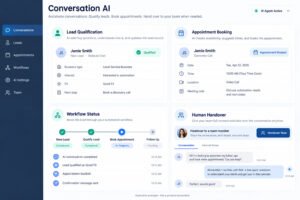
Use AI tools to improve a sales funnel for busy teams by using them as controlled assistants rather than replacements for judgment. An AI-powered CRM can summarize conversations, Conversation AI can answer defined questions, Voice AI can handle approved call scenarios, Funnel AI can suggest page content, and Reviews AI can help request feedback. Configure escalation rules, prohibited claims, human handoff, and quality review before publishing. GoHighLevel teams should compare AI-assisted outcomes with human outcomes for response accuracy, booked appointments, and customer satisfaction.
How Follow-Up Automation Keeps Every Lead Moving
How Follow-Up Automation Keeps Every Lead Moving by responding quickly, recording ownership, and stopping when a lead replies, books, declines, or opts out. Build one primary path before adding exceptions. GoHighLevel should use delays that respect business hours and conditions that prevent duplicate messages. Review failed actions weekly and assign an owner for recovery.
Create Automation Branches for Calls, Forms and Appointments
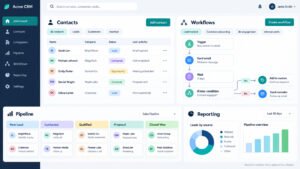
Create Automation branches for calls, forms, and appointments by defining separate triggers and shared safeguards. A missed call can create a task and send a consent-appropriate response; a form submission can assign an opportunity and confirmation; a booked appointment can send preparation instructions and reminders. Use tags or custom fields to identify the source, but avoid branching on inconsistent free text. GoHighLevel workflows should stop promotional follow-up after a meaningful reply or booking. Test simultaneous events, such as a form submission followed immediately by a phone call, to prevent conflicting messages.
Use Color Coding to Tell Workflow Paths Apart
Use color coding to tell workflow paths apart by assigning consistent colors to conceptual categories such as lead capture, qualification, appointment, sales, fulfillment, and exit. Color coding is not a GoHighLevel requirement, so treat it as a simple labeling convention. Keep the color legend in the workflow documentation and use readable branch names as the primary identifier. Visual organization helps beginners scan complex automation, but it does not replace explicit conditions, testing, consent controls, or audit logs.
Which CRM Features Strengthen the Customer Journey?
Which CRM Features Strengthen the Customer Journey? The most useful features are those that preserve context and enable a timely next action. GoHighLevel combines contact records, conversations, pipelines, calendars, funnels, workflows, forms, campaigns, and reporting in one environment. Select features according to journey gaps: slow response requires routing and automation, missed appointments require reminders, and poor retention may require onboarding or review management.
Explore HighLevel CRM Features for Beginners
Explore HighLevel CRM Features for Beginners by learning contacts, opportunities, pipelines, calendars, forms, conversations, workflows, and reports in that order. Start with one contact record and follow its timeline through a form submission, assignment, message, appointment, and pipeline update. GoHighLevel users should learn where data is created, where it is edited, and which action changes reporting. Add Sales Pipelines only after stage definitions are agreed. This sequence prevents beginners from building attractive pages without knowing whether leads are captured, assigned, and followed up.
Combine AI Tools with a Reliable Manual Process
Combine AI tools with a practical Beginner Tutorial by first building a reliable manual process and then automating repetitive parts. Define approved answers, escalation triggers, knowledge sources, and review metrics before enabling AI. GoHighLevel users can compare response accuracy, booking rate, handoff rate, and customer complaints across a controlled test group. Never allow an AI agent to invent pricing, promise unavailable services, or continue after an opt-out. Human review remains essential for sensitive conversations, unusual requests, and high-value opportunities.
Plan Advanced Integrations Before You Build Them
Apply GHL Services when advanced integrations become necessary by documenting the business reason before selecting a connector or custom solution. Confirm data ownership, authentication, field mapping, retry behavior, rate limits, and failure alerts. GHL Services may help with API Integration design, webhook handling, custom reporting, or migration, but external complexity should not obscure the core customer journey. Test an integration with sample records, verify duplicate prevention, and create a support runbook. GoHighLevel remains easier to maintain when integrations solve specific bottlenecks rather than adding features without an owner.
Test a Second Funnel for a Different Audience
Improve Sales Funnels with a Second Funnel Strategy by creating a deliberate alternative for a different audience, offer, or buying intent. Do not duplicate the first funnel without a hypothesis. For example, one funnel may target urgent inquiries while another educates prospects before booking. GoHighLevel can compare source, conversion rate, appointment quality, and revenue across both paths.

Use Follow-Up Automation after every meaningful conversion
Use Follow-Up Automation after every meaningful conversion to deliver the next useful action, not another generic promotion. After a booking, send preparation details; after a purchase, send onboarding; after completion, request a review; after a declined proposal, schedule an appropriate re-engagement period. GoHighLevel workflows should reference the conversion event and stop earlier-stage campaigns. Measure completion, replies, support requests, and repeat purchases. This turns automation into service delivery and protects the customer relationship from irrelevant messaging.
Check Existing Workflows Before Changing the Journey
Check sequence information before changing the customer journey by reviewing current triggers, delays, branches, messages, tags, pipeline actions, and exit rules. Make a copy or record a rollback plan before editing a production workflow. GoHighLevel administrators should test existing contacts, new contacts, replies, appointments, and opt-outs after the change. Compare results with the documented baseline. This prevents a small wording change or condition adjustment from causing duplicate outreach or removing necessary follow-up.
4. Understand GoHighLevel Pricing, Plans and Support in 2026
Understand GoHighLevel pricing, plans and support in 2026 by comparing the current official offer with actual usage, required users, communication costs, domains, phone services, and support needs. Pricing Plans should be evaluated against revenue-producing workflows, not feature counts alone. GoHighLevel capabilities and prices can change, so verify current terms before committing.

Compare GoHighLevel Pricing Plans by Total Monthly Cost
Compare GoHighLevel Pricing with Flexible Pricing Plans by calculating the full monthly operating cost for the intended account structure. Include agency access, client workspaces, user seats, email delivery, SMS usage, phone numbers, domains, premium features, implementation, and support. GoHighLevel may appear inexpensive until high message volume or custom requirements are included. Create a low, expected, and high-usage estimate, then identify the break-even number of clients or conversions. Recheck the provider’s current documentation because plan names, limits, and included capabilities may change.
Match GoHighLevel Plans to your account structure
Match GoHighLevel Plans to your account structure by counting the workspaces, users, services, and governance controls required during the next twelve months. A solo operator may need a simpler configuration, while an agency managing multiple client environments may value sub-account capacity, white-labeling, billing tools, and support processes. GoHighLevel decisions should also consider migration effort and operational maturity. Choose enough capacity for testing and controlled growth, but avoid paying for advanced features before the team can maintain them.
Estimate Operating Costs with an Agency Example
Use Marketing Agencies examples to estimate operating costs by modeling a small agency with several client workspaces, a shared administrator, sales users, branded domains, calendars, and moderate message volume. Add one-time setup labor and recurring support time to the software estimate. Track cost per active client, cost per booked appointment, and gross margin after communication charges. GoHighLevel can improve delivery efficiency, but savings appear only when reusable systems reduce labor without lowering quality. Review the model after the first complete billing cycle.
How SaaS Mode Changes Sub-Accounts and Support
How SaaS Mode Changes Sub-Accounts and Account Support by making provisioning, billing, onboarding, and support part of the product experience. Define what happens when a customer starts, upgrades, pauses, or cancels. GoHighLevel administrators should document ownership of data, domains, phone numbers, templates, and outstanding invoices.

Choose a Plan That Fits Your Growth Stage
Choose GoHighLevel Plans that fit your growth stage by matching current operational needs with a realistic expansion path. At an early stage, prioritize reliable CRM setup, one funnel, one calendar, and basic follow-up. Later, evaluate advanced reporting, client billing, white-labeling, automation depth, and support capacity. GoHighLevel users should avoid upgrading merely because a feature is available. Set a decision threshold based on active clients, revenue, workload, and required controls, then review it monthly during growth.
Questions to Ask Support Before a Major Launch
Ask Account Support about billing, permissions, and workflow limits before a production launch or major upgrade. Prepare the account identifier, timestamps, screenshots, workflow name, affected records, expected result, and steps already tested. Ask specifically about message charges, user access, sub-account behavior, domain requirements, execution limits, and data retention. GoHighLevel support can resolve issues faster when the question is reproducible and bounded. Store the answer in the internal runbook so future administrators do not repeat the investigation.
Decide Between the Free Trial and a Paid Plan
Make a Confident Decision Between a Free Trial and Paid Growth by setting success criteria before the trial begins. A 30-Day Free Trial should produce evidence such as captured leads, booked appointments, response time, workflow completion, and revenue opportunity. GoHighLevel is ready for paid growth when the team can operate the core journey reliably, not merely when every feature has been explored.

Evaluate Your Free Trial Week by Week
Evaluate the Free Trial Using a Practical Beginner Guide by completing one end-to-end test each week. Week one should cover account setup and branding; week two should cover forms, contacts, pipeline, and calendar; week three should cover automation and communication; week four should cover reporting, costs, and staff training. GoHighLevel trial users should record defects and time spent, not just successes. Compare the workflow with the Starter plan or other current options using verified pricing. Decide based on measurable business value and maintainability.
Measure Your Funnels Before Choosing a Plan
Measure sales funnels before committing to pricing plans by recording visitors, leads, qualified opportunities, bookings, attendance, proposals, wins, revenue, and communication costs. Separate conversion problems from volume problems: a low booking rate may require better qualification, while low lead volume may require a different acquisition source. GoHighLevel reporting should use consistent stages and source values. Even a small test can reveal whether the funnel deserves optimization, redesign, or retirement before additional subscription expense.
Record Customer Progress at Every Touchpoint
Record each touchpoint as evidence of customer progress by linking each important touchpoint to a stage change, task completion, reply, booking, or purchase. Use timeline notes and standardized outcome fields rather than relying on memory. GoHighLevel reports become more useful when the team records why an opportunity advanced or stopped. Review a sample of records weekly to check whether staff behavior matches the intended process. This evidence supports a rational paid-growth decision and identifies training needs.
Where Account Support Helps as You Grow
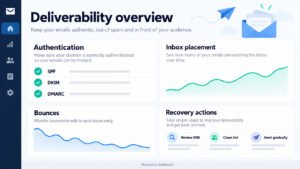
Where Account Support Helps During HighLevel Expansion includes complex billing questions, deliverability issues, account access, domain configuration, workflow behavior, phone registration, and integration failures. GoHighLevel teams should first reproduce the problem, preserve logs, and identify its scope. Support is most effective when internal documentation separates a platform issue from a configuration issue.
Prepare Support Questions for Faster Answers
Prepare Corporate HQ questions for a faster resolution by organizing them into billing, permissions, data, communication, workflow, and integration categories. Include the business impact, affected workspace, approximate start time, reproduction steps, test record, and desired outcome. Avoid sending vague requests such as “the automation is broken.” GoHighLevel support teams can investigate efficiently when evidence shows the trigger, action, record identifier, and error message. Keep sensitive credentials and unnecessary personal data out of support tickets.
Use GHL Services when internal capacity reaches its limit
Use GHL Services when internal capacity reaches its limit and the business needs a defined outcome, such as migration, custom integration, deliverability repair, or multi-client deployment. Before engaging help, document goals, existing assets, access boundaries, acceptance tests, timeline, and ownership after handoff. GHL Services should strengthen the internal process rather than create permanent dependency on undocumented expertise. GoHighLevel administrators should request a runbook, training session, and change summary for every substantial implementation.
5. Solve Advanced GoHighLevel Setup Challenges with Proven Examples
Solve advanced GoHighLevel setup challenges by isolating the failing layer: data, permissions, domain, communication, workflow logic, integration, or reporting. GoHighLevel troubleshooting becomes faster when one variable changes at a time. Reproduce the issue with a safe test record, compare expected and actual events, and document the fix.
How a GoHighLevel Developer Handles CRM Configuration
How a GoHighLevel Developer Handles CRM Configuration by translating business rules into explicit data models, permissions, triggers, and tests. A developer should define field types, required values, ownership, pipeline transitions, webhook payloads, authentication, retries, and failure alerts before writing custom logic. GoHighLevel configuration should remain understandable to nontechnical administrators. Use versioned documentation and a staging process where possible. Never solve a data-quality problem only with code when a clearer form, validation rule, or user procedure would prevent it.
Review Developer Permissions Before Custom Work
Review Account Setup permissions before custom development by confirming that the developer can access only the required workspace, assets, records, and integration settings. Separate development, testing, and production credentials, and establish an expiration date for temporary access. GoHighLevel administrators should approve data exports, webhooks, custom fields, and workflow publishing. Many apparent development problems are caused by missing permissions or incorrect workspace context, so verify access before changing code. Record all production changes and the responsible person.
Document Workflow Dependencies to Prevent Errors
Use sequence information to protect workflow reliability by documenting dependencies between triggers, branches, waits, external calls, pipeline updates, and notifications. Identify actions that can run twice and add idempotency safeguards, duplicate checks, or exit conditions. GoHighLevel workflows should tolerate delayed responses and unavailable integrations without silently losing leads. Test retries, cancellations, replies, and partial failures. A reliable sequence is one that produces a predictable outcome even when a contact takes an unexpected path.
A Beginner Guide to A2P 10DLC Registration
A Beginner Tutorial for A2P 10DLC and Account Activation begins with accurate business identity, consent evidence, messaging purpose, sample messages, website information, and opt-out handling. Requirements and approval timelines can change, so verify current carrier and platform guidance. GoHighLevel users should not send promotional SMS before registration and compliance checks are complete.

Complete A2P 10DLC registration before sending campaigns
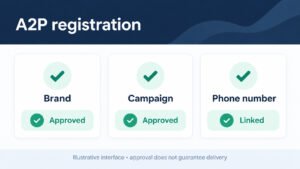
Complete A2P 10DLC registration before sending campaigns by gathering the legal business details, tax or registration information where required, website, privacy policy, terms, consent language, message examples, and opt-out instructions. Ensure the submitted use case matches the actual campaign. GoHighLevel users should keep evidence of how contacts opted in and should distinguish transactional reminders from promotional messages. Do not assume approval guarantees deliverability; monitor filtering, complaints, replies, and opt-outs after activation. Update registration details when the business or use case changes.
Turn On Follow-Up Automation Only After Activation
Apply Follow-Up Automation only after Account Activation by testing sender identity, consent status, quiet hours, opt-out behavior, and message content. Begin with a small internal or approved test group, confirm logs and replies, and then increase volume gradually. GoHighLevel workflows should stop communication immediately when a recipient opts out or reaches a defined conversion event. Keep a manual fallback for urgent customer requests. Compliance and customer trust are prerequisites for scale, not adjustments made after a campaign fails.
What Beginners Can Learn from a Real Marketing Platform Case Study
What Beginners Can Learn from a Real Marketing Platform Case Study is that reliable outcomes usually come from disciplined scope, not maximum feature usage. Consider an agency that reduced response delays by routing every inquiry to an owner, offering a calendar, and pausing follow-up after replies. GoHighLevel provided the shared record, but the improvement came from clear responsibility and measurement.

Refine Your Sales Funnel One Stage at a Time
Use the Beginner Guide to Refine a Sales Funnel by reviewing one stage at a time and asking what evidence supports the next transition. If many visitors submit forms but few book, simplify qualification or improve the offer. If bookings are high but attendance is low, improve reminders and preparation. If opportunities stall after proposals, improve sales tasks and follow-up timing. GoHighLevel makes these comparisons practical when source, stage, owner, and outcome values are consistent. Make one change, establish a measurement period, and compare results with the previous baseline.
Use Simple Color Labels as a Secondary Aid
Use colors only as a secondary aid when reading workflows. A green label might indicate successful conversion, blue might indicate active follow-up, yellow might indicate waiting, and red might indicate an error or opt-out. Clear names, conditions, and documentation remain more important than decorative formatting.
Standardize Your Account Structure for Repeatable Work
Build an account structure that supports repeatable sales process work by standardizing client onboarding, pipeline stages, forms, calendars, notifications, workflows, reporting, and review procedures. GoHighLevel agencies should preserve a tested baseline while allowing client-specific fields and offers. Define who owns lead response, appointment confirmation, proposal follow-up, and post-sale communication. Review duplicate contacts and stalled opportunities regularly. A repeatable structure improves training, forecasting, and quality control without forcing every client into an identical customer journey.
Your GoHighLevel Setup Checklist
The Definitive Checklist for HighLevel Growth and CRM Setup should confirm business profile, users, permissions, domains, communication channels, contacts, pipelines, calendars, forms, funnels, workflows, consent, reporting, testing, backups, and support ownership. GoHighLevel is launch-ready when a test record completes the intended journey and the team can explain how to recover from failure.

Confirm CRM Features and Business Profile Readiness
Confirm CRM features, Account Support, and business profile readiness by checking that contact fields, ownership, pipeline stages, calendars, forms, workflows, permissions, notifications, and reports match documented requirements. Verify the company name, address, sender identities, domains, phone settings, privacy language, and support escalation path. GoHighLevel administrators should conduct a final test from the perspective of a lead, salesperson, manager, and client. Record unresolved issues with owners and deadlines rather than relying on verbal promises. Obtain approval before sending live traffic.
Review SaaS Mode, Pricing and Governance
Revisit SaaS Mode, pricing plans, and Corporate HQ governance by reviewing workspace ownership, billing responsibility, user access, support obligations, templates, data retention, and cancellation procedures. Confirm that current pricing plans still match usage and that client promises remain financially sustainable. GoHighLevel growth should be governed by documented approval, change management, security review, and performance metrics. Schedule a quarterly audit of accounts, permissions, integrations, workflows, communication costs, and customer outcomes so expansion remains controlled and profitable.