Skip to content

Zoho CRM vs GoHighLevel: Which CRM Wins for Growth?
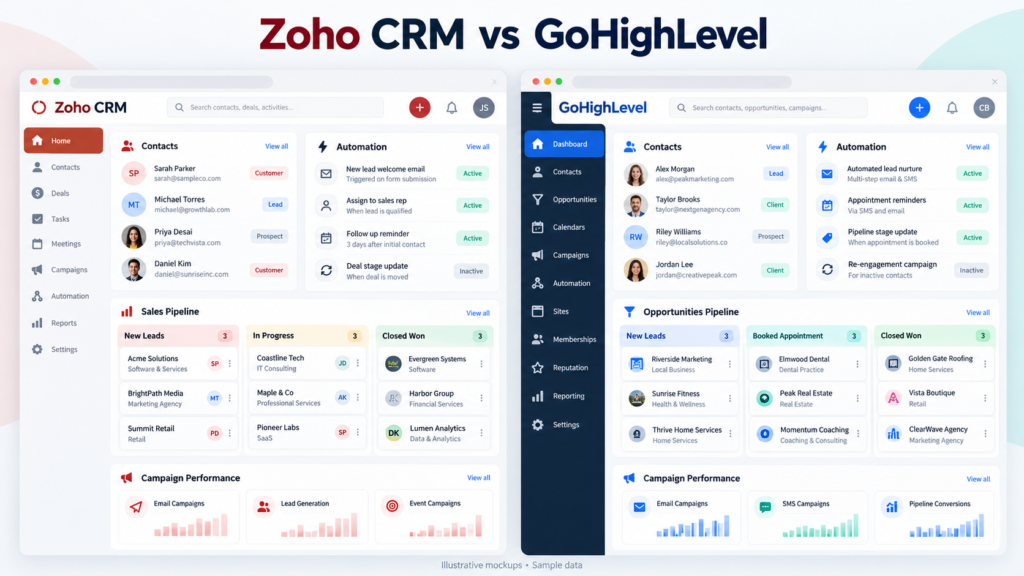
Zoho CRM vs GoHighLevel is a practical decision between broad Customer Relationship Management depth and agency-focused execution. Zoho CRM supports structured sales operations, detailed reporting, and extensive customization, while GoHighLevel combines CRM, marketing automation, SMS, funnels, calendars, and client management in one workspace. The right choice depends on whether your priority is complex B2B relationship management, scalable internal governance, or fast lead capture and campaign delivery. Compare setup effort, user permissions, integrations, automation, pricing, and reporting before selecting a platform. A sales-led company may prefer Zoho CRM, whereas agencies serving multiple clients may value HighLevel’s client sub-accounts and white-label options. Test both with a realistic workflow: capture a lead, assign an owner, send SMS, schedule an appointment, advance the Sales Pipeline, and measure conversion.
Why the Zoho vs HighLevel Debate Matters for Business Growth
The Zoho vs HighLevel debate matters because CRM selection affects revenue visibility, response speed, operating costs, and customer experience. Zoho CRM is designed for disciplined sales teams that need accounts, contacts, products, forecasts, territories, and analytics connected in one system. GoHighLevel is built around rapid lead capture, Marketing Automation, SMS follow-up, appointment booking, and agency delivery. Both platforms can improve Lead Tracking, but they optimize different operating models. Before deciding, document your average monthly leads, sales-cycle length, number of pipelines, required integrations, and reporting obligations. A small consultancy may need a flexible platform for client onboarding and campaign execution, while a growing manufacturer may need advanced approvals and inventory-connected processes. Run a two-week proof of concept using real records rather than sample data. Measure time to setup, missed follow-ups, data quality, and user adoption.

The 2026 CRM Landscape: 5 Shifts Reshaping Small Agencies
The 2026 CRM Landscape reflects five important shifts for small agencies: consolidation of sales and marketing tools, greater use of AI-Powered Insights, stronger SMS expectations, self-service client portals, and demand for measurable attribution. Agencies increasingly want one workspace that connects forms, conversations, calendars, opportunities, and billing signals. This trend favors HighLevel, although Zoho CRM remains attractive when an agency needs mature reporting, custom modules, or a broader business suite. Buyers should evaluate data portability, consent management, role permissions, and integration reliability rather than choosing solely on feature count. Automation should remove repetitive work without hiding accountability; every workflow needs an owner, an exception path, and a measurable outcome. Agencies should also estimate the cost of training users and maintaining templates. A platform that saves ten minutes per lead but creates reporting friction may not produce genuine growth.

Rising demand for all-in-one CRM functionality in lean teams
Rising demand for all-in-one CRM functionality comes from lean teams that cannot afford separate systems for forms, email, SMS, calendars, pipelines, and reporting. GoHighLevel addresses this need by connecting lead capture and follow-up inside one workspace, reducing manual exports between applications. Zoho CRM can also centralize customer data, especially when paired with Zoho Campaigns, Zoho Analytics, or Zoho One. The best choice depends on process complexity. A three-person agency may prioritize speed and multichannel communication, while a larger sales department may require granular approvals and territory rules. Map every handoff before buying: identify who receives a new lead, how quickly they respond, when a meeting is booked, and what event marks qualification. Then estimate the cost of duplicate records and disconnected reporting. All-in-one functionality is valuable only when users actually adopt it and managers can verify performance.
How white-label SaaS mode is changing client acquisition
White-label SaaS mode is reshaping how agencies attract clients by letting them sell software as their own. Platforms built around white-labeling give agencies the ability to rebrand every dashboard, notification, and client-facing portal, so prospects experience a seamless branded environment from the first demo. Instead of pitching hours of service, an agency can now pitch a productized platform with recurring revenue, which shortens sales cycles and increases perceived value. White-label SaaS mode also lowers churn because clients log into a single branded hub for CRM, automation, SMS, and reporting rather than juggling disconnected tools. For small agencies competing against larger firms, this shift levels the playing field: they can position themselves as tech-enabled partners rather than just service providers. Client acquisition becomes less about cold outreach volume and more about demonstrating a polished, self-serve experience. The result is a stronger first impression, faster onboarding, and a business model where software margins compound alongside service fees.
What Agency Owners Expect from a Modern CRM in 2026
What an Agency Owner expects from a modern CRM in 2026 is speed, control, and a credible client experience. The system should let staff launch campaigns, create forms, route leads, send SMS, book appointments, and review sales pipelines without switching between several tools. GoHighLevel is strong for this workflow because agencies can organize client sub-accounts and package recurring services through white-label SaaS mode. Zoho CRM offers a more structured foundation for agencies that manage complex accounts, custom data, and detailed sales reporting. In either case, establish naming conventions, access rules, lifecycle stages, and reporting definitions before importing contacts. A CRM should also support consent tracking, audit history, and reliable exports. Agency owners should ask whether the platform is easy to use for new staff, customizable enough for different clients, and economical at the expected account count. Conduct a live client-management test before signing an annual contract.

Streamline Operations Across Marketing and Sales Funnels
Streamlining Operations across marketing and sales funnels requires shared lifecycle definitions and automatic handoffs. Start with stages such as new inquiry, contacted, qualified, appointment booked, proposal sent, won, and lost. Connect each stage to a clear action: assign an owner, send a relevant email or SMS, create a task, or notify a manager. HighLevel supports visual funnel and workflow design that can help agencies launch quickly. Zoho CRM provides workflow rules, scoring, approvals, and field-level control for teams with more complex governance. Avoid automating every action at once. Begin with lead capture, speed-to-lead notification, appointment reminders, and lost-opportunity follow-up. Review exceptions weekly to identify inaccurate triggers or duplicate contacts. Marketing teams should report qualified opportunities, while sales leaders should report conversion and revenue. Shared definitions prevent both departments from optimizing different versions of the same funnel.
A Practical Approach to Tool Selection
A practical approach to tool selection treats a CRM as an operating system rather than a feature checklist. Define the business outcome first, such as reducing response time below five minutes or increasing booked consultations by 20 percent. Next, document the current process, identify manual bottlenecks, and test each platform against the same scenario. Include the people who will enter data, manage campaigns, and review reports; their feedback reveals usability problems that product demonstrations hide. Score Zoho CRM and GoHighLevel for functionality, setup effort, integrations, security, support, scalability, and total cost. Require each vendor or trial to demonstrate a complete workflow with real field names and realistic exceptions. Record how many clicks are needed to update a contact, create an opportunity, and find a missed task. This disciplined method produces a decision based on evidence, not enthusiasm or sales promises.

Inside the GoHighLevel Platform for Agencies
For the GoHighLevel platform, the central value is consolidation. HighLevel combines contact records, opportunities, funnels, websites, forms, calendars, email, SMS, calling, reviews, and workflow automation. Agencies can create reusable snapshots, provision client sub-accounts, and present a branded experience through white-label settings. This model can reduce tool sprawl and make recurring campaign delivery more consistent. Its trade-off is that teams must learn a broad platform and maintain configuration discipline across accounts. Before migration, create a standard data model, define custom fields, verify phone and messaging compliance, and document how leads move from capture to sale. HighLevel works particularly well when agencies sell lead generation and appointment-setting services. Companies requiring extensive enterprise controls, complex product catalogs, or sophisticated account hierarchies may find Zoho CRM more suitable. Evaluate both against daily work, not a feature inventory.

HighLevel CRM Benefits Every Marketing Team Member Should Know
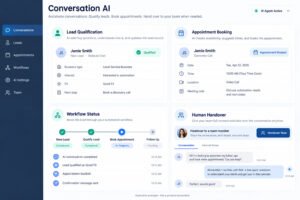
HighLevel CRM Benefits Every Marketing Team Member Should Know include centralized conversations, visual workflows, appointment management, and fast campaign deployment. A marketer can connect a landing-page form to a contact record, trigger an SMS confirmation, assign an opportunity, and notify a salesperson without exporting data. This reduces delays between interest and response. The platform also supports reusable templates, making it easier to standardize campaigns across agencies and client accounts. Teams should still define consent rules, message frequency, escalation procedures, and ownership of replies. Automation is not a substitute for thoughtful copy or qualified human follow-up. Compare the platform’s speed with Zoho CRM’s deeper reporting and structured sales controls. Use a pilot campaign to measure lead response time, booked appointments, show rates, and conversion by source. Those metrics reveal whether convenience is translating into profitable performance.
HighLevel vs Traditional CRMs: Unified Pipelines and Calendars
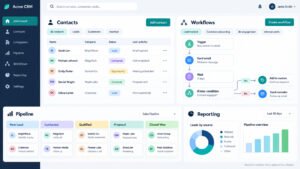
The difference between HighLevel and traditional CRMs is most visible in the relationship between unified pipelines and calendars. HighLevel places opportunities, appointment schedules, conversations, and follow-up actions close together, which suits agencies managing rapid lead flow. Traditional CRM platforms such as Zoho CRM often provide stronger account structures, forecasting, approvals, and configurable reporting. Neither model is universally better. A local service campaign may benefit from an immediate SMS and calendar booking, while a complex B2B sale may require several contacts, products, decision-makers, and approval stages. Configure one complete pipeline in each trial and compare how users create records, reschedule meetings, update stages, and report revenue. Check whether calendar conflicts, ownership rules, and duplicate contacts are handled reliably. The practical winner is the platform that makes the required behavior easiest to follow and easiest for managers to audit.
HighLevel’s White-Label SaaS Mode for Client Portals
With HighLevel’s white-label SaaS mode for client portals, agencies can present CRM access under their own brand rather than sending clients to a third-party interface. This can support packaged services, recurring subscriptions, and a more consistent client experience. Agencies may brand login pages, organize client sub-accounts, and control which features are visible. However, White-Labeling creates operational responsibilities: document support boundaries, protect client data, manage permissions, and explain usage-based charges. Do not promise unlimited messaging or calling without checking account-level costs and compliance requirements. A strong onboarding process should show clients how to inspect leads, respond to conversations, view appointments, and request support. Zoho CRM can also be branded and configured, but its agency delivery model may require more surrounding tools or custom administration. Test the portal with a nontechnical client before launch and collect feedback on navigation, terminology, and reporting clarity.
7 GoHighLevel Features That Accelerate Growth
GoHighLevel wins attention from agencies because it bundles seven features that directly accelerate growth inside one platform. First, white-label SaaS mode lets agencies resell the entire system under their own brand. Second, client sub-accounts keep every client’s data isolated while centralizing billing and support. Third, the CRM includes sales pipelines, lead capture forms, and calendars that sync automatically. Fourth, built-in SMS and email multichannel communication turns follow-up into a hands-off sequence. Fifth, marketing automation workflows trigger based on behavior, so no lead slips through. Sixth, reputation management and review tools help local businesses build trust. Seventh, reporting dashboards show agency owners exactly which client accounts perform best. Together these features reduce tool sprawl and let a small team manage dozens of client relationships without hiring proportionally. For agencies focused on client onboarding, retention, and recurring revenue, that combination is hard to match. The platform effectively turns service delivery into a scalable software-enabled operation.
Automation and Customization tools built for rapid scaling
Automation and customization in GoHighLevel are designed specifically for rapid scaling across many client accounts. Workflow builders let an agency trigger multi-step campaigns from a form submission, phone call, or pipeline stage change, then branch logic by client type or service tier. Custom fields, tags, and smart lists keep data structured even as the number of sub-accounts grows into the hundreds. Agencies can clone a proven workflow from one client sub-account to another in minutes, which standardizes delivery and shortens setup time. SMS and email sequences, appointment reminders, and missed-call text-back all run automatically, so lead tracking stays accurate without manual entry. The customization layer extends to branded client portals, calendars, and dashboards, meaning each sub-account feels bespoke while the agency manages everything from one master view. For consulting firms and marketing teams, this means automation scales without adding headcount, and customization scales without rebuilding from scratch. That balance between repeatable templates and flexible per-client tuning is what makes the platform a genuine growth engine for agencies rather than just another CRM.
What Agency Owners Like About GoHighLevel
Agency owner feedback on GoHighLevel consistently highlights a few core strengths that show up across reviews and community discussions. Owners say the biggest win is consolidation: replacing five or six separate subscriptions for CRM, email, SMS, calendars, and funnels with one platform cuts both cost and complexity. Many praise the speed of client onboarding, noting that a new sub-account can be live with pipelines, automation, and booking pages quickly. White-label SaaS mode is repeatedly called a revenue multiplier, because agencies can resell access and build recurring income beyond project work. Owners also value the snapshot feature, which lets them package a complete setup and deploy it to new clients instantly. Some feedback mentions a learning curve and occasional quirks with SMS compliance, but most agree the trade-off is worth it once workflows are built. For agencies managing many small and mid-sized clients, the consensus is clear: GoHighLevel delivers the automation, multichannel communication, and branded experience that keep client relationships strong and profitable.
Zoho CRM Features: A Deep Dive for Sales and Operations
Zoho CRM features deserve a deep dive because the platform is often underestimated by teams that only skim its surface. At its core, Zoho CRM delivers sales pipeline management, lead tracking, contact and account management, and forecasting in a customizable interface. Sales teams get scoring rules, territory management, and workflow automation that route leads to the right rep automatically. Operations teams benefit from inventory, quotes, and order modules that connect to the wider Zoho One suite, so CRM data flows into finance and support without manual exports. AI-powered insights, delivered through Zia, flag anomalies, predict deal outcomes, and suggest the next best action. Multichannel communication is handled through email, telephony, and SMS integrations, while analytics dashboards can be tailored per role. For B2B relationship management, the depth of customization is a major advantage: fields, layouts, and modules can be reshaped around complex sales processes. For established sales organizations that need governance, reporting, and integration rather than flashy client portals, Zoho CRM remains a serious contender worth evaluating carefully.
Zoho CRM Features That Shine for Established Sales Teams
Zoho CRM features shine brightest for established sales teams that already have a defined process and need the platform to mirror it precisely. Custom modules, layout rules, and role-based permissions let managers control exactly what each rep sees and edits, which matters when teams grow past a handful of users. Sales pipeline stages can be mapped to a company’s own methodology, and validation rules prevent deals from advancing without the required data. Forecasting tools pull from historical trends, while sales quotas and gamification dashboards keep performance visible. Lead tracking includes scoring, assignment rules, and duplicate checks, so inbound volume stays manageable. Established teams also lean on Zoho’s email integration, calling features, and SMS add-ons for multichannel communication without leaving the CRM. Because the platform integrates tightly with Zoho One, sales data connects to contracts, projects, and support tickets automatically. The result is a CRM that adapts to a mature sales motion rather than forcing one. For organizations prioritizing accuracy, accountability, and reporting over rapid client-facing deployment, these features are the core reason Zoho CRM stays in the conversation.
Zoho’s automation and customization for complex pipelines
Zoho’s automation and customization capabilities are built for complex pipelines where a single linear workflow will not suffice. Workflow rules can trigger across modules, combine multiple conditions, and execute time-based actions, so a deal that stalls in one stage can automatically notify a manager, create a task, and update a related record. Blueprint processes enforce step-by-step stages with mandatory transitions, which is essential for regulated or multi-approval sales cycles. Custom functions extend logic further, letting developers script behaviors that standard automation cannot handle. Assignment rules, scoring models, and macros reduce manual triage, while sandbox testing lets teams validate changes before pushing them live. For B2B relationship management, this depth means the CRM can model long sales cycles with multiple stakeholders, products, and currencies. Consulting firms and larger sales organizations often need that flexibility, because their pipelines involve renewals, upsells, and complex quoting. The trade-off is that this level of customization requires configuration effort and, sometimes, developer support. Teams willing to invest that time get a CRM tailored precisely to their operations rather than a rigid template.
Zoho CRM Analytics and Reporting at Scale
Zoho CRM handles analytics and reporting at scale through layered dashboards, custom reports, and AI-assisted insights. Standard reports cover pipeline value, conversion rates, activity metrics, and forecast accuracy, while custom reports let teams join data across modules for a fuller picture. Dashboards can be built per role, so a sales director sees territory performance while a rep sees personal quotas and next actions. Zia, Zoho’s AI layer, adds anomaly detection, sentiment analysis on communications, and predictive scoring that flags deals likely to close or stall. For high-volume operations, scheduled reports and data exports keep stakeholders informed without manual pulls. Analytics also extend beyond sales: because Zoho CRM connects to Zoho One, marketing automation results, support tickets, and finance data can be blended into unified reporting. At scale, the challenge is governance rather than capability, and Zoho supports that with permission controls and audit trails. For organizations that treat reporting as a management discipline, Zoho CRM’s analytics layer is deep enough to support forecasting, coaching, and strategic planning across large sales teams.
Where Zoho CRM Falls Short for Agencies
Where Zoho CRM falls short for agency operations is largely a matter of design intent. Zoho CRM was built as a sales and relationship management system, not as an agency delivery platform, so it lacks native white-label SaaS mode and true client sub-accounts. Agencies serving many small clients need isolated environments with separate branding, billing, and portals, and Zoho CRM does not provide that out of the box. Marketing automation and SMS capabilities exist, but often require add-ons or the broader Zoho One stack, which increases cost and setup complexity. Client onboarding, funnel building, and reputation management tools that agencies rely on daily are simply not part of the core product. Lead capture and pipelines work well, yet the multichannel communication experience feels less unified than platforms designed for agencies from the start. Reporting is strong, but it reflects a single organization rather than a portfolio of client accounts. For consulting firms and agencies whose business model depends on reselling, managing, and branding client-facing systems, these gaps mean Zoho CRM alone cannot serve as the operational backbone without significant workarounds.
When Agencies Need White-Label SaaS Beyond Zoho
When an agency owner needs white-label SaaS mode beyond Zoho, the decision usually comes down to business model rather than features. If the goal is to sell marketing services to clients, Zoho CRM can work with configuration and add-ons. But if the goal is to sell a branded platform, manage dozens of client sub-accounts, and generate recurring software revenue, Zoho’s architecture becomes a constraint. White-label SaaS mode requires the ability to rebrand every touchpoint, isolate client data, control billing centrally, and deploy a repeatable setup in minutes, all of which are core to platforms like GoHighLevel. Agency owners hit this wall when they start packaging retainers as productized subscriptions, or when clients ask for their own login portal under the agency’s brand. At that point, the question shifts from which CRM has better sales features to which platform supports an agency business model. Zoho remains a strong CRM and a valid alternative for internal sales operations, but for agencies whose growth depends on white-labeling, client management at scale, and rapid setup across many accounts, exploring a purpose-built platform is the practical next step.
Zoho CRM Integration Limits
Operations leaders consistently flag Zoho CRM’s integration limits as the friction point that slows agency workflows. Zoho offers hundreds of native connectors within its own Zoho One ecosystem, but once you step outside it, connecting tools like Slack, Stripe, or niche project management platforms often requires custom API work or paid third-party middleware such as Zapier. That adds latency, cost, and a maintenance burden your ops team inherits. Practitioners also note that syncing data bidirectionally between Zoho and external marketing automation tools is rarely seamless, leading to duplicate records and broken lead tracking. For agencies managing many client sub-accounts, the absence of true white-labeling means every client sees Zoho branding, which weakens the perceived value of your service. Ops leaders recommend auditing your current stack before committing, because what looks like a flexible platform during setup can become a tangle of workarounds once you scale. If your business depends on tight, real-time integration across multiple best-of-breed tools, Zoho’s closed-loop design may quietly cap your growth.
CRM Functionality Face-Off: Zoho vs HighLevel in Practice
In practice, the CRM functionality face-off between Zoho and HighLevel comes down to what your business actually sells. Zoho CRM is a traditional, sales-first platform built for B2B relationship management, with robust lead tracking, forecasting, AI-powered insights, and deep customization across modules. GoHighLevel, by contrast, is an all-in-one CRM designed for agencies and service businesses, bundling CRM, marketing automation, sales pipelines, calendars, and multichannel communication into a single interface. Where Zoho excels at structured sales processes and reporting, HighLevel wins on speed of deployment and client management, letting agencies spin up client sub-accounts in minutes. Multichannel communication is native to HighLevel, covering SMS, email, and calling without extra subscriptions, while Zoho often needs add-ons. For consulting firms and B2B teams, Zoho’s analytical depth feels more mature. For agencies running campaigns across many clients, HighLevel’s consolidated dashboard removes the tool-switching that erodes productivity. Neither platform is universally better; the deciding factor is whether your growth model rewards deep sales analytics or fast, repeatable client delivery across a portfolio.
Which Platform Adapts Faster?
When judging which platform adapts faster, automation and customization reveal a clear philosophical split. Zoho CRM leans on structured workflow rules, blueprints, and scripting through Deluge, which rewards teams willing to invest in configuration and technical know-how. That depth yields precise control over complex sales pipelines and conditional logic, but changes take time and often require an admin. GoHighLevel takes the opposite approach, offering visual builders and prebuilt automation recipes that a non-technical operator can launch the same afternoon. For agencies juggling client onboarding, appointment reminders, and lead capture across dozens of sub-accounts, that speed matters more than granular control. Customization in HighLevel is largely template-driven, so you trade some flexibility for velocity. Zoho lets you reshape nearly every field and process, which suits businesses with unusual workflows but punishes teams without dedicated admins. If your competitive edge depends on out-innovating competitors weekly, HighLevel’s builders keep you fast. If your edge depends on a bespoke, tightly governed process, Zoho’s configurability pays off over time. The honest answer is that adaptability depends on who is doing the adapting.
Zoho Workflow Rules vs HighLevel Visual Builders
Comparing Zoho’s workflow rules against HighLevel’s visual builders is really a comparison of two automation philosophies. Zoho’s workflow rules trigger actions based on field conditions, time delays, and module changes, and they integrate with functions, assignments, and approval processes. They are powerful and audit-friendly, letting operations teams encode precise business logic, but building them requires understanding Zoho’s data model and often writing Deluge scripts. HighLevel’s visual builders, by contrast, use a drag-and-drop canvas where triggers, wait steps, conditional branches, and multichannel actions like SMS, email, and voicemail sit as connected nodes. Marketers can see the entire journey at a glance, clone it across client sub-accounts, and adjust without developer help. The trade-off is governance: visual flows can proliferate and become hard to standardize across many accounts unless you enforce naming and templates. Zoho rewards specialists; HighLevel rewards generalists. Many agencies adopt HighLevel’s builders for campaign speed while keeping Zoho-style rule engines only where compliance demands explicit, documented logic. Choosing between them means deciding whether your bottleneck is engineering time or marketing velocity.
Real-World Growth Scenarios
Real-world business growth scenarios expose where each CRM earns its keep. Picture a consulting firm with a long B2B sales cycle: Zoho CRM shines, using lead tracking, AI-powered insights, and customizable pipelines to nurture prospects through multiple stakeholders and forecast revenue with precision. Now picture a marketing agency onboarding ten new clients a month: HighLevel wins, because client sub-accounts, white-labeling, SMS follow-up, and automated appointment booking let a small team deliver like a larger one. A local service business running paid ads benefits from HighLevel’s lead capture and instant SMS response, converting inquiries before competitors call back. A SaaS company with complex territories and quota management leans toward Zoho, where reporting and role-based permissions align with enterprise expectations. The pattern is consistent: transactional, high-volume, agency-style growth favors HighLevel; consultative, data-heavy, relationship-driven growth favors Zoho. Businesses that scale fastest usually match the CRM to their sales motion rather than their feature checklist. Misalignment, not missing features, is what stalls growth, so map your actual customer journey before you commit to either platform.
Pricing and Scalability: The True Cost for an Agency Owner
For an agency owner, pricing and scalability mean far more than the sticker price on the marketing page. Zoho CRM starts affordably per user, but the true cost climbs as you add Zoho One bundles, premium support, storage, and third-party integrations needed to match HighLevel’s built-in functionality. GoHighLevel charges a flat platform fee with unlimited sub-accounts on higher tiers, which looks expensive at first glance yet becomes cheaper per client as you scale. The real equation includes onboarding time, admin labor, and the cost of stitching tools together. Agencies frequently underestimate how much they spend on Zapier tasks, SMS credits, and calling minutes, all of which HighLevel bundles. Conversely, Zoho’s per-user model can spiral when you add contractors and support staff who need seats but rarely log in. Scalability also means whether the platform grows gracefully: HighLevel handles more client sub-accounts without renegotiating contracts, while Zoho’s modular approach lets enterprises add capability without abandoning the core. Calculate total cost of ownership across twenty-four months, not twelve, and include the hidden expense of training and migration. That discipline reveals which platform is genuinely cheaper for your growth trajectory.
Zoho and HighLevel Pricing Plans Side by Side
Placing Zoho and HighLevel pricing plans side by side clarifies how differently they monetize. Zoho CRM uses per-user tiers, from a free plan for small teams through Standard, Professional, Enterprise, and Ultimate, with AI features and advanced customization reserved for upper tiers. Zoho One bundles the entire application suite for a higher per-user fee, which suits organizations already committed to Zoho’s ecosystem. GoHighLevel instead charges a flat monthly platform fee, with the entry tier limiting sub-accounts and the higher tier offering unlimited client sub-accounts, white-labeling, and advanced reporting. For a solo operator, Zoho’s low entry price is hard to beat. For an agency managing twenty clients, HighLevel’s flat fee often undercuts Zoho once you factor in the SMS, calling, funnel, and automation tools you would otherwise buy separately. Seat count is the hinge: Zoho punishes headcount, HighLevel punishes client volume only at the lowest tier. Read the fine print on SMS credits, email sends, and AI usage, because those meters move the real monthly number. Model both plans against your actual team size and client count before deciding.
Hidden Fees Every Marketing Team Should Flag
Every marketing team member should flag the hidden fees that quietly inflate CRM costs. With Zoho, watch for premium support add-ons, extra storage, API call limits that force upgrades, and the price of third-party connectors for marketing automation and SMS. Zoho’s free plan caps users and features, so growing teams jump tiers faster than expected. With HighLevel, the platform fee is transparent, but SMS and email sending carry usage-based charges, and premium features like advanced reporting or additional sub-accounts can require a higher tier. Both platforms bill for calling minutes, phone number provisioning, and verification services. Migration and onboarding are rarely free, and data export at scale can demand paid support. Marketing teams should also flag training time as a cost: complex setup slows campaign launches, and that delay is real money. Audit your invoice quarterly for zombie seats, unused integrations, and duplicate SMS credits. Negotiating annual billing often unlocks discounts, but only if you are confident in your growth forecast. Knowing these line items before signing lets your team budget honestly and avoid the surprise renewal spike that erodes marketing ROI.
Beyond Zoho and HighLevel: Alternatives and Ecosystem Fit
Beyond Zoho and HighLevel, ecosystem fit often determines whether a CRM accelerates or constrains growth. Zoho appeals to businesses already invested in Zoho One, where CRM, finance, and HR share data natively. HighLevel appeals to agencies that want an all-in-one CRM with white-labeling and client sub-accounts under one roof. But some teams fit neither. monday CRM offers a flexible platform with visual boards that sales and operations teams adopt quickly, making it a strong alternative for project-driven businesses. HubSpot remains the default for inbound marketing teams wanting tight content and CRM alignment. Pipedrive suits small sales teams prioritizing pipeline simplicity, while Salesforce serves enterprises needing limitless customization. The right question is not which CRM has the most features but which ecosystem your team already lives in. Switching costs are real, and integration friction compounds monthly. Evaluate how each platform handles lead capture, sales pipelines, multichannel communication, and reporting against your actual workflow. An honest ecosystem audit prevents the expensive mistake of choosing a powerful CRM that your team never fully adopts.
5 Alternatives to Consider When Neither CRM Fits Your Operations
When neither Zoho nor HighLevel fits your operations, five alternatives deserve a serious look. First, monday CRM brings a flexible, customizable board interface that operations teams grasp instantly, ideal for project-based client management. Second, HubSpot combines CRM with marketing automation, making it a natural choice for B2B teams focused on inbound lead capture and content-driven growth. Third, Pipedrive keeps sales pipelines simple and visual, which suits small teams that find Zoho overwhelming. Fourth, Salesforce delivers enterprise-grade customization and AI-powered insights for organizations with complex territories and compliance needs. Fifth, ActiveCampaign blends email marketing, SMS, and automation at a price point friendly to consulting firms and small agencies. Each alternative trades some breadth for a sharper fit with a specific workflow. Before switching, list the tasks your current CRM handles poorly, then verify each candidate solves them without new workarounds. Migration is the hidden cost, so favor platforms with importers and responsive support. The goal is not the most popular CRM but the one your team will actually use daily to manage client relationships and close deals. Choose deliberately, and revisit the decision annually.
Quick Verdict: GoHighLevel vs Salesforce and HubSpot
GoHighLevel carves out a different lane than Salesforce and HubSpot, so the quick verdict depends on what you need from a CRM. Salesforce remains the heavyweight for large enterprises with complex sales pipelines, deep customization through its AppExchange, and AI-powered insights through Einstein that justify its premium pricing. HubSpot wins on ease of use, offering a freemium tier, a unified marketing automation and CRM hub, and intuitive workflows that make it a favorite among growing B2B teams. GoHighLevel, by contrast, is purpose-built for agencies and small businesses that want an all-in-one platform combining lead capture, SMS marketing, sales pipelines, and white-label client sub-accounts under one roof. If your priority is brand control for client management, GoHighLevel delivers strong value for the cost. If you need enterprise-grade reporting or a polished inbound marketing stack, Salesforce and HubSpot still lead.
Niche CRM alternatives for specialized Business Growth needs
When Zoho CRM and GoHighLevel both miss the mark, niche alternatives can fill specialized gaps. For agencies focused on white-label client onboarding and multichannel communication, platforms like Vendasta and Keap offer agency-friendly dashboards with built-in reputation management. For consulting firms pursuing deep B2B relationship management, Copper CRM integrates natively with Google Workspace, while monday CRM serves teams that prefer visual, board-style project and pipeline tracking. Creatio combines low-code process automation with sales and service modules for operations-heavy organizations, and Pipedrive remains a top pick for sales teams that want simplicity around pipeline management. Each alternative addresses a specific growth pain point that Zoho and HighLevel may not cover natively, so evaluating your workflow, team size, and integration needs will reveal which flexible platform fits best.
Making the Final Call: Which CRM Wins Your Growth Race?
Choosing between Zoho CRM and GoHighLevel ultimately comes down to which growth race you are running. Zoho CRM suits organizations that prioritize deep customization, granular CRM functionality, and integration with the broader Zoho One suite for sales, finance, and operations. It excels at B2B relationship management, flexible sales pipelines, and AI-powered insights that scale with complex teams. GoHighLevel, on the other hand, wins for agencies and small businesses that need an easy-to-use, all-in-one platform combining lead capture, SMS marketing, automation, and white-label client management under one subscription. If multichannel communication and rapid client onboarding drive your model, HighLevel stands out. Map your priorities to the platform’s strengths and commit with confidence.
A 10-Point Checklist for Choosing Your CRM
A practical 10-point checklist helps you evaluate Zoho CRM versus GoHighLevel without getting lost in feature overload. Start by defining your top growth goal: pipeline volume, client retention, or agency scalability. Confirm which platform supports your must-have channels, such as SMS, email, and calling. Test setup speed during free trials to measure real ease of use. Review automation depth, lead capture forms, and reporting clarity. Compare pricing per user and per client sub-account to project true cost. Verify white-label and integration options for your tech stack. Pilot a sales pipeline with real contacts before committing. Finally, document decision criteria so your team can revisit the choice as your business scales and customer relationship management needs evolve.
Audit Your Priorities Before You Commit
Auditing your priorities before committing to Zoho CRM or GoHighLevel prevents costly migrations later. Begin by listing the three workflows your team runs daily, such as lead capture, follow-up automation, and client onboarding, and score each platform against them. Quantify how many client sub-accounts, SMS sends, and sales pipelines you expect to handle in the next twelve months. Compare CRM functionality like custom modules, AI-powered insights, and reporting dashboards against your operational needs. Evaluate ecosystem fit, including integrations with your existing tools and the flexibility to white-label if you run an agency. By documenting these priorities in advance, you turn a marketing decision into a measurable business case and choose the platform that genuinely accelerates growth.
Listen to Peer Reviews from Marketing and Operations
Listening to peer reviews from a marketing team member or operations lead adds grounded perspective to any Zoho versus HighLevel evaluation. Marketers often highlight which platform simplifies campaign setup, multichannel communication, and SMS automation, while operations leads focus on pipeline visibility, reporting accuracy, and user permissions. Ask peers how long setup actually took, how intuitive the workflow builder feels, and whether client management is easy to delegate. Peer experiences with white-label client sub-accounts, calling integrations, and lead tracking reveal strengths that demo environments may hide. Documenting these candid insights alongside your own testing produces a balanced verdict and helps your team choose the CRM that delivers the smoothest day-to-day experience.
Implementation Roadmap: From Trial to Full-Scale Rollout
A structured implementation roadmap turns a Zoho CRM or GoHighLevel trial into a confident full-scale rollout. Week one should focus on importing clean contact data, mapping core sales pipeline stages, and configuring user permissions. Week two is ideal for building automation workflows, SMS campaigns, and lead capture forms that mirror your real customer journey. In week three, pilot the platform with a small group of marketing team members and operations leads to surface usability issues before company-wide deployment. Week four should integrate calling, reporting dashboards, and any white-label branding for client-facing experiences. Document lessons learned, set success metrics, and schedule a quarterly review so your CRM continues supporting business growth as workflows mature.
30-day onboarding plan for GoHighLevel or Zoho CRM
A structured 30-day onboarding plan keeps your CRM migration on track and reduces the learning curve for every team member. In week one, import your existing contacts, clean duplicate records, and map custom fields so Zoho CRM or GoHighLevel reflects your real sales pipeline. Weeks two and three should focus on configuration: build automation workflows, set up SMS and email sequences, connect lead capture forms, and create dashboards tied to your growth KPIs. If you chose GoHighLevel, configure sub-accounts, white-label branding, and calendar booking funnels; if you chose Zoho CRM, activate modules like Zoho One integrations and AI-powered insights. Week four is for user enablement, run live training, document standard operating procedures, and assign role-based permissions. By day thirty, your CRM is live, your team is confident, and your sales process is ready to scale.
How to Measure ROI After Migration
Once your new platform is live, measuring ROI proves whether Zoho CRM or GoHighLevel is actually accelerating business growth. Start by tracking baseline metrics before migration: monthly recurring revenue, lead-to-customer conversion rate, average deal size, and customer acquisition cost. After 60 to 90 days, compare those numbers against post-migration data inside your CRM dashboards. Look for measurable lifts in sales pipeline velocity, response time via SMS and email automation, and customer retention rates. For GoHighLevel users, evaluate revenue gained from client sub-accounts and white-label offerings; for Zoho CRM users, measure productivity gains from AI-powered insights and multichannel communication tools. Tie every improvement back to a dollar value, then calculate total ROI by subtracting subscription and onboarding costs. Regular monthly reviews ensure your CRM continues delivering scalable, predictable growth.
Related reading: GoHighLevel vs HubSpot, GoHighLevel vs Salesforce, how to set up GoHighLevel CRM and our GoHighLevel agency services.