Skip to content

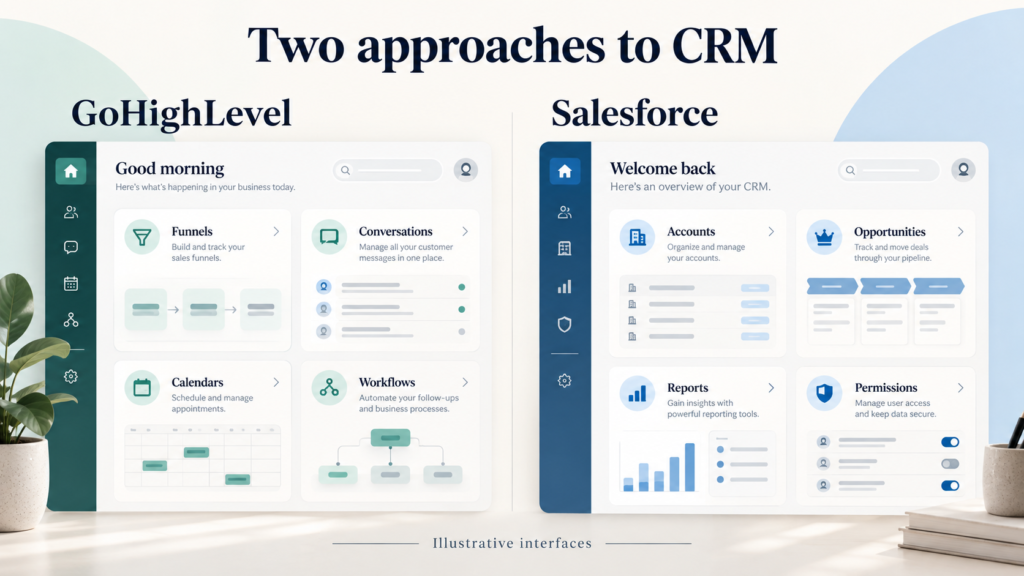
GoHighLevel and Salesforce solve different CRM problems. GoHighLevel combines funnels, SMS, email, calendars, marketing automation, and pipeline management in an affordable all-in-one platform for small businesses, while Salesforce delivers enterprise CRM infrastructure with deeper customization and greater complexity. A practical decision should compare pricing, implementation, usability, scalability, training, and roadmap fit rather than feature counts alone. Small teams that need immediate lead capture and automated follow-up often favour GoHighLevel; organizations with complex governance, large datasets, and enterprise sales processes may prefer Salesforce. This guide explains where each system earns its cost and how to choose responsibly.
Why Small Business Owners Face a Defining CRM Decision in 2026
Why small business owners face a defining CRM decision in 2026 is clear: fragmented tools increase response time, while rising acquisition costs make every lead valuable. GoHighLevel gives marketers a unified workspace for landing pages, funnels, SMS, email, appointments, and workflows. Salesforce offers broader data modelling, reporting, permissions, and integration depth, but its implementation can require consultants and dedicated administration. Owners should document lead sources, sales stages, follow-up rules, reporting needs, and monthly budget before choosing. A two-week process audit often reveals whether the priority is speed or enterprise control. Businesses expecting agency growth may also evaluate reseller capabilities, whereas a local operator may need only dependable pipeline visibility.

5 Growth Pains That Force a Platform Choice
Five growth pains commonly force a platform choice: scattered leads, rising software bills, inconsistent follow-up, limited reporting, and unclear ownership of customer tasks. GoHighLevel addresses several of these through centralised conversations, funnels, calendars, and automation. Salesforce addresses them through configurable objects, permissions, forecasting, and extensive integrations. The correct CRM depends on the operational bottleneck, not on which vendor has the longer feature list. Interview sales and marketing users separately, count duplicate data entry, and measure how long a new lead waits for a response. Then score each platform against those facts. A small business should also estimate training and administration time because an apparently inexpensive licence can become costly when adoption is weak.

Scattered leads across tools that never talk to each other
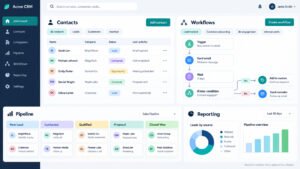
Scattered leads across tools that never talk to each other create revenue leakage. A prospect captured through a website form may sit in a spreadsheet, while an SMS conversation remains outside the sales record and an appointment lives in a separate calendar. GoHighLevel connects forms, funnels, conversations, calendars, and pipeline stages so a team can trigger immediate responses and assign ownership. Salesforce can unify these records too, but the required objects, integrations, field mapping, and permissions usually demand more implementation planning. Start by listing every lead source, identifying the system of record, and defining duplicate rules. Import only useful fields, preserve consent status, and test routing with real scenarios. A clean data model is more valuable than a crowded dashboard because it gives salespeople reliable context at the moment of contact.
Rising software bills with no clear return on investment
Rising software bills with no clear return on investment usually indicate overlapping tools, unused seats, or automation that does not affect conversion. GoHighLevel can replace separate funnel, messaging, appointment, and campaign subscriptions, making its flat-rate pricing easier for lean teams to forecast. Salesforce pricing may include editions, add-ons, integration services, storage, consultants, and administrator time. Compare total cost over twenty-four months rather than comparing only licence prices. Track response time, booked appointments, qualified opportunities, conversion rate, and revenue per campaign before rollout. A marketing agency should also calculate the value of reusable snapshots and client delivery processes. If a feature cannot be tied to a measurable customer or operational outcome, postpone it. Monthly reviews prevent both platforms from becoming expensive repositories that salespeople avoid.
How Time to Value Shapes Early Momentum
How time to value shapes early momentum matters because a CRM produces value only after users trust and use it. GoHighLevel can often launch a basic funnel, pipeline, calendar, and automated campaign in days when requirements are simple. Salesforce may take months when teams need custom objects, complex approvals, data migration, integrations, testing, and training. Neither timeline is automatically better: speed helps a small business validate its process, while deliberate implementation protects a large enterprise from weak controls. Set a measurable first release, such as capturing every inbound lead, assigning it within five minutes, and reporting booked appointments weekly. Avoid attempting a complete transformation in version one. Establish ownership, create a short training programme, and review adoption after thirty days. Early momentum comes from solving one expensive problem exceptionally well.

Days Versus Months Before Your First Automated Campaign
Days versus months before your first automated campaign can determine whether a business learns quickly or delays improvement. GoHighLevel provides no-code builders for funnels, forms, workflows, SMS, and email, allowing a small team to test a lead-nurture sequence without waiting for extensive development. Salesforce can support sophisticated journeys, but configuration, data readiness, consent rules, and testing may extend the launch. Begin with one audience, one offer, and one success metric. For example, send an immediate confirmation, schedule a salesperson task, and measure booked consultations from qualified leads. Keep messages useful and compliant, include an unsubscribe path, and inspect failures daily during the pilot. Once the process proves effective, add branching logic and segmentation. A rapid campaign is valuable only when its data, ownership, and measurement are dependable.
The hidden cost of waiting for a lengthy rollout
The hidden cost of waiting for a lengthy rollout includes missed enquiries, inconsistent customer experience, delayed learning, and staff frustration. During a Salesforce implementation, salespeople may continue using spreadsheets or personal inboxes, creating a second migration problem and weakening adoption. GoHighLevel reduces this risk for simpler processes by letting teams launch core capture and follow-up functions earlier. Leaders should quantify the cost of delay: multiply monthly qualified leads by expected conversion value and the proportion currently lost through slow response. Then separate essential controls from desirable customization. A staged rollout can preserve governance while delivering immediate benefit. Assign one accountable owner, publish the new process, and retire duplicate tools at a defined date. Waiting is justified when regulatory, integration, or data-quality risks are substantial; it is wasteful when teams are postponing a manageable first release.
Cost and Implementation: What GoHighLevel and Salesforce Really Demand
Cost and implementation: what GoHighLevel and Salesforce really demand goes beyond a subscription page. GoHighLevel generally suits teams seeking consolidated marketing and sales functions with lower operational overhead. Salesforce suits organizations prepared to fund enterprise-grade design, integration, administration, and change management. Estimate licences, setup, data migration, integrations, training, support, reporting, and internal time for both options. Include future requirements such as additional users, regions, business units, compliance controls, and analytics. A small business should avoid paying for theoretical complexity, while a growing company should avoid a short-term platform that later blocks governance. Run a realistic proof of concept using current lead data and a representative customer journey. The result should show time to launch, staff effort, reporting quality, and total cost, not merely whether a demonstration looked impressive.

GoHighLevel Pricing and Setup for Lean Teams
GoHighLevel pricing and setup for lean teams are strongest when the business values consolidation and fast execution. A team can configure pipelines, landing pages, calendars, forms, campaigns, SMS, and reporting within a common environment rather than coordinating many vendors. Setup still requires disciplined planning: define stages, ownership, consent, message templates, naming conventions, and escalation rules before importing contacts. Agencies may use reusable snapshots and white-label options to standardize delivery, while a direct small business can keep the configuration simpler. Test every trigger with sample records, verify time zones, and monitor failed actions after launch. Pricing should be evaluated against replaced subscriptions and saved labour, not against a competitor’s headline number alone. If custom reporting or unusual integrations are central, confirm capability before signing. Lean implementation is not careless implementation; it is deliberately limited scope with measurable outcomes.
Starter Plans, Onboarding Support and White-Label Options
Starter plans, onboarding support, and white-label options make GoHighLevel attractive to agencies and service providers that need repeatable client delivery. Evaluate included contacts, users, messaging charges, phone costs, support access, snapshots, and branding controls rather than assuming every capability is bundled. Onboarding should produce a working lead capture path, appointment calendar, pipeline, and follow-up sequence, not merely a tour of menus. Agencies should document a standard template, permission model, client handoff checklist, and escalation route. Direct businesses should ask whether support understands their industry and whether export options remain available if the strategy changes. White-label presentation can reinforce an agency relationship, but it does not replace sound data ownership or transparent client communication. Confirm contract terms, usage limits, and compliance responsibilities in writing before building a large client estate.
Why GoHighLevel wins on transparency for a small business
Why GoHighLevel wins on transparency for a small business is largely a matter of operational simplicity. A consolidated workspace makes it easier to see which tools are included, which workflows are active, and where a lead sits in the customer lifecycle. Owners can compare monthly spend with appointments, opportunities, and revenue without reconciling several vendor invoices. That clarity supports faster priorities and reduces dependence on specialist administrators. However, transparency requires disciplined dashboards and naming conventions; a single platform can still become confusing if every campaign is duplicated. Build a small reporting set covering response time, contact rate, appointment rate, show rate, and closed revenue. Review costs for SMS, phone usage, and optional services separately. GoHighLevel is most compelling when the business wants practical automation and marketing execution rather than extensive enterprise customization.
Salesforce Cost and Implementation: Enterprise Rigor, Enterprise Bills
Salesforce cost and implementation: enterprise rigor, enterprise bills reflect the platform’s ability to support complex organizations. Salesforce can model multiple teams, territories, products, approval paths, currencies, partner channels, and security rules, but those capabilities require architecture and governance. A successful programme typically includes executive sponsorship, a product owner, an administrator, implementation partners, testing, training, and a post-launch improvement cycle. Estimate the cost of integrations, storage, analytics, support, and future change requests. Start with a capability map and prioritize the workflows that directly affect revenue or compliance. Avoid copying every legacy field into the new system. Instead, establish data retention, ownership, validation, and reporting standards. Salesforce makes financial sense when complexity is genuine and the organization can sustain administration. For a small business needing immediate marketing execution, the same rigor may exceed practical requirements.
Licensing, consultants, and the hidden integration tax
Licensing, consultants, and the hidden integration tax can make Salesforce far more expensive than its initial quote suggests. Teams may need multiple editions, specialist clouds, analytics, middleware, telephony, marketing products, or additional storage. Consultants accelerate delivery but add recurring change costs when internal expertise is limited. Integrations also require monitoring, error handling, version management, and clear ownership. Build a five-year cost model that includes licence increases, implementation, administration, training, support, and replacement of connected tools. Compare required capabilities with the Sales Cloud Professional edition and higher tiers rather than assuming the entry edition will satisfy every use case. Ask vendors to demonstrate a complete lead-to-renewal process using your fields and approval rules. A lower upfront quote is not economical if it produces manual workarounds, poor adoption, or expensive reconfiguration six months later.
When Salesforce Makes Financial Sense for Enterprises
When Salesforce for enterprise makes financial sense is when process complexity, data governance, and scalability justify sustained investment. Large enterprises may need regional security, sophisticated forecasting, auditability, partner management, complex product catalogues, and integrations with finance or service systems. Salesforce provides a mature ecosystem and can become a strategic operating layer when governance is funded properly. The decision should follow a quantified business case: forecast productivity gains, improved conversion, reduced risk, better retention, and reporting value. Define success measures before implementation, including adoption by role and data-quality thresholds. Assign a platform owner and establish a change-control board so customization does not become uncontrolled complexity. Salesforce is not automatically the best choice because a company is ambitious; it is appropriate when the organization can manage enterprise capabilities and expects those capabilities to produce measurable long-term value.
Features and Feature Comparison: Where Each Platform Earns Its Keep
Features and feature comparison: where each platform earns its keep should focus on daily work rather than impressive demonstrations. GoHighLevel emphasizes marketing execution, funnels, conversations, appointments, SMS, email, review management, and accessible automation. Salesforce emphasizes configurable CRM data, forecasting, security, analytics, ecosystem breadth, and enterprise process control. Create a scorecard weighted by business priorities: lead response, campaign creation, sales visibility, reporting, integrations, compliance, administration, and scalability. Test both systems with the same scenario, including a web enquiry, qualification, appointment, no-show, proposal, closed sale, and renewal. Record the number of steps, handoffs, errors, and minutes required. Ask frontline users to complete the tasks without vendor assistance. The best platform is the one that supports the required customer journey with sustainable effort, not the one with the most theoretical features.
Automation, Funnels and CRM Basics Side by Side
Comparing automation, funnels and CRM basics side by side shows a clear positioning difference. GoHighLevel is a SaaS platform built around lead generation, conversion, communication, and agency delivery, with no-code tools for forms, landing pages, funnels, workflows, and campaigns. Salesforce is a broader CRM foundation where teams can configure sales, service, marketing, and custom processes. GoHighLevel usually reduces the number of systems a small business must administer. Salesforce usually provides greater flexibility when one data model must serve many departments. Assess whether your team needs immediate campaign iteration or extensive process design. Also check export, integration, permission, and reporting requirements before choosing. A concise proof of concept should include contact creation, opportunity movement, task assignment, customer communication, and management reporting. The winning system should make those basics reliable for real users.
GoHighLevel vs Salesforce on pipeline and campaign tools
GoHighLevel vs Salesforce on pipeline and campaign tools depends on whether speed or orchestration is the primary need. GoHighLevel lets teams connect forms, funnels, pipelines, calendars, SMS, and email so a prospect can move from enquiry to appointment with fewer handoffs. Salesforce provides powerful opportunity stages, campaign attribution, forecasting, segmentation, and custom automation, but configuration can involve more administration. Define the exact pipeline: qualification criteria, required fields, next action, exit conditions, and ownership. Then build one campaign for a high-value segment and measure response, appointment, and conversion rates. Avoid automating stages that salespeople cannot explain. For an agency, reusable funnel templates can accelerate client delivery. For a complex enterprise, Salesforce’s configurable campaign and opportunity architecture may better support multiple products, regions, and revenue motions.
Native SMS, Email and Calendar Tools Compared
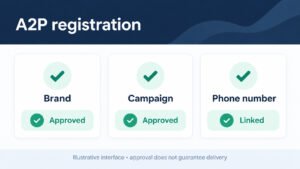
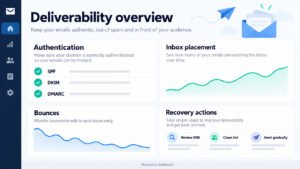
CRM comparison of native SMS, email, and calendar engines should examine the complete communication loop. GoHighLevel can place SMS, email, booking, and conversation history near the pipeline, helping a small team act quickly after an enquiry. Salesforce can support these channels through its products, configuration, and integrations, with stronger control for complex environments. Test deliverability, consent capture, templates, replies, time-zone handling, bounce management, calendar conflicts, and audit history. Confirm whether phone and message charges are separate from the licence. A useful pilot sends an appointment confirmation, reminder, rescheduling option, and post-meeting follow-up while recording every event against the correct contact. Measure staff effort and customer response, not just whether a message was sent. Native simplicity may favour GoHighLevel; enterprise governance and extensibility may favour Salesforce.
Industry Example: An Insurance Agency
An insurance agency example demonstrates why vertical process detail matters. An insurance agency may need lead intake, quote requests, policy renewals, document collection, producer assignment, consent records, and service follow-up. GoHighLevel can handle intake forms, reminders, pipelines, calendars, and nurturing efficiently for a smaller operation. Salesforce can model policies, accounts, activities, producers, service cases, and audit requirements more extensively, especially when integrated with industry systems. Neither platform should be selected solely from a generic demo. Map one real customer lifecycle from first enquiry through renewal, identify regulated data, and test role-based access. Confirm retention, export, encryption, and vendor responsibilities with legal or compliance advisers. Use automation for reminders and task creation, but keep human review for decisions requiring licensed judgment. Vertical fit is proven by the workflow and control evidence, not by a broad feature label.

Quotes, Renewals and Client Engagement in One Dashboard
Quoting, renewals, and client engagement in one dashboard require clear ownership and timely triggers. GoHighLevel can capture quote enquiries, send reminders, book consultations, and place follow-up tasks beside pipeline stages. Salesforce can connect account, contact, opportunity, policy, service, and renewal records when the data model is properly designed. Define renewal windows, quote statuses, required documents, producer responsibility, and escalation rules before configuring either CRM. A dashboard should show upcoming renewals, stalled quotes, unanswered messages, and incomplete files, not merely total contacts. Use automated reminders for routine events while preserving human approval for coverage recommendations. Test exceptions such as a changed policy, duplicate household, missed appointment, or transferred account. The platform earns its keep when staff can identify the next best action without opening several disconnected systems.
Compliance and Audit Trails Agencies Cannot Ignore
Compliance and audit trails that agencies cannot ignore should shape the platform decision from the beginning. An agency must know who accessed or changed customer information, when consent was recorded, which messages were sent, and how documents were handled. Salesforce generally offers deeper enterprise governance and configurable controls, while GoHighLevel may be sufficient for simpler processes when configured carefully and supplemented by documented procedures. Ask vendors how permissions, exports, retention, audit history, deletion requests, and integrations work in your jurisdiction. Separate marketing consent from operational communication, restrict sensitive fields, and review vendor agreements. Create a test script for access removal, record correction, opt-out handling, and staff departure. Automation should make compliant behaviour easier, not silently bypass review. Obtain professional compliance advice for regulated use cases rather than relying on marketing claims or a generic implementation checklist.
Services, Roadmap, and Support: Which Ecosystem Keeps You Moving?
Services, roadmap, and support: which ecosystem keeps you moving depends on the help available after purchase. GoHighLevel benefits from agency partners, community knowledge, templates, and frequent product changes aimed at marketing execution. Salesforce offers a large consultant network, formal resources, certifications, and a mature ecosystem for complex implementation. Evaluate response times, documentation quality, release communication, partner accountability, and escalation routes. Ask for a sample support process rather than accepting a general promise. Your roadmap should identify immediate fixes, quarterly improvements, integrations, reporting needs, and future AI use. Include training and adoption metrics so the roadmap reflects employee behaviour rather than executive assumptions. A platform remains valuable when the team can adapt it without creating uncontrolled complexity. Choose an ecosystem whose service model matches your internal capability, budget, risk tolerance, and expected growth path.

GoHighLevel for Small Business: Services and Roadmap
GoHighLevel for small business: agency-first services and roadmap is compelling when marketing execution is central to growth. Agencies can package funnels, campaigns, calendars, conversations, review management, and reporting into repeatable client services. A direct business can use the same tools internally without building a large IT department. Set a ninety-day roadmap: stabilize capture and routing first, improve follow-up second, refine reporting third, and test advanced automation only after adoption is proven. Document every workflow, trigger, owner, and fallback. Review message performance and pipeline ageing weekly. Agencies should maintain client-specific permissions and data ownership, while internal teams should avoid excessive sub-account complexity. The product can accelerate delivery, but results still depend on offer quality, sales discipline, list hygiene, and thoughtful communication. Treat the roadmap as a sequence of measurable business outcomes rather than a catalogue of newly released features.

Partner Programs, Community Help and Fast Releases
Partner programs, community help, and rapid release cycles can shorten the path from problem to solution, but they require quality control. GoHighLevel users may find templates, partner services, peer advice, and practical examples for campaigns and funnels. Verify advice against current documentation and test changes in a controlled environment because rapid releases can affect workflows, permissions, or message behaviour. Establish a release owner, backup process, and monthly review of critical automations. Agencies should vet partners through references, documented scope, security practices, and support commitments. A community is helpful for implementation patterns, not a substitute for compliance or architecture review. Maintain a change log and record rollback steps for important campaigns. The strongest ecosystem combines accessible help with clear vendor accountability, allowing a small business to move quickly without making every release a production risk.
How HighLevel Users Shape the Product Roadmap
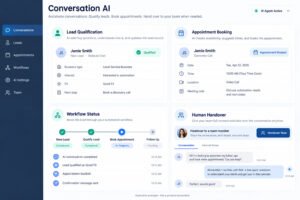
How HighLevel users shape the product roadmap together reflects the value of a large practitioner community. Agency feedback often highlights practical needs such as faster campaign construction, improved Conversations screen usability, better reporting, stronger integrations, and more capable Conversation AI. Users should submit specific examples, measurable impact, and workflow context rather than broad feature requests. Before adopting a new release, confirm its permissions, billing implications, data behaviour, and compatibility with existing workflows. Maintain a test account and a release checklist. Community enthusiasm can identify useful opportunities, but each business must judge whether a feature improves conversion, efficiency, or customer experience. HighLevel users gain the most when they combine feedback with disciplined experimentation, documenting results and sharing implementation lessons without exposing customer information.
Salesforce for Enterprise: AppExchange, Consultants, and Long-Term Investment Guidance
Salesforce for enterprise: AppExchange, consultants, and long-term investment guidance matters when the CRM becomes a shared platform for multiple departments. AppExchange expands available applications, while consultants can design industry-specific architecture, integrations, security, and change programmes. The cost is justified only when governance and business value are managed together. Establish an architecture review board, a release process, data-quality ownership, and a training plan before adding numerous packages. Evaluate each application for security, support, exit strategy, data model impact, and total cost. A multi-year plan should connect platform investment to measurable outcomes such as forecast accuracy, service productivity, retention, and revenue growth. Avoid allowing every department to build isolated solutions. Salesforce can scale with complexity, but only if leaders control customization and preserve a coherent customer record.

Choosing an Implementation Partner for Complex Industries
Implementation partners that specialize in complex industries can translate business requirements into secure Salesforce architecture. Select partners with references from organizations of similar size, regulation, data volume, and operating model. Require a written discovery phase, solution blueprint, delivery milestones, testing strategy, training plan, and post-launch support terms. Ask how the partner handles data quality, integrations, scope changes, and knowledge transfer to internal administrators. Industry experience is useful, but challenge assumptions with your own process evidence. Run design workshops with frontline users and compliance stakeholders before approving custom objects or automation. A partner should explain trade-offs in plain language and leave the business capable of managing ordinary changes. Treat implementation as a joint capability-building programme, not a handover of responsibility. This approach reduces dependency and protects the investment when consultants eventually leave.
Investment guidance for multi-year digital transformations
Investment guidance for multi-year digital transformations should connect each release to a business hypothesis. Year one might establish a trusted customer record and core sales process; year two could improve service, forecasting, and integration; year three might expand analytics or AI. Fund discovery, architecture, training, adoption, and support rather than only software. Set stage gates based on data quality, user adoption, process performance, and realized value. Pause or redesign features that fail those tests. Maintain an enterprise roadmap but allow quarterly reprioritization as markets and customer expectations change. Salesforce is suitable for a transformation when leadership accepts ongoing platform ownership and complexity management. If the organization cannot fund that discipline, a smaller system may produce more value despite having fewer enterprise capabilities.
Migration, Engagement, and the AI Advantage: Picking Your Next Move
Migration, engagement, and the AI advantage: picking your next move requires balancing immediate usability with future capability. GoHighLevel can improve engagement through conversations, SMS, email, funnels, calendars, and automated follow-up campaigns. Salesforce can support deeper segmentation, service orchestration, analytics, and controlled AI across complex enterprise data. Neither AI plan should be purchased before data quality, consent, and workflow ownership are reliable. Migration must preserve essential history without importing obsolete clutter. Define which records, fields, activities, consents, and attachments truly support customer service or reporting. Then test a representative sample, reconcile counts, and obtain user sign-off before full cutover. A strong decision considers the customer experience after migration: faster response, clearer ownership, relevant communication, and fewer repeated questions. Technology should make engagement more human, not simply increase message volume.

Migration Reality Check: Moving Data Without Breaking Revenue
Migration reality check: moving data without breaking revenue begins with inventory and risk assessment. List every source, owner, field, duplicate rule, consent record, activity type, attachment, and integration dependency. Preserve opportunity history and customer context that sales or service teams genuinely need, but archive obsolete data under an approved retention policy. Create mappings, transform values consistently, and validate phone numbers, email addresses, stages, dates, and ownership. Run a sandbox migration, compare totals, and ask users to trace real customer journeys. Keep the old system read-only during a defined transition period and prepare a rollback plan. Notify customers only when communication or consent handling changes. Whether moving to GoHighLevel or Salesforce, data migration is a business process, not a spreadsheet exercise. Assign accountable owners for reconciliation and sign-off before switching automated communications on.
Migrating from Spreadsheets or Legacy Systems
Dedicated migration paths from spreadsheets or legacy systems should be designed around the destination workflow. Start by separating contacts, companies, opportunities, activities, products, and consent records rather than placing everything into one table. Standardize country codes, phone formats, dates, lifecycle stages, and source values. Remove duplicates using documented matching rules, but retain an exception queue for human review. For GoHighLevel, confirm how pipelines, custom fields, tags, conversations, calendars, and workflows map into the target account. For Salesforce, confirm objects, relationships, ownership, validation rules, and integration identifiers. Load a small sample, test automation, and ensure that imported records do not trigger inappropriate messages. Schedule the final cutover during a low-risk period, freeze edits, reconcile counts, and monitor response handling closely after launch.
Building opportunity assessment into your go-live plan
Building opportunity assessment into your go-live plan helps prioritize migration effort and implementation scope. Rank each process by revenue impact, customer risk, frequency, complexity, and readiness. A high-value lead-routing problem may deserve attention before a rarely used historical report. Estimate the opportunity created by faster response, fewer missed tasks, better renewal visibility, or improved campaign measurement. Record assumptions and establish a baseline before changing the system. During pilot testing, compare conversion, cycle time, data completeness, and user effort with that baseline. Use a strategy call with representative users to challenge the proposed priorities and identify exceptions. Go-live should include owners, training, support hours, rollback criteria, and a thirty-day review. This approach turns migration into an opportunity assessment rather than a technical copying exercise.
AI and Engagement: How Each Platform Turns Conversations into Customers
AI and engagement: how each platform turns conversations into customers depends on context, data quality, and human oversight. GoHighLevel can help agencies and small businesses automate replies, qualify leads, schedule appointments, and prompt reviews through accessible workflows and Conversation AI. Salesforce can apply AI within a broader enterprise CRM, using richer customer data, permissions, forecasting, and service context when configured correctly. Start with low-risk use cases such as summarizing interactions, recommending next actions, or identifying unanswered enquiries. Define when a human must review an answer, quote, complaint, or sensitive request. Measure response quality, booked appointments, resolution time, opt-outs, and customer satisfaction. Do not judge AI by message volume. The better system is the one that creates useful conversations while preserving accuracy, privacy, consent, and accountable ownership.
Native AI chat, review tools, and automated follow-up
Native AI chat, review tools, and automated follow-up can improve responsiveness when the underlying process is clear. GoHighLevel may combine conversational assistance, review management, pipeline updates, SMS, email, and automated follow-up in a practical small-business workflow. Configure approved answers, escalation phrases, business hours, and opt-out handling before activation. Salesforce can connect AI assistance to accounts, cases, opportunities, and enterprise knowledge, but requires stronger governance for data access and output review. Test common, unusual, and adversarial questions. Audit whether the system records the interaction against the correct customer and assigns a human task when confidence is low. Reviews should be requested after a genuine service milestone, not indiscriminately. Automation should support timely, relevant contact; it should never disguise uncertainty or send claims that staff cannot verify.
When to decide that AI depth beats AI convenience
When to decide that AI depth beats AI convenience depends on the cost of mistakes and the complexity of the decision. Convenience may favour GoHighLevel when the goal is faster lead response, appointment booking, routine reminders, or simple qualification. AI depth may favour Salesforce when the organization needs governed knowledge, complex permissions, predictive analysis, service context, and auditable recommendations across departments. Define the decision risk, required data, review threshold, and success metric before selecting a tool. Run a limited pilot with anonymized or appropriately protected records. Compare accuracy, time saved, escalation quality, and user trust against manual work. Purchase advanced capability only when the organization can maintain data quality, model oversight, training, and accountability. AI is an operating change, not an isolated button.
Making the Call: The Final Verdict
Making the call requires a weighted decision rather than a universal winner. GoHighLevel is usually the stronger choice for a small business or marketing agency that needs affordable marketing automation, funnels, SMS, email, calendars, and rapid implementation. Salesforce is usually stronger for large enterprises that require deep customization, governance, complex integrations, and long-term scalability. Compare three scenarios: current needs, expected growth, and worst-case complexity. Score total cost, time to value, adoption risk, reporting, compliance, migration effort, and support. Ask users to perform real tasks and include implementation estimates in the final business case. If priorities are speed and consolidated execution, choose GoHighLevel. If priorities are enterprise control and complex shared data, choose Salesforce. Reassess annually as strategy and customer expectations evolve.
A One-Page Price Comparison for Busy Founders
A price comparison for busy founders should make the decision practical within one working session. Create a one-page table listing subscription, messaging, integrations, implementation, training, administration, support, and expected replacement savings. Add links to the sections covering migration, AI, feature comparison, and enterprise governance so stakeholders can verify assumptions quickly. Founders should identify the one metric the CRM must improve first, such as speed to lead, booked appointments, renewal completion, or forecast accuracy. Then request a focused demonstration using that metric and real process steps. Avoid choosing from a generic feature tour. A short decision record should state the selected platform, rejected alternative, assumptions, owner, budget, launch date, and review date. This keeps the purchase accountable and prevents future debates based only on vendor claims.

Build a Side-by-Side Chart and Quick-Start Kit
Side-by-side charts and a quick-start kit should translate comparison into action. Build a chart with rows for pipeline, funnels, email, SMS, calendars, automation, reporting, integrations, permissions, AI, migration, and support. Mark each row as native, configurable, add-on, partner-dependent, or unavailable for the chosen plan. A quick-start kit should include a process map, field dictionary, consent checklist, campaign brief, test script, training guide, and adoption dashboard. Keep resources versioned because both platforms change. Assign an owner to update the kit after releases or process changes. The chart should expose trade-offs rather than declare a simplistic winner. Readers can then adapt the framework to their industry, team size, budget, and customer lifecycle without treating a vendor comparison as permanent advice.
A Practical Framework to Decide for Your Business
A practical framework to decide for your business begins with evidence from customers, staff, finances, and future plans. Document the current customer lifecycle, tool inventory, lead volume, response time, conversion rate, data risks, and reporting gaps. Assign weights to speed, cost, usability, automation, customization, governance, scalability, and support. Test GoHighLevel and Salesforce against identical scenarios, including a new lead, appointment, no-show, opportunity, renewal, and opt-out. Include implementation and training estimates, then calculate total cost over at least two years. Interview frontline users after the test because adoption determines realized value. GoHighLevel typically fits a small business seeking a unified marketing and sales system with fast time to value. Salesforce typically fits an organization prepared for enterprise complexity and sustained platform investment. Make the decision reversible where possible through clean exports, documented processes, and regular review.

5 questions that reveal whether GoHighLevel vs Salesforce fits your team
Five questions reveal whether GoHighLevel vs Salesforce fits your team. First, do you need rapid marketing execution or complex enterprise governance? Second, can your team fund implementation, administration, training, and ongoing customization? Third, will native funnels, SMS, email, calendars, and workflows replace enough tools to justify GoHighLevel? Fourth, do your data model, permissions, integrations, or enterprise sales processes require Salesforce depth? Fifth, what measurable outcome must improve within ninety days? Answer with evidence, not preference. Include expected lead volume, users, regions, compliance obligations, reporting requirements, and growth plans. If answers emphasize speed, consolidation, and practical automation, GoHighLevel may be the better fit. If they emphasize cross-department complexity, auditability, and long-term enterprise scalability, Salesforce may be justified. Revisit the answers after a proof of concept and obtain user sign-off before contracting.
Where to Go Next for Implementation Help
Where to go next for implementation support and honest comparisons is a documented discovery process, not another generic product tour. Ask qualified partners for a workflow assessment, sample architecture, migration plan, timeline, training approach, and complete cost estimate. Request references from businesses similar in size and complexity. Compare GoHighLevel and Salesforce using your own customer journey, data, risks, and success metrics. Keep a written decision log and challenge claims that cannot be demonstrated. During implementation, appoint an owner, communicate priorities, train users by role, and measure adoption weekly. After launch, review performance at thirty, sixty, and ninety days, then adjust workflows based on evidence. The right CRM is the platform your team can operate successfully while supporting the next stage of growth, not necessarily the platform with the longest feature list.