Skip to content

AI agents help a business automate repeatable decisions by combining an LLM, connected tools, memory, and an orchestration layer. Owners can begin with one measurable workflow, such as qualifying a website lead or drafting a follow-up email.

Why AI Agents Are Reshaping Small Business Operations in 2026
The reason is simple: a small business can give software responsibility for repetitive knowledge work while retaining human approval for costly decisions. A well-designed agent can read CRM records, apply a system prompt, call tools, and return a documented action.

The AI agent definition every business owner needs before spending a dollar
The AI agent definition is a software program that perceives context, reasons toward a goal, uses tools, and checks results. Unlike a static script, an AI agent can select different steps when business records or customer requests vary. Owners should demand clear boundaries, measurable outcomes, audit logs, and a rollback plan before approving automation.
How the perceive, reason, act and observe loop turns raw input into decisions
Here is how the loop works: the agent receives an email or CRM event, reasons about intent, acts through an approved tool, then observes the result. For example, it may classify a lead, check availability, create a task, and verify that the record updated correctly. This loop makes automation testable rather than magical.
Agent components explained: memory, tools, planner and guardrails
Agent components include memory for relevant history, tools for CRM and calendar actions, a planner for sequencing work, and guardrails for permissions. Memory should be selective and current; tools should expose only necessary fields; planners should cap retries; and guardrails should require human approval before payments, deletions, or sensitive employee decisions.
AI Agent vs Chatbot: What Actually Changes for a Small Business
AI agent versus chatbot is a crucial distinction for a small business. A chatbot mainly generates conversational replies, while an AI agent can interpret a request, retrieve records, update software, and report completion. That difference changes risk, staffing, and testing requirements.

Where chatbots stop and true AI agents take over
Chatbots usually stop at the answer: a bot can explain a return policy, but an AI agent can locate the order, verify eligibility, issue a workflow request, and notify the customer. The agent still needs access controls, confidence thresholds, and escalation rules so helpful automation does not become uncontrolled automation.
Five tasks a simple bot cannot finish without an orchestration layer
Five tasks often require an orchestration layer: routing a website lead, checking inventory, creating a CRM opportunity, sending an invoice reminder, and producing a job status report. Each task crosses systems and needs state, retries, and confirmation. A chatbot may draft language, but orchestration coordinates tools, preserves context, and records the final decision.
5 Warning Signs Your Business Is Ready for Agentic Automation
Five warning signs indicate that a business is ready for agentic automation: staff retype the same data, leads wait after submission, handoffs lack ownership, managers cannot measure queue time, and customers ask for updates repeatedly. Start with one workflow whose volume and baseline cost are known.

Manual handoffs draining operational efficiency across teams
Manual handoffs drain operational efficiency when sales, operations, and finance copy information between systems. Map each handoff, identify the source of truth, and define an owner for exceptions. An AI agent can transfer structured context, but business rules must determine which records it may create, edit, or merely recommend.
When customer service queues outgrow your current headcount
When customer service queues outgrow headcount, an AI agent can classify urgency, summarize history, suggest a response, and route complex cases. Measure first-response time, resolution time, transfer rate, and customer satisfaction. Keep a human review path for complaints, regulated topics, vulnerable customers, and any request involving refunds or legal commitments.
Inside the Machine: How AI Agents Perceive, Reason and Act
Inside the machine, an AI agent combines a language model with business systems and tools. It does not possess human judgment automatically; it follows instructions, retrieved context, permissions, and validation checks.

Mapping the reasoning loop behind reliable AI agents
Mapping the reasoning loop begins with an explicit input contract: what arrived, where it came from, and what outcome is required. The agent then selects evidence, evaluates options, performs an action, and records its reasoning summary. Avoid storing unnecessary private data, and test ambiguous inputs before allowing production execution.
Planning steps and self-checks that catch silent errors
Planning steps should be short and observable. An agent might retrieve a customer record, check an entitlement, draft a response, request approval, and then send it. Self-checks should confirm recipient, amount, record identity, and status. These controls reduce silent errors and make work reviewable by an employee.
Why a production AI agent needs fallback paths when tools fail
The reason is practical: APIs time out, credentials expire, and records conflict. A production agent should retry safely, stop duplicate actions, notify an owner, and preserve the original request. If a tool fails, it should never invent success. A read-only mode can provide useful recommendations while operations recover.
Plugging ChatGPT-Style Models Into an Orchestration Layer
Plugging ChatGPT-style models into an orchestration layer lets a business combine natural-language reasoning with deterministic software. OpenAI, Anthropic, Google, Microsoft, and NVIDIA support different model and infrastructure choices, so compare latency, privacy, tool calling, and cost rather than brand familiarity.
Model choice, prompts and context windows for a small business
Model choice should follow the task. Use a smaller model for classification and a stronger model for complex reasoning. A precise system prompt, limited context, structured outputs, and representative examples improve reliability. Never assume a larger context window solves poor retrieval; provide only relevant business records and remove stale or sensitive material.
Chatbots versus reasoning models
Choosing between a chatbot and a reasoning model is a workload decision. A chatbot suits predictable FAQs, while a reasoning model helps when policies, records, and several tools must be reconciled. Test both against the same evaluation set, measure correctness and escalation quality, and select the least expensive model that meets the business requirement.
Connecting automation tools to your CRM, inbox and calendar
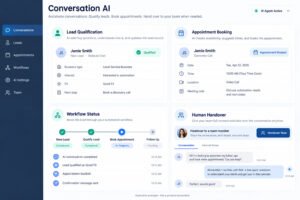
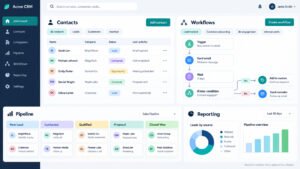
Automation tools connect a CRM, inbox, calendar, help desk, and accounting system so an AI agent can move context across workflows. Begin with stable triggers and documented fields. A CRM such as Salesforce may be the source of truth, while email and calendar remain execution channels. If you run GoHighLevel, our guide to GoHighLevel Conversation AI shows how its built-in agent handles lead replies and booking.
Testing a narrow use case with Zapier and low-code tools
Zapier and low-code orchestration can validate a narrow use case quickly, especially when triggers and actions are already supported. Add filters, idempotency keys, error notifications, and approval steps. Low-code does not remove governance: document credentials, test duplicate events, and restrict each connection to the minimum required scope.
When to schedule a model upgrade
Schedule a model upgrade when evaluation failures, latency, or tool-selection errors exceed an agreed threshold, not merely when competitors announce a new model. Re-run regression tests, estimate token costs, review privacy terms, and pilot with a small group. Scaling usage before this review can multiply a small defect across every workflow.
Build vs Buy: Deciding How Your Company Deploys Its First AI Agent
Build versus buy depends on differentiation, risk, data complexity, and internal capability. A vendor may provide tested connectors and support, while an in-house build offers control but creates maintenance obligations.
Estimating cost, time and risk before you build
Estimating cost requires more than model fees. Include discovery, data cleanup, integration, testing, monitoring, security review, support, and employee training. Define a measurable goal such as reducing lead response time by 30 percent, then calculate the value of improvement and the cost of failure before committing engineering capacity.
Hidden costs of in-house AI agent development
Hidden costs of in-house development include prompt maintenance, API changes, observability, incident response, access reviews, and evaluation datasets. Contractors may build an impressive prototype that lacks production ownership. Require documentation, source control, deployment instructions, and a named maintainer before accepting the system.
When out-of-the-box AI agents make sense
Out-of-the-box AI agents can shorten deployment when a vendor already understands common business workflows. Ask how the product handles context, data retention, integrations, human approval, and failed actions. A polished demo is not evidence of production reliability, so request references, test access, and measurable service commitments.
A build versus buy checklist
A build versus buy checklist should compare total cost, time to value, integration depth, security controls, ownership, portability, and support. Choose the option that meets business requirements with the fewest irreversible commitments.

Questions to ask every vendor
Ask every vendor: what data is retained; which models process it; how are permissions enforced; what happens during outages; how are outputs evaluated; who owns configuration; and how can the business export records? Written answers matter because verbal assurances do not define operational responsibility or customer remedies.
Running a realistic pilot before you buy
Evaluate products through a realistic pilot using anonymized business records and failure cases. Review uptime, response targets, incident notices, implementation fees, cancellation terms, model-change rights, and support hours. Confirm that logs expose enough detail to investigate a wrong action without revealing more personal data than necessary.
How Contractors and Creators Fit Into an AI Agent Ownership Model
Contractors and creators can accelerate automation, but the business must retain ownership of accounts, prompts, documentation, and data. Assign a product owner internally and require secure handover. Agencies building agents for clients can see how we approach this on our AI agents for agencies page.

Assigning ownership by responsibility
Assign ownership by responsibility: operations defines outcomes, security approves access, finance validates costs, and a technical owner manages releases. Contractors may implement components, but an internal employee should approve production changes. Record escalation contacts and review ownership whenever a workflow expands into a new system.
Handover docs that keep creators and agencies aligned
Handover documents should include architecture, prompts, tool schemas, environment variables, test cases, known limitations, rollback steps, and vendor contacts. Include screenshots only as supplements; structured configuration is easier to maintain. Require a live walkthrough so the business can operate the agent after the creator or agency exits.
Deploy and Monitor: Running a Production AI Agent Without Surprises
Deploy and monitor an AI agent as an operational service, not a one-time software project. Establish ownership, alert thresholds, audit retention, and a rollback procedure before launch.

Launching your first production AI agent
Deploy the first production AI agent with a narrow scope, synthetic data, least-privilege credentials, and human approval. Begin with recommendations or drafts, then allow limited actions after accuracy is demonstrated. Record baseline volume, latency, cost, and error rates so automation creates evidence of improvement rather than anecdotal enthusiasm.
Staged rollouts that limit risk
Staged rollouts protect a business from broad failures. Use a sandbox, then a pilot group, then a percentage of live cases. Compare automated and human outcomes, review false positives, and pause deployment when error rates or customer complaints exceed predefined limits. Expand only after the pilot owner signs off.
Deployment checklists
Deployment checklists should verify credentials, field mappings, duplicate prevention, fallback messaging, approval routes, privacy settings, alert delivery, and rollback access. Test incomplete records, hostile instructions, timeouts, duplicate events, and unexpected language. A checklist is valuable because it turns assumptions into repeatable release evidence.
Ways to monitor, capture and learn from every run
Monitor every run with timestamps, input categories, selected tools, outcomes, retries, approvals, cost, and latency. Remove secrets and unnecessary personal information from logs. Review samples weekly, classify failures, and convert recurring defects into tests or workflow changes.

Logs and dashboards to watch
Monitor logs and dashboards for spikes in failed tool calls, unusual token use, repeated retries, abandoned approvals, and changes in escalation rate. Alerts should reach a responsible human and include enough context to act. Separate technical failures from policy failures because each requires a different remedy.
Using captured traces to refine the orchestration layer
Captured traces reveal where the orchestration layer loses context, chooses the wrong tool, or misunderstands a business rule. Redact sensitive values, cluster similar failures, and update one component at a time. Retest historical cases after every change so improvements in one workflow do not damage another.
Keeping Intelligent Workflows Healthy Through Model Upgrades
Keeping intelligent workflows healthy requires treating model upgrades as controlled releases. A new model may improve reasoning while changing tone, tool selection, or refusal behavior.

Regression tests before each model upgrade or prompt change
Regression tests should cover normal requests, ambiguous requests, permissions, tool failures, privacy boundaries, and adversarial instructions. Compare structured outputs, actions, escalation decisions, latency, and cost. Do not approve a model upgrade solely because sample answers sound better; production correctness includes safe system behavior.
Governance, Risk and the Rules Shaping Agentic Automation
Governance makes Agentic AI accountable by defining permitted data, actions, oversight, and evidence. Ethical considerations include privacy, bias, explainability, accessibility, and the right to challenge an automated outcome.

What the EU AI Act means for small business AI agents
The EU AI Act may affect a small business when it deploys, provides, or relies on AI in the European market. Classify the use case, identify provider responsibilities, and obtain legal advice for high-impact applications. Keep a record of intended purpose, data handling, human oversight, and post-deployment monitoring.
Risk categories and disclosure duties
Risk categories and disclosure duties depend on the application, users, data, and consequences of error. Customer-facing systems may require transparency that a person is interacting with AI, while employment-related uses can face stricter obligations. Do not infer compliance from a vendor’s marketing page; request documented scope and controls.
Documentation practices that satisfy auditors and clients
Documentation should state purpose, owners, data sources, model versions, prompts, tools, permissions, evaluation results, incidents, approvals, and change history. Keep evidence readable by clients and auditors. A concise decision record for each workflow often provides more value than an enormous technical archive nobody can interpret.
ISO 42001 and the Case for Formal AI Governance
ISO 42001 provides a framework for an AI management system, helping a business formalize accountability, risk treatment, monitoring, and continual improvement. Certification is not automatically required, but disciplined controls can increase trust with enterprise clients.
ISO 42001 controls mapped to everyday workflow decisions
ISO 42001 controls can map to everyday decisions: define intended use, assess risk before launch, approve data sources, test outputs, monitor incidents, and review suppliers. Make each control proportional to impact. A low-risk drafting assistant should not receive the same process as an agent authorized to issue payments.
Turning compliance into a selling point
Turning compliance into a selling point helps contractors demonstrate reliable delivery. Provide clients with a control summary, test evidence, data-retention explanation, and incident process. Clear governance distinguishes a dependable implementation partner from a creator who only supplies a clever prompt or attractive demo.
Real-World Wins Come From Focused Workflows
Real-world wins usually come from focused workflows rather than fully autonomous companies. A service business can use an agent to summarize tickets, identify priority, draft replies, and update a CRM while supervisors approve exceptions. Content and social media are other good starting points, for example an AI content agent or an AI social media agent.
Example: a 20-person service company pilot
Here is a hypothetical example: 20-person service company receives 400 inbound requests monthly. It connects an AI agent to its inbox and CRM, classifies requests, drafts replies, and routes urgent cases. After a six-week pilot, the owner compares first-response time, resolution rate, rework, and satisfaction against the baseline before expanding permissions.
Next Steps for Business Owners
Move from reading to a controlled pilot. Choose one workflow, record its baseline, document the risks, and test with human oversight before you give an agent more access. If you would rather have the agent built, connected and monitored for you, our AI agents team can help.