Skip to content

HubSpot to GoHighLevel Migration Checklist: CRM Data Mapping
HubSpot to GoHighLevel migration succeeds when CRM data mapping is planned before export. Inventory contacts, companies, deals, custom objects, pipelines, workflows, consent flags, record IDs, and reporting dependencies.

Why Marketing Agencies on HubSpot Are Moving to GoHighLevel
Why marketing agencies on HubSpot are moving to GoHighLevel is usually explained by agency automation, consolidated funnels, sub-accounts, and simpler client operations. Compare features, governance, deliverability, and migration effort rather than assuming every account benefits. Our GoHighLevel vs HubSpot comparison covers the platform differences in detail.

The Numbers to Gather Before You Decide
The numbers behind the CRM shift should include active contacts, monthly emails, pipeline volume, automation count, seats, integrations, and storage. Measure current HubSpot usage against projected GoHighLevel costs and migration labor before approving the business case.
Track Every Account Transfer
Tracking every account transfer shows why standard templates, repeatable field mapping, and controlled testing matter. Agencies should track transfer duration, failed imports, duplicate rates, deliverability changes, and post-migration support hours for every client.
Compare HubSpot and GoHighLevel Cost per Client
Compare HubSpot and GoHighLevel cost per client using licensing, phone services, email volume, implementation, maintenance, training, and integration fees. A lower subscription price does not offset data loss, downtime, or poorly rebuilt workflows.
What Transfers from HubSpot and What Needs Rebuilding
What transfers from HubSpot and what needs rebuilding depends on object compatibility. Contacts, basic properties, tags, and selected deal data commonly move through CSV or APIs, while custom objects, attribution, complex workflows, and historical engagements may require redesign.

Contact Migration Is Easier Than Workflow Rebuilds
Contact migration is generally more predictable than workflow reconstruction. Preserve contact properties, consent status, ownership, source, and timestamps, then recreate enrollment rules, branching, delays, notifications, and exclusions in GoHighLevel. Test every trigger with representative records.
Understanding migration compatibility before you commit
Understanding migration compatibility before you commit requires an object inventory and a dependency review. Confirm API access, export permissions, custom object alternatives, association behavior, email history, pipeline stages, rate limits, and unsupported automation actions before scheduling data transfer.
Pre-Migration Audit: 7 Steps to Prepare Your HubSpot Data
Pre-migration audit: 7 steps to prepare your HubSpot data should cover ownership, retention, exports, field definitions, associations, automation dependencies, and validation criteria. Freeze schema changes during final preparation and assign an owner for each remediation task.

Export Procedures for Contacts, Companies, and Deals
Export procedures for contacts, companies, and deals should produce separate, dated files plus a manifest. Include HubSpot Record IDs, association keys, owners, lifecycle stages, deal amounts, close dates, pipelines, and source metadata so reconciliation remains possible.
Export Contacts with Essential HubSpot Fields
Export Contacts with essential HubSpot fields such as email, phone, name, lifecycle stage, owner, lead source, consent status, create date, update date, and record ID. Retain the original CSV unchanged and work from a copy.
Company object export and deduplication rules
Company object export and deduplication rules should define the authoritative domain, legal name, country, owner, and external identifier. Do not merge records solely because names match; review subsidiaries, franchises, and shared domains before Data deduplication.
Handling Custom Fields and Large Databases
Handling custom fields and large databases requires a schema catalog that records type, allowed values, source, destination, owner, and retention decision. Separate active records from archives and document unsupported custom objects before importing anything.
Mapping Custom Fields without data loss
Mapping Custom Fields without data loss means matching data types before labels. Convert dates to one timezone, preserve multi-select values, document truncation rules, and create destination fields before import. Sample at least 100 records per field for comparison.
Archive Large Databases for a Clean Import
Archiving Large Databases for a clean import reduces noise without deleting evidence. Export inactive contacts, closed deals, historical activities, and obsolete properties into protected archives, then define whether each archive remains searchable or is retained solely for compliance.
Clean Your Data Before the Migration
Data Cleansing Before the GoHighLevel Migration Process should remove invalid emails, obsolete owners, inconsistent phone formats, abandoned stages, and contradictory lifecycle values. Record every transformation in a data-quality log so stakeholders can approve changes before import.
A Dedupe Strategy for HubSpot Contacts
Dedupe strategy for HubSpot contact records should prioritize email, verified phone, external ID, and reviewed name-company combinations. Keep the surviving record’s latest consent and meaningful activity, preserve losing record IDs, and test duplicate prevention after import.
Standardize Category Values for Your Field Map
Standardizing category values for your field map requires a controlled vocabulary for campaign, source, service, audience, and lifecycle values. Replace spelling variants with approved values and maintain a crosswalk that explains every conversion.
Data Mapping: From HubSpot Objects to HighLevel Fields
Data Mapping Mastery: From HubSpot Objects to HighLevel Fields begins with a source-to-destination specification. For every property, define type, transformation, required status, default, ownership, validation rule, and test record.
Object Mapping for Standard and Custom Properties
Object Mapping for Standard and Custom Properties distinguishes contacts, companies, deals, tickets, products, and custom objects. GoHighLevel’s contact-centric model may require flattening associations or storing unsupported relationships in structured custom fields.
Contact and Company object mapping table
Contact and Company object mapping table should pair HubSpot properties with destination fields, transformations, and exception notes. Include owner, domain, phone, lifecycle, consent, source, external ID, and association behavior for reliable reconciliation.
Map Workflow Actions Across Both Platforms
Workflow Actions Mapping across both platforms translates enrollment triggers, branches, waits, emails, tasks, webhooks, and suppression rules. Do not copy logic blindly; recreate business intent, then test timing, exclusions, retries, and notification recipients.
Build a Field Map for Pipelines and Products
Building a Field map for Pipelines and Inventory source requires stage definitions, probability, owner, amount, currency, product identifiers, and source attribution. Confirm whether each pipeline represents a sales process, fulfillment process, or reporting category.

Map Pipeline Stages to GoHighLevel Opportunities
Pipeline stage mapping to GoHighLevel opportunities should preserve stage meaning, probability, lost reasons, timestamps, and ownership. Map each HubSpot stage to one destination stage and create exception handling for deleted, stalled, or reopened deals.
Track Product Sources for Product-Led Agencies
Inventory source tracking for product-led agencies should use stable product IDs, quantities, prices, fulfillment status, and source timestamps. If GoHighLevel cannot represent a product relationship directly, store the source identifier and validate downstream reporting.
API Rate Limits and Large Databases
API Rate Limits and Large Databases During Bulk Transfer require queues, checkpoints, retries, logging, and backoff. Segment data by object and date, monitor response codes, and never assume a successful request means every association or activity was transferred.

Throttle Imports to Stay Within API Limits
Throttling HubSpot data import to avoid bans means respecting documented limits, spacing requests, batching records, and retrying transient failures. Maintain an idempotent process so a repeated batch updates the intended record instead of creating duplicates.
Migrate 50,000+ Records in Incremental Windows
Incremental migration windows for 50k+ records reduce operational risk. Move a representative sample, then historical segments, and finally recent changes. Reconcile counts and checksums after every window before allowing the next batch.
The Migration Process: Phases, Testing and Cutover
The GoHighLevel Migration Process: Phases, Testing, and Cutover should use discovery, export, cleansing, mapping, sandbox import, validation, rehearsal, controlled cutover, and hypercare. Define rollback criteria before production work begins.

From Sandbox Sub-Account to Production
Migration Phases: Sandbox sub-account to production should keep test credentials, sample records, automations, and reporting separate from live operations. Promote only approved configurations and repeat validation after production provisioning.
Run a Test Migration in a Sandbox Sub-Account
Running a test migration in a Sandbox sub-account should use a representative dataset containing normal records, duplicates, missing values, long text, multiple owners, and edge cases. Compare source and destination counts, fields, associations, and automation outcomes.
Incremental Migration vs Full Cutover
Incremental migration vs. full cutover timing depends on record volume, update frequency, compliance, and tolerance for downtime. Incremental movement reduces risk, while a full cutover may simplify reconciliation when changes can be frozen.
Test Contacts and Rebuilt Automations
Testing and Validation for Contact migration and Automation rebuild should verify counts, field values, associations, ownership, consent, timestamps, pipelines, emails, and triggers. Use scripted comparisons plus business-user review before release.

Verify Email History and Workflow Triggers
Verify Email history and workflow triggers post-move by testing delivered, bounced, unsubscribed, and suppressed contacts. Confirm enrollment, delays, branches, task creation, webhook payloads, and email deliverability without sending uncontrolled campaigns.
Common Import Failures and How to Fix Them
Import Pitfalls: Common failures and fixes include wrong date formats, missing required fields, duplicate contacts, invalid owners, broken associations, unsupported custom objects, and overwritten values. Resolve failures in the mapping layer rather than manually patching production records.
Cutover Day: Email Warmup and HubSpot Coexistence
Cutover Day: Sending domain warmup and HubSpot coexistence requires a runbook with freeze time, final delta export, approval gates, DNS checks, monitoring, and support contacts. Keep HubSpot read-only until reconciliation is complete.

Sending Domain Warmup Checklist
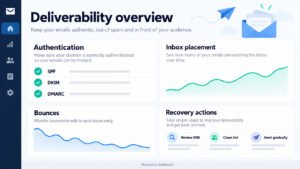
Sending domain warmup checklist for GHL should verify SPF, DKIM, DMARC, tracking domains, unsubscribe handling, bounce monitoring, and gradual volume. Start with engaged recipients and monitor reputation before restoring full automation.
Run HubSpot and GoHighLevel Side by Side for 30 Days
Planning HubSpot coexistence for 30 days requires explicit system ownership. Freeze edits in HubSpot where possible, synchronize approved deltas, prevent dual sends, preserve read access, and schedule final reconciliation before decommissioning.
Migration Service vs DIY for Multi-Client Agencies
GoHighLevel Migration Service vs. DIY: What Multi-Client Migrations Demand depends on complexity, internal skills, deadlines, compliance, and client count. A repeatable service should provide discovery, mapping, testing, documentation, training, and post-launch support. If you would rather hand it over, our HubSpot to GoHighLevel migration service handles the full move for you.

Engineer-Led Migrations for Complex CRM Setups
Engineer-led Migrations for Complex CRM Setups are appropriate when HubSpot contains custom objects, extensive APIs, intricate workflows, large histories, or regulated consent. Engineers can build checkpoints, transformations, reconciliation reports, and rollback controls.
When to Choose an Engineer-Led Migration
When to choose an engineer-led GoHighLevel Migration Service depends on risk rather than record count alone. Choose experienced specialists when downtime affects revenue, integrations are mission-critical, or agencies must migrate several clients consistently.
Red Flags in a DIY Migration
Red flags in DIY HubSpot to GoHighLevel Migration include no source archive, no field map, no sandbox, manual duplicate removal, untested workflows, shared credentials, and no rollback plan. These shortcuts increase data loss and downtime risk.
Scaling Multi-Client Migrations
Scaling Multi-Client Migrations with Agency account transfer requires standardized templates, permission boundaries, naming conventions, provisioning scripts, and client-specific mapping overrides. Keep shared agency assets separate from each sub-account’s private data.
Agency Account Transfer and Sub-Account Provisioning
Agency account transfer and sub-account provisioning should establish snapshots, users, domains, calendars, phone settings, pipelines, forms, and automations in a controlled order. Validate each account independently before connecting shared services.
A2P 10DLC and AI Agents After the Move
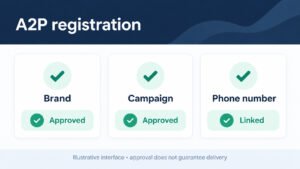
GHL Services for A2P 10DLC and Autonomous AI agents should address consent, campaign registration, message disclosures, escalation rules, and human oversight. Treat AI actions as workflows requiring logs, permissions, and review.
After the Move: Governance and Lead Sources
After the move, keep the CRM reliable with ongoing governance. Document ownership, field definitions, integration rules, deliverability monitoring, and change control so the CRM remains reliable.
Keep LinkedIn and Email History After the Move
LinkedIn and Email history continuity after GoHighLevel migration requires clear expectations because some activity may not transfer natively. Preserve exports, link external identifiers, document unavailable history, and connect approved lead sources without violating platform policies.
Sync LinkedIn Leads into GoHighLevel
Syncing LinkedIn leads into GoHighLevel should use compliant forms, approved connectors, consent capture, source attribution, and duplicate prevention. Test field mapping and notification workflows before routing live leads to sales users.
Avoid A2P 10DLC Registration Delays
Avoiding A2P 10DLC registration delays requires accurate business details, campaign descriptions, sample messages, opt-in evidence, privacy terms, and consistent sender information. Submit early and avoid changing registered content during cutover.
Build Your Migration Playbook
Your migration playbook should include export guides, API documentation, mapping templates, validation scripts, deliverability references, and operational runbooks. Review them after each migration to improve standards and reduce recurring errors.

Reuse the Process for Other CRM Migrations
The same playbook can guide other moves, such as a Zoho to GoHighLevel switch, and provide a reusable structure for discovery, object inventory, field mapping, cleansing, testing, and cutover. Replace platform-specific assumptions and validate every destination capability independently.
Your HubSpot to GoHighLevel Migration Master Plan
Your HubSpot to GoHighLevel migration master plan should include owners, dates, exports, field maps, test cases, acceptance criteria, cutover tasks, rollback plan, and post-launch checks. A signed checklist turns migration from an ad hoc transfer into controlled delivery.